Muslim prayer times, adhan, Quran and Qibla app (Flutter) with its admin panel and API (Laravel).
Version 1.0.0Android 7.0+Flutter 3.47PHP 8.3+ / Laravel 1312 languages
1Overview
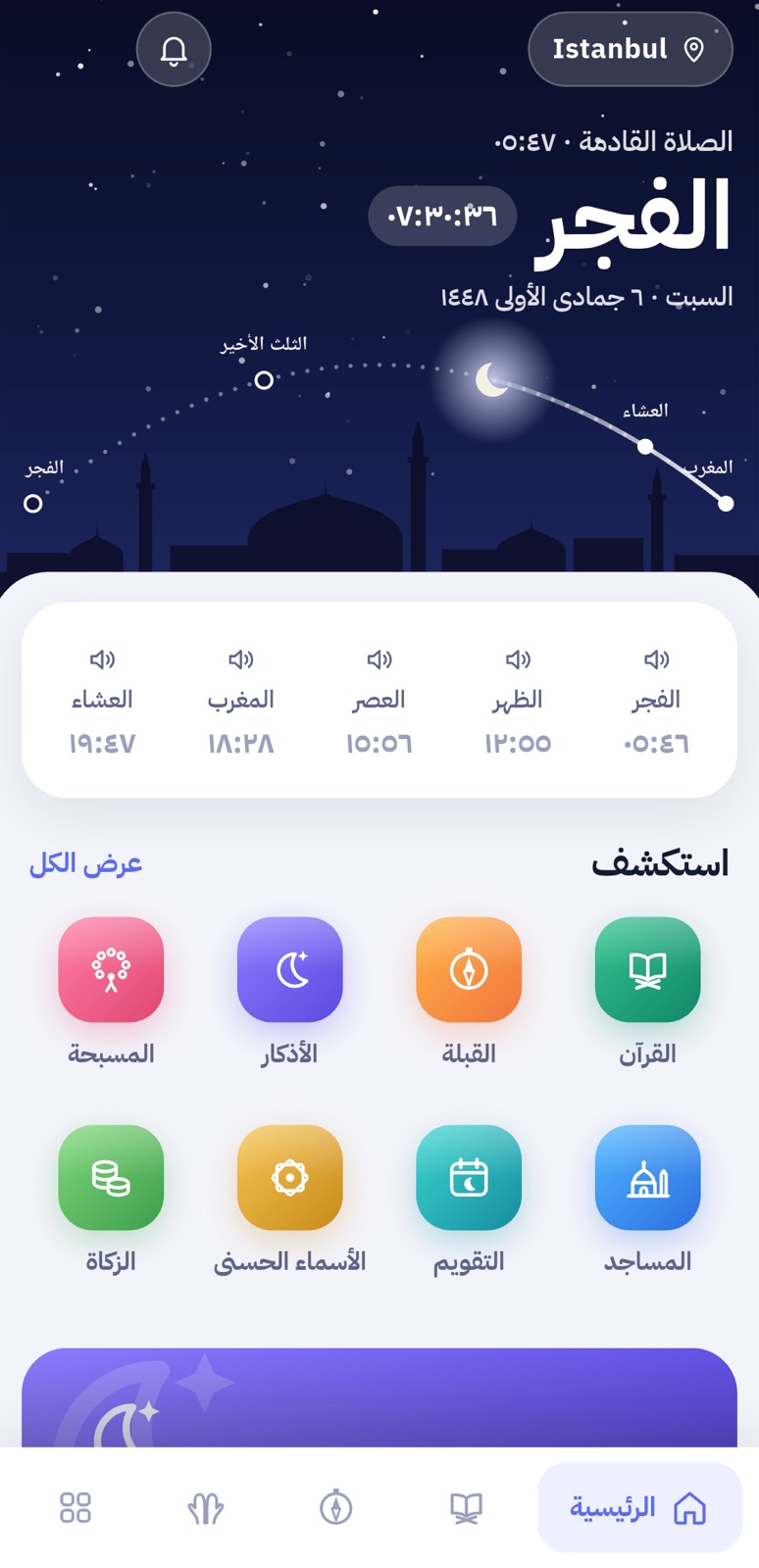
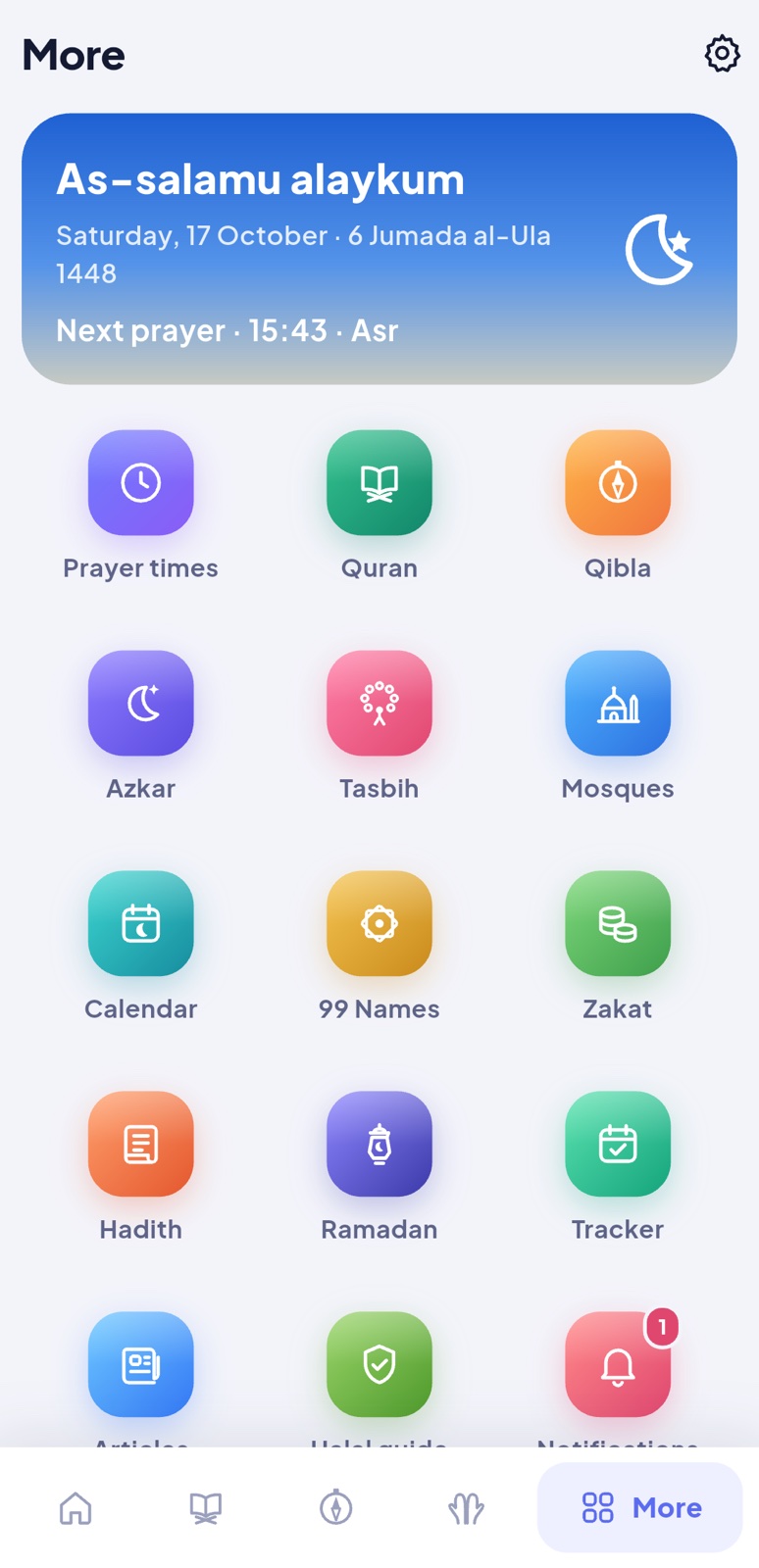
Sakina is a complete Muslim companion app: accurate prayer times with the adhan, the Holy Quran with recitations and translations, the Qibla, the daily adhkar and duas, a tasbih, the 99 Names, hadith, the Hijri calendar, Ramadan times, a prayer tracker, a zakat calculator, nearby mosques and more. Its design follows the sky: the home screen changes colour from dawn to night.
The admin panel manages everything the app shows without a new app release: duas and adhkar, hadith, banners, articles, Quran reciters, adhan voices, official prayer timetables, mosques, push notifications, the app's texts in every language, ads and updates. It also shows how many people use the app.
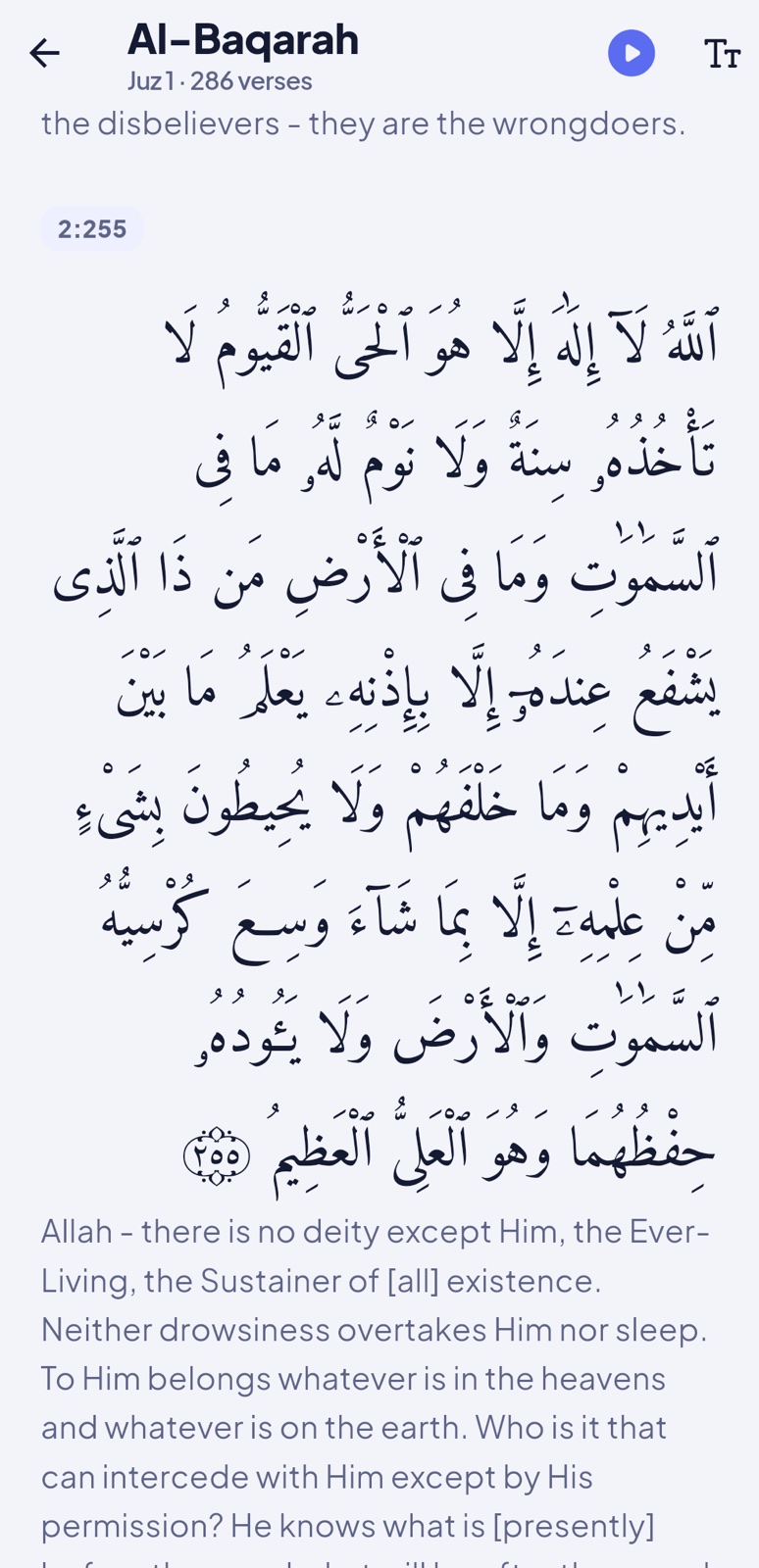
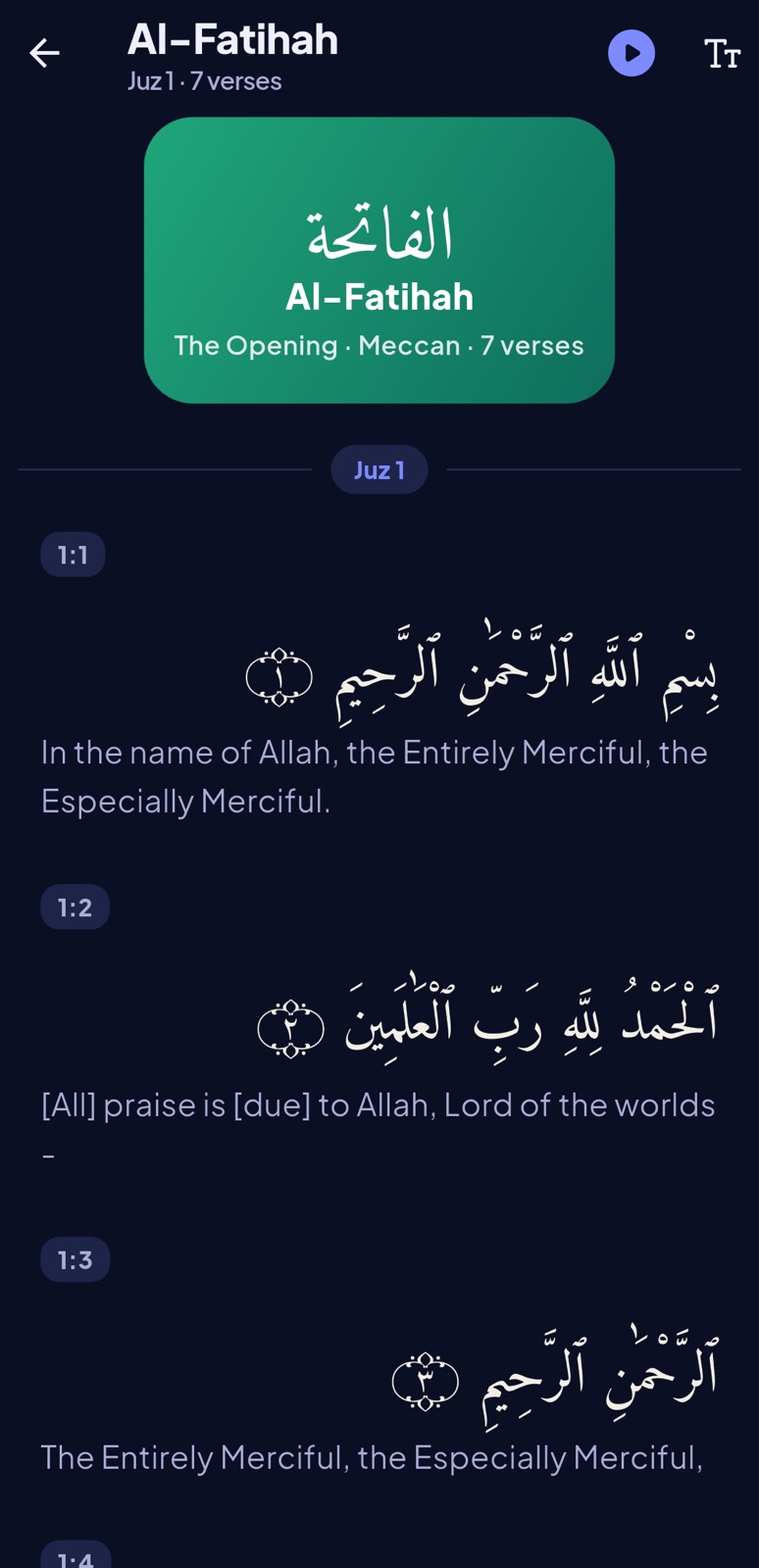
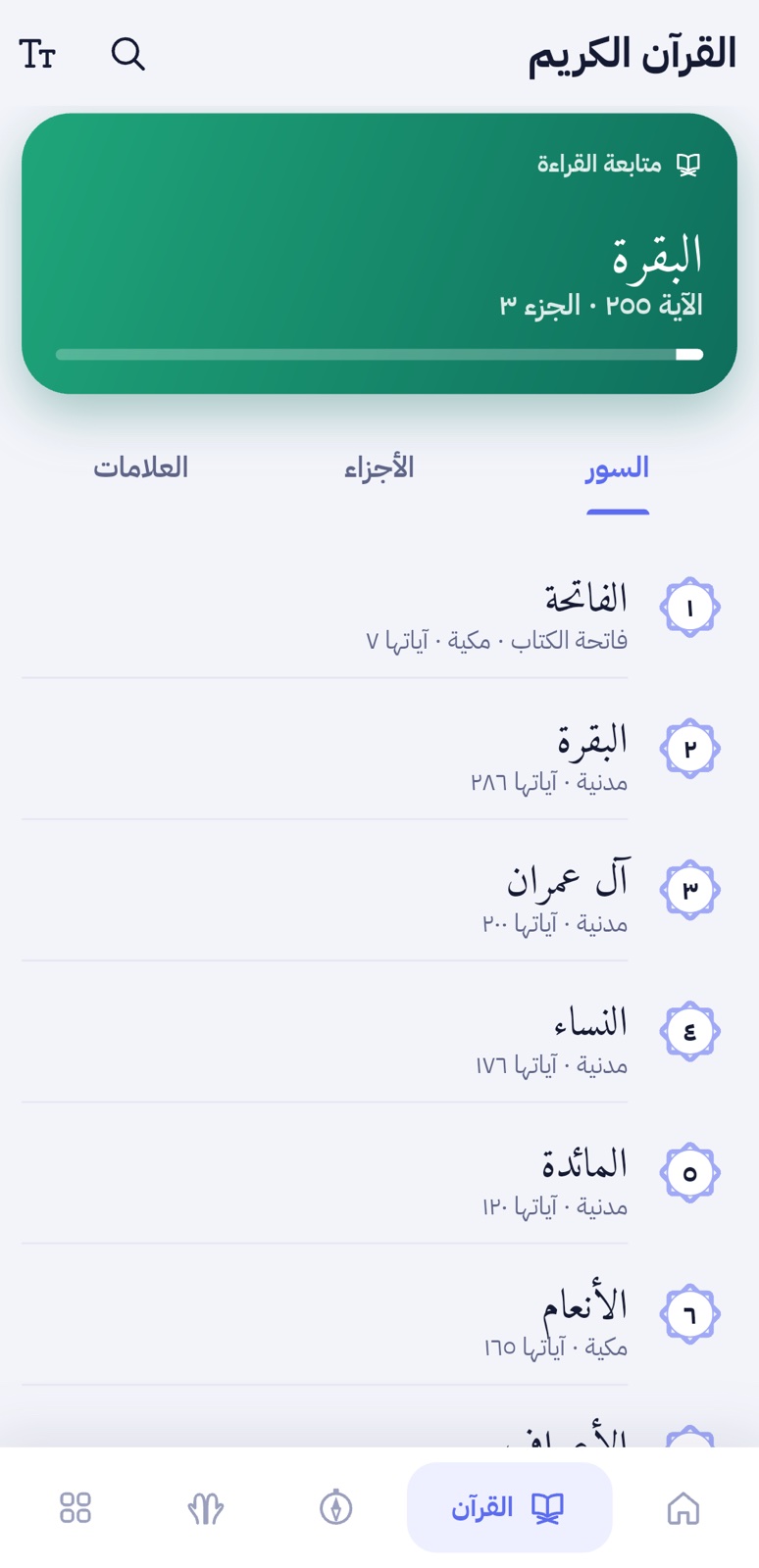
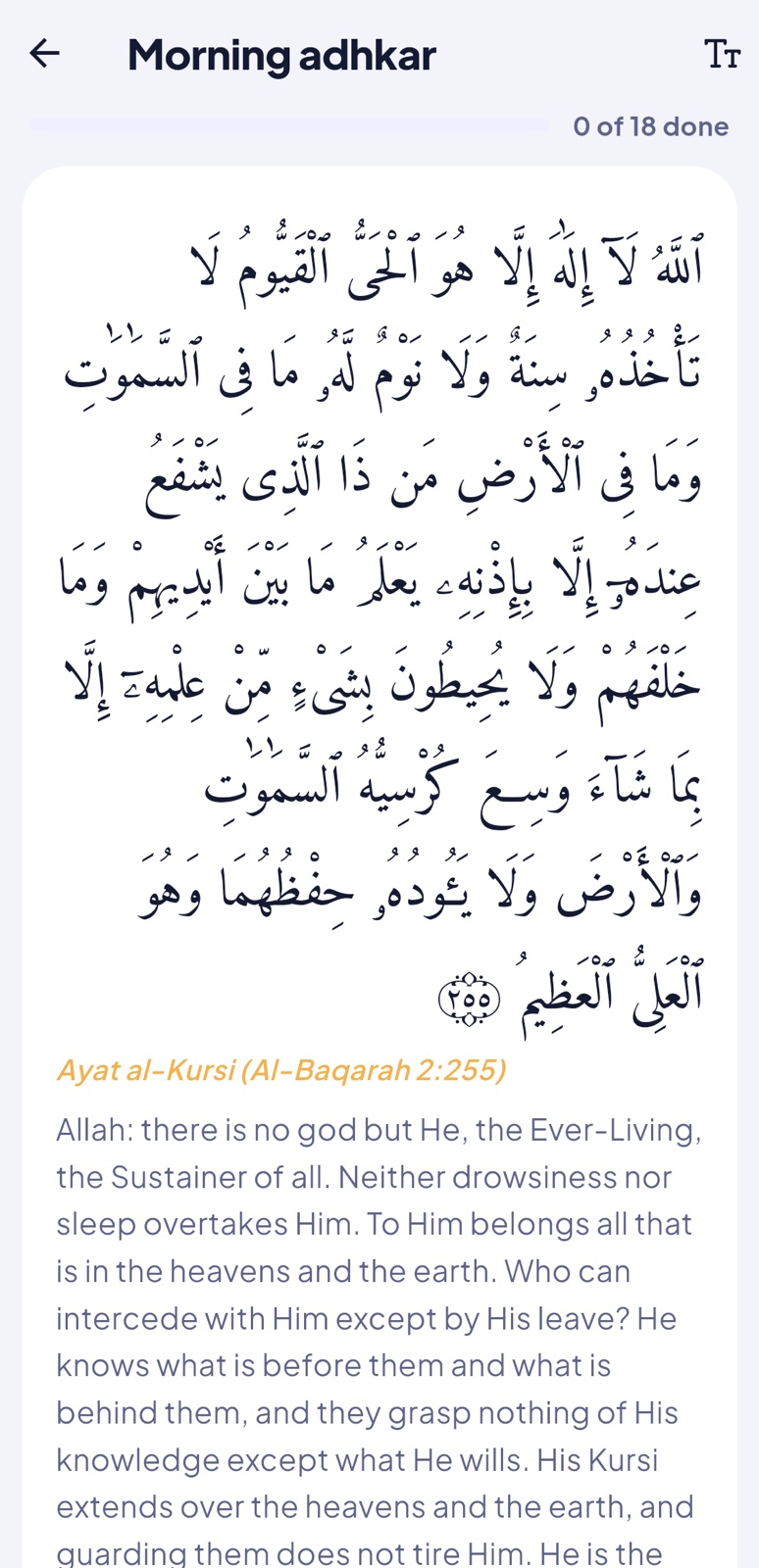
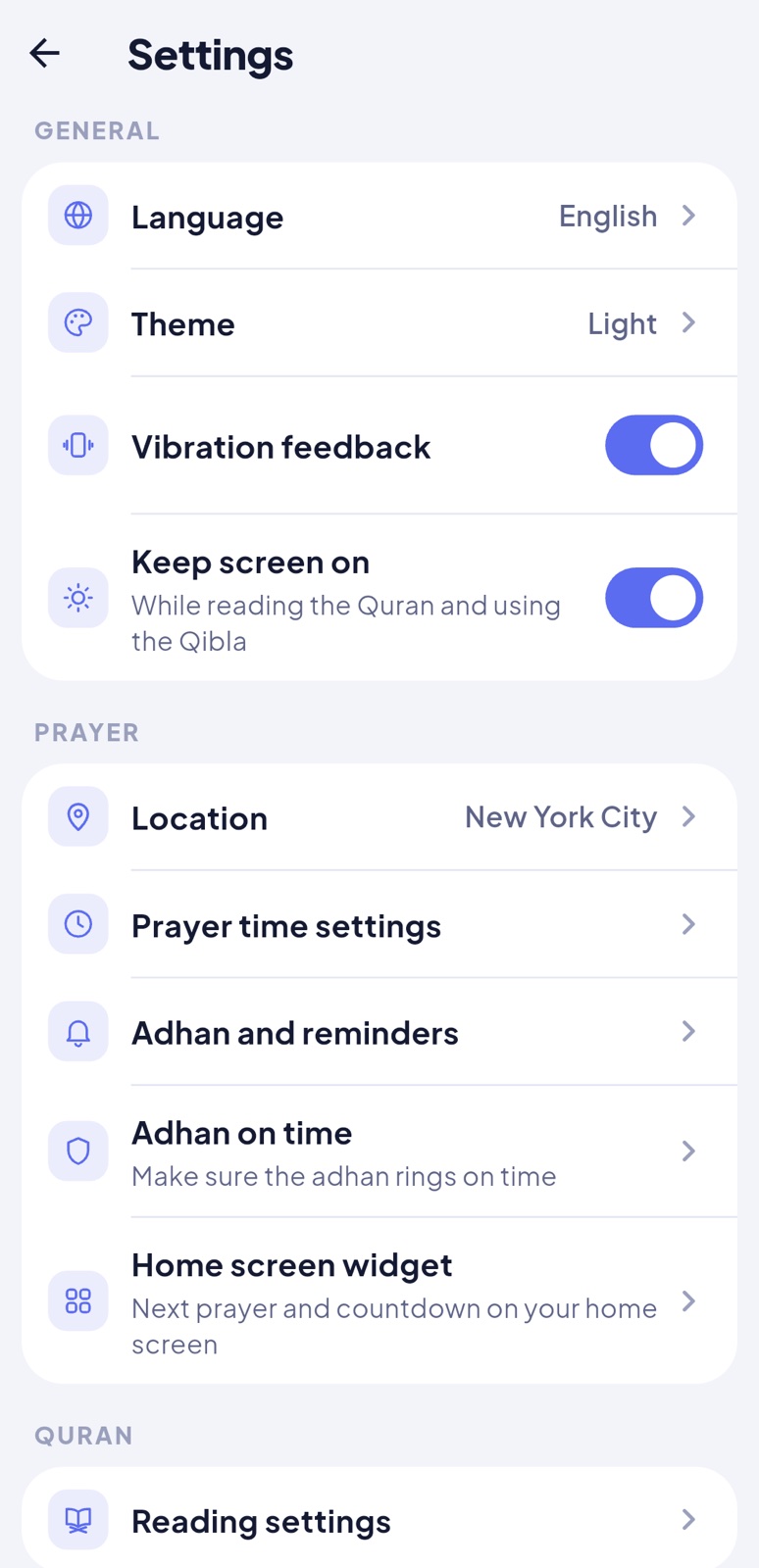
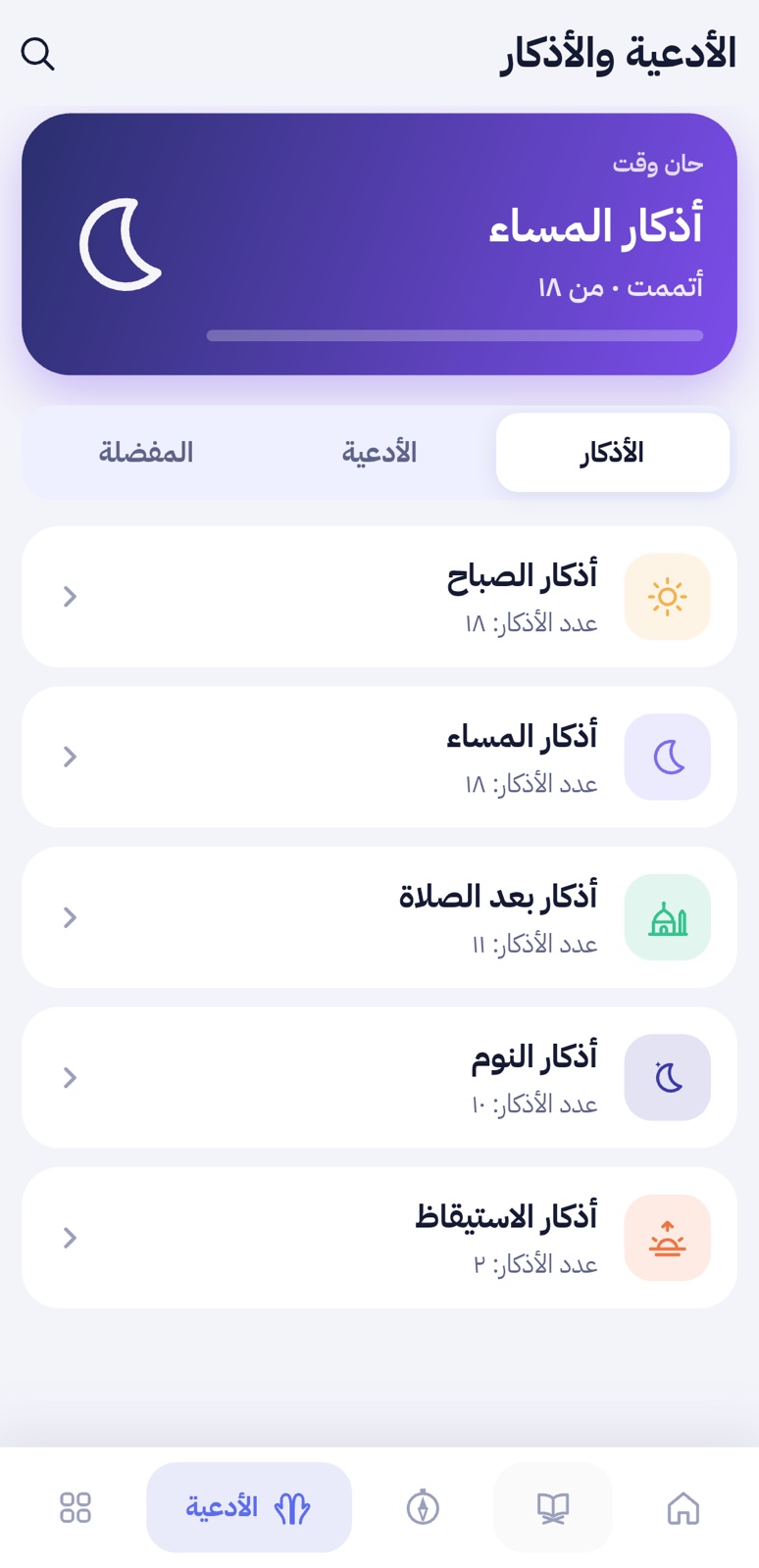
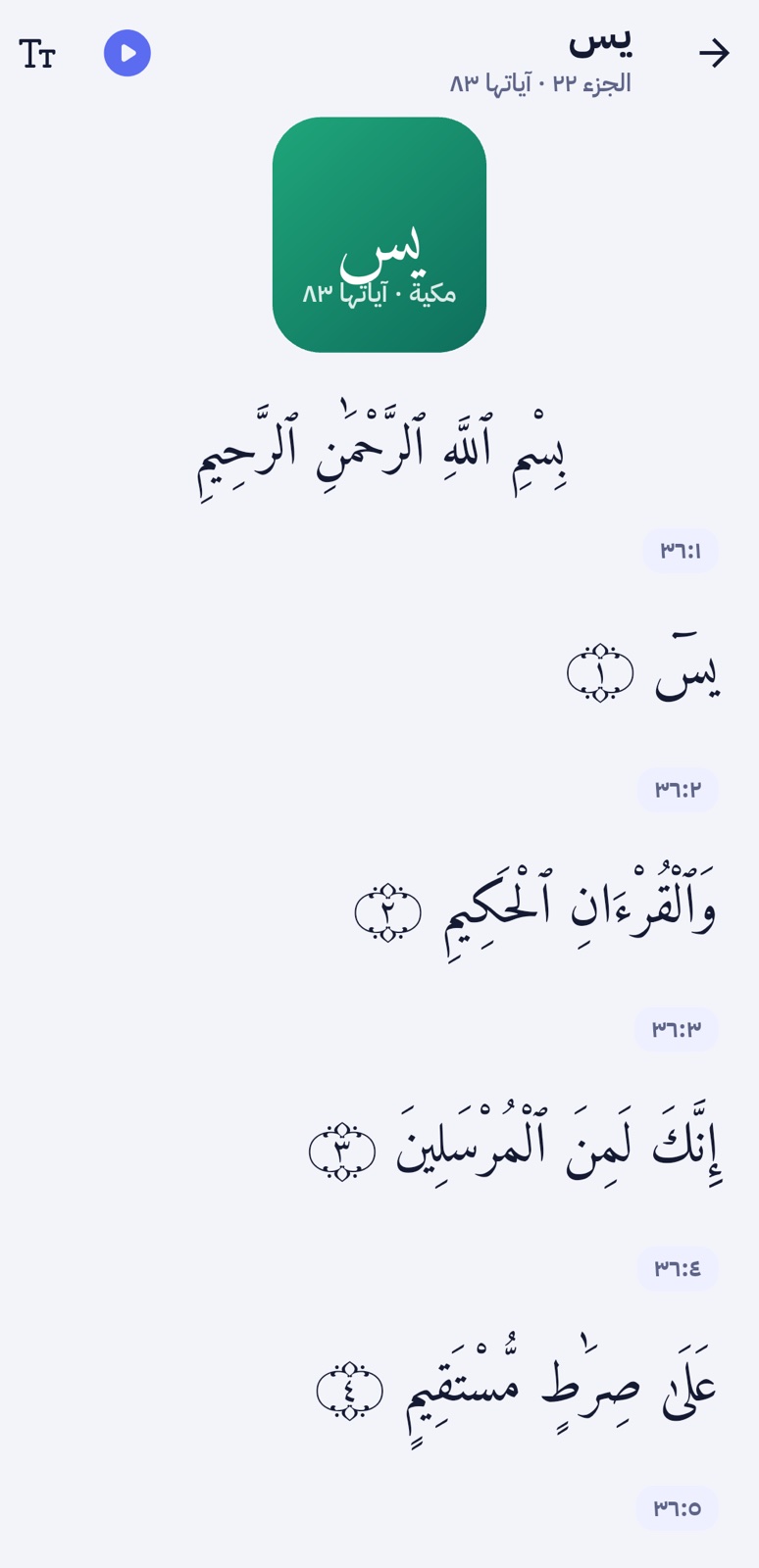
HomeQuranReaderQiblaDuas and adhkarDark modeArabic (RTL)
Platforms. One Flutter code base for Android 7.0 and newer and iPhone with iOS 15 and newer. Tested on a Samsung Galaxy A71 (Android 11), an Android 13 emulator and the iOS 26.5 simulator (iPhone 17 Pro). The home screen widget is Android only in version 1.0.0; the other iPhone differences are listed in iOS (iPhone).
🧭
Origin. Sakina, its design, icons, illustrations and texts are original work created by the author. The admin panel's base (web installer, staff accounts with two-factor sign-in, roles, settings storage, activity log) is shared with our Oddvia item; it is a self-contained copy in this download, supported and updated through Sakina's own updates. Third-party fonts, data and recordings are listed under Credits.
2What's in the download
Folder
What it is
app/
The Flutter app (source code) for Android and iOS. Open this folder in Android Studio or VS Code; for iPhone builds, app/ios/Runner.xcworkspace in Xcode.
admin/
The admin panel and API: index.php, .htaccess, assets/, uploads/ and the Laravel application in core/. Its PHP libraries (the core/vendor folder) are not in the download: Composer adds them with one command before you upload (Install the admin panel, step 3).
Licences of the fonts, data, recordings and packages used.
⚠️
Not included: no AdMob ids (you add your own, see Ads), no Firebase files (google-services.json and GoogleService-Info.plist are created in your own Firebase project, see Push notifications), no signing key or Apple team, no server, and no PHP libraries for the panel (Composer installs them, see Install the admin panel). The app works without ads, push and the panel; each one is switched on by you.
3Quick start
Install the admin panel on your hosting (a domain or subdomain with https, PHP 8.3+, MySQL): add its PHP libraries with Composer, upload it, open the address in a browser and follow the installer: Install the panel.
Add the cron job shown at the end of the installer: Cron job.
Set up Flutter on your computer and open the app folder: Set up the app.
Android 7.0 (API 24) or newer. Built for Android 16 (API 36).
CPU
arm64-v8a and armeabi-v7a phones (Google Play delivers the right one from the app bundle), x86_64 for emulators.
Memory
About 180 MB in use, measured with the release build on a Samsung Galaxy A71 (Android 11, 1080 × 2400) after using the home screen, the Quran reader and the Qibla. Phones with 2 GB of RAM or more are recommended.
Storage
The arm64 download is about 37 MB (Quran text, fonts and three adhan voices included). Each Quran translation adds about 1 MB when downloaded; recitations stream.
Graphics
Any GPU with OpenGL ES 3.0 or Vulkan (all phones since Android 7.0).
Screens
Phones in portrait, 360 dp wide and more. Text follows the system size up to 135%.
Internet
Not needed for prayer times, the adhan, the Quran text, the Qibla, adhkar and the tasbih. Needed for recitations, translations (first download), nearby mosques, articles and anything from the panel.
Sensors
A compass (magnetometer) for the Qibla. GPS is optional: people can pick their city from a list of 34,000 cities.
iPhone
iOS 15 or newer (the iOS SDKs of Firebase and AdMob need it). iPhone only: iPads run the app in iPhone mode. See iOS (iPhone).
Your computer (to build the app)
Flutter 3.47 or newer (Dart 3.13), with Android Studio or the Android command-line tools.
JDK 17 (Android Studio's bundled JDK works), Android SDK 36, Gradle 9 (downloaded by the project's Gradle wrapper).
For iPhone builds: a Mac with Xcode 16 or newer (tested with Xcode 26.6) and CocoaPods. Publishing in the App Store needs an Apple Developer account.
Your server (the admin panel)
PHP 8.3 or newer with the extensions pdo_mysql (or pdo_sqlite), mbstring, openssl, curl, gd, fileinfo, tokenizer, xml, ctype, dom and filter. zip is needed to upload reciter ZIPs and Excel timetables.
MySQL 5.7+ or MariaDB 10.3+ (tested with MySQL 8.4 and MariaDB 11.4 in strict mode). SQLite works for small tests.
An SSL certificate (https): Android apps refuse plain http by default.
A cron job every minute (or every 5 minutes on hosts that allow nothing faster).
Upload limits: 20 MB per file covers adhan voices; reciter ZIPs can be several hundred MB (set upload_max_filesize and post_max_size in cPanel's PHP settings, or upload recitations elsewhere and use an online address).
Third-party services and costs
⚠️
These services are not part of Sakina. AdMob (ads) and Firebase Cloud Messaging (push notifications) are Google services. Nearby mosques use OpenStreetMap's public Overpass servers, Quran translations come from AlQuran Cloud and the bundled recitations stream from everyayah.com. None of them is run by Zaviro, and each has its own terms, privacy policy and limits. You open your own accounts where one is needed, and you are responsible for any cost beyond a provider's free tier or usage limits, as well as for your hosting. Check each provider's current pricing before you publish. Ads and push are optional: the app works without both.
Free; no published licence: ask before commercial use (Credits)
5Install the admin panel
The panel is also the API the app reads, so install it on an address you will keep (changing it later means a new app release). A subdomain such as admin.yourdomain.com is a good choice.
Create the address. In cPanel > Domains (or Subdomains), create admin.yourdomain.com and note its document root folder. Make sure it has an SSL certificate (cPanel > SSL/TLS Status or AutoSSL).
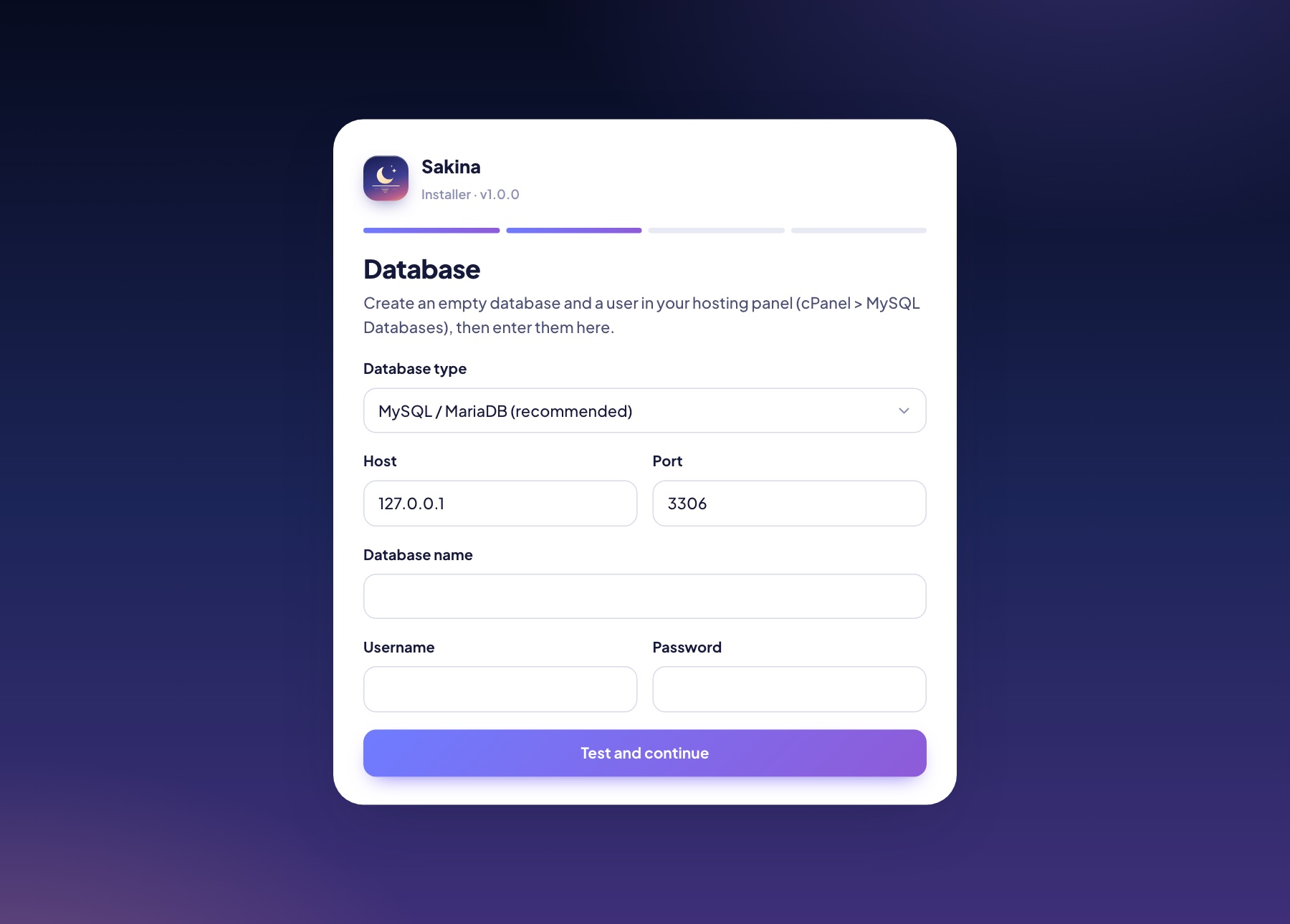
Create a database. cPanel > MySQL Databases: create a database and a user with a strong password, and add the user to the database with all privileges.
Install the PHP libraries. The download doesn't include the panel's PHP libraries (the core/vendor folder, about 40 MB). Composer adds them with one command, in the exact versions listed in core/composer.lock. Choose one way:
On your computer (works with every host): install PHP 8.3 or newer and Composer, open a terminal in the admin/core folder and run:
composer install --no-dev --optimize-autoloader
A vendor folder appears in admin/core. Then make the upload zip, including the hidden .htaccess file:
on macOS or Linux run cd .. && zip -r ../admin-upload.zip . in the same terminal (it creates admin-upload.zip next to the admin folder);
on Windows, open the admin folder, select everything in it (index.php, .htaccess, assets, uploads, core) and choose Send to > Compressed (zipped) folder.
On the server, if your host offers cPanel > Terminal or SSH: upload the files first (next step), then run, with your own folder name:
cd ~/YOUR-DOCUMENT-ROOT/core && composer install --no-dev --optimize-autoloader
Replace YOUR-DOCUMENT-ROOT with the folder from step 1 (for example admin.yourdomain.com).
If you open the panel's address before this step, it shows a page that reminds you to run this command.
Upload. Open the document root in cPanel > File Manager, upload your admin-upload.zip and extract it there, so that index.php, .htaccess, assets, uploads and core sit directly in the document root. FTP works too: upload the contents of the admin folder.
Choose PHP 8.3 or newer for that domain (cPanel > MultiPHP Manager or "Select PHP Version").
Run the installer. Open https://admin.yourdomain.com. The installer checks the server, asks for the database, then for the app name, the panel's address, your time zone and the owner account.
The installer's database stepStaff sign-in
The installer creates the tables and imports everything the app ships with: 16 adhkar and dua categories (116 texts), 40 hadiths, the 99 Names, Islamic events, 70 food additives, 15 Quran reciters, the privacy policy and terms, and the texts of the 12 languages, all with their translations. Edit or extend any of it afterwards.
💡
Demo data (an option on the last step) adds example installs, notifications, articles, banners, a timetable and two mosques, so you can explore the dashboard. Leave it off for a real app.
Security after installing
The panel lives at /admin. To use another path, set ADMIN_PATH=your-secret-path in core/.env.
Turn on two-factor sign-in in My profile, and give staff only the role they need (Staff and roles).
Keep APP_DEBUG=false in core/.env on a live site.
The .htaccess files keep core/ private. On Nginx, deny access to /core and to hidden files, and send other requests to index.php.
6Cron job
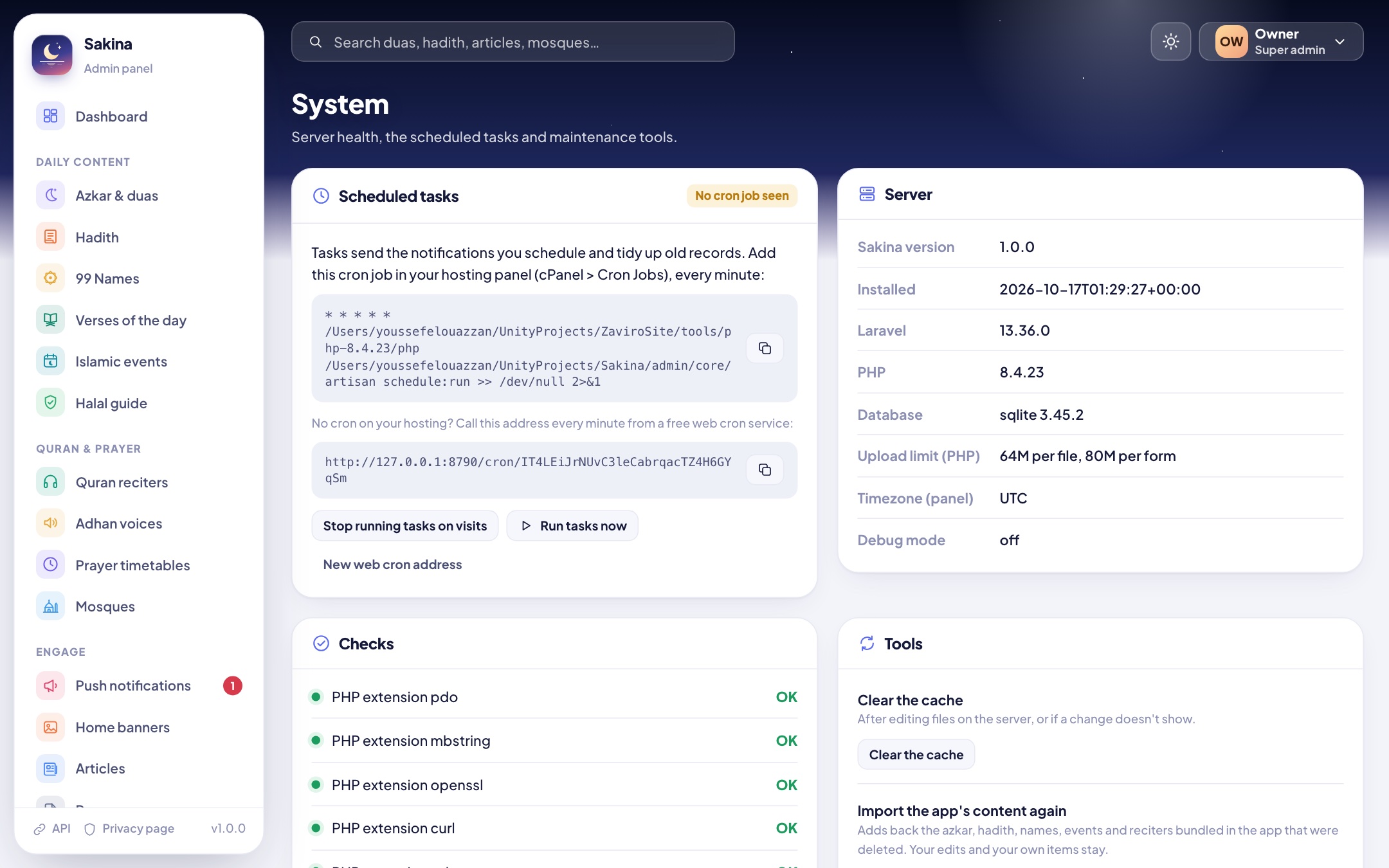
One cron job runs the panel's tasks: it sends the notifications you schedule and tidies old records. In cPanel > Cron Jobs, add the command shown at the end of the installer and in System, every minute:
Replace the two placeholders:YOUR-CPANEL-USERNAME is your cPanel user name (shown in cPanel's sidebar or account details) and YOUR-DOCUMENT-ROOT is the panel's folder from step 1 of the installation (for example admin.yourdomain.com or public_html). The easiest way: copy the ready-made command from the installer's last page or from System in the panel, which already contains your server's real paths.
The PHP path (/usr/local/bin/php above) depends on your host; System shows the one detected on your server. Hosts that only allow a cron every 5 minutes work too: scheduled notifications then go out up to 5 minutes late.
No cron at all? System also gives a web address to call from an external cron service, and "Run tasks on visits" lets the panel and the API run the tasks when they are used.
System: cron status, server checks and maintenance tools
7Using the panel
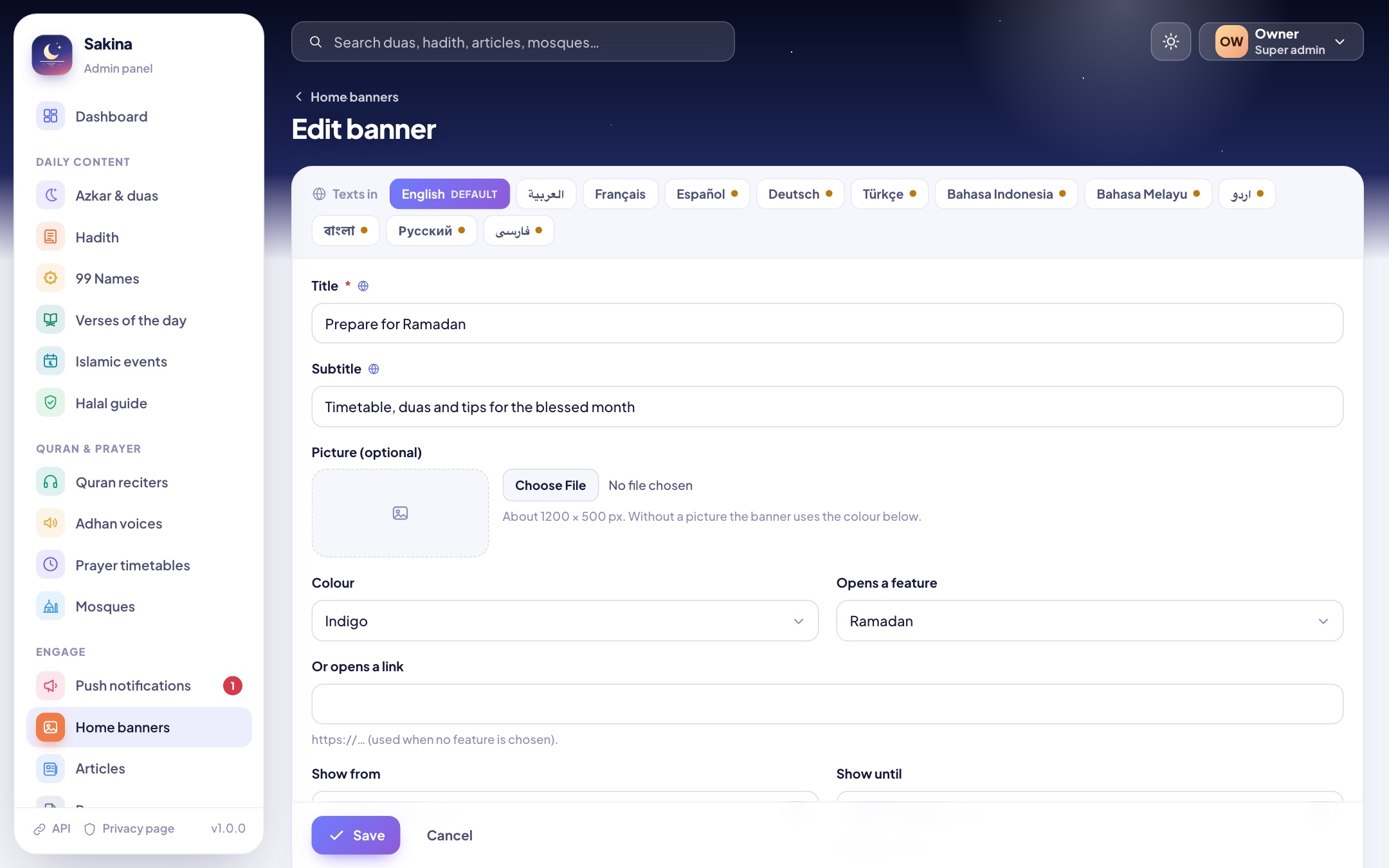
Texts the app shows to people have one version per language: the language tabs at the top of a form switch between them. A gold dot marks a language where a text is still missing; the app then shows the default language's text.
Dashboard
Dashboard
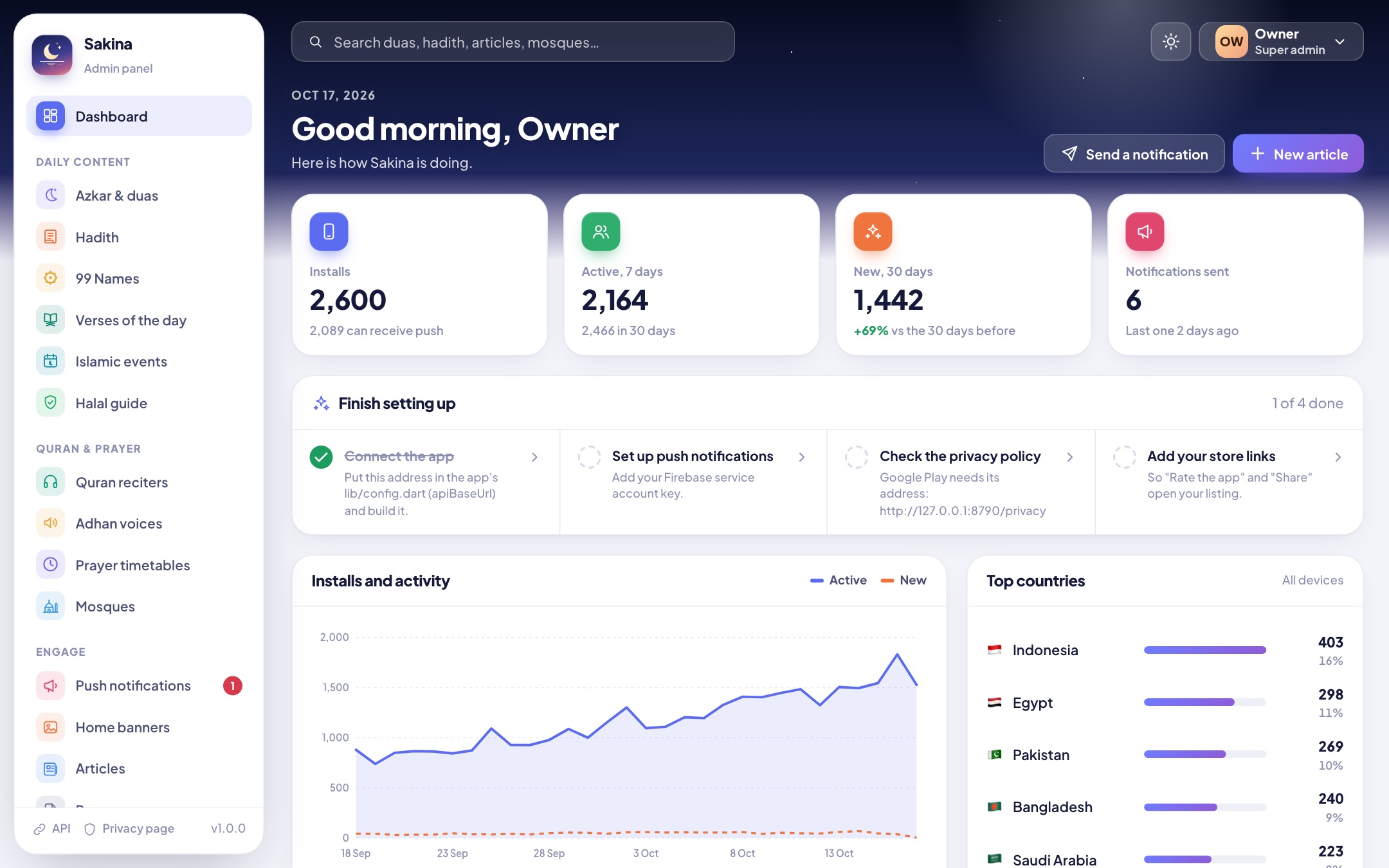
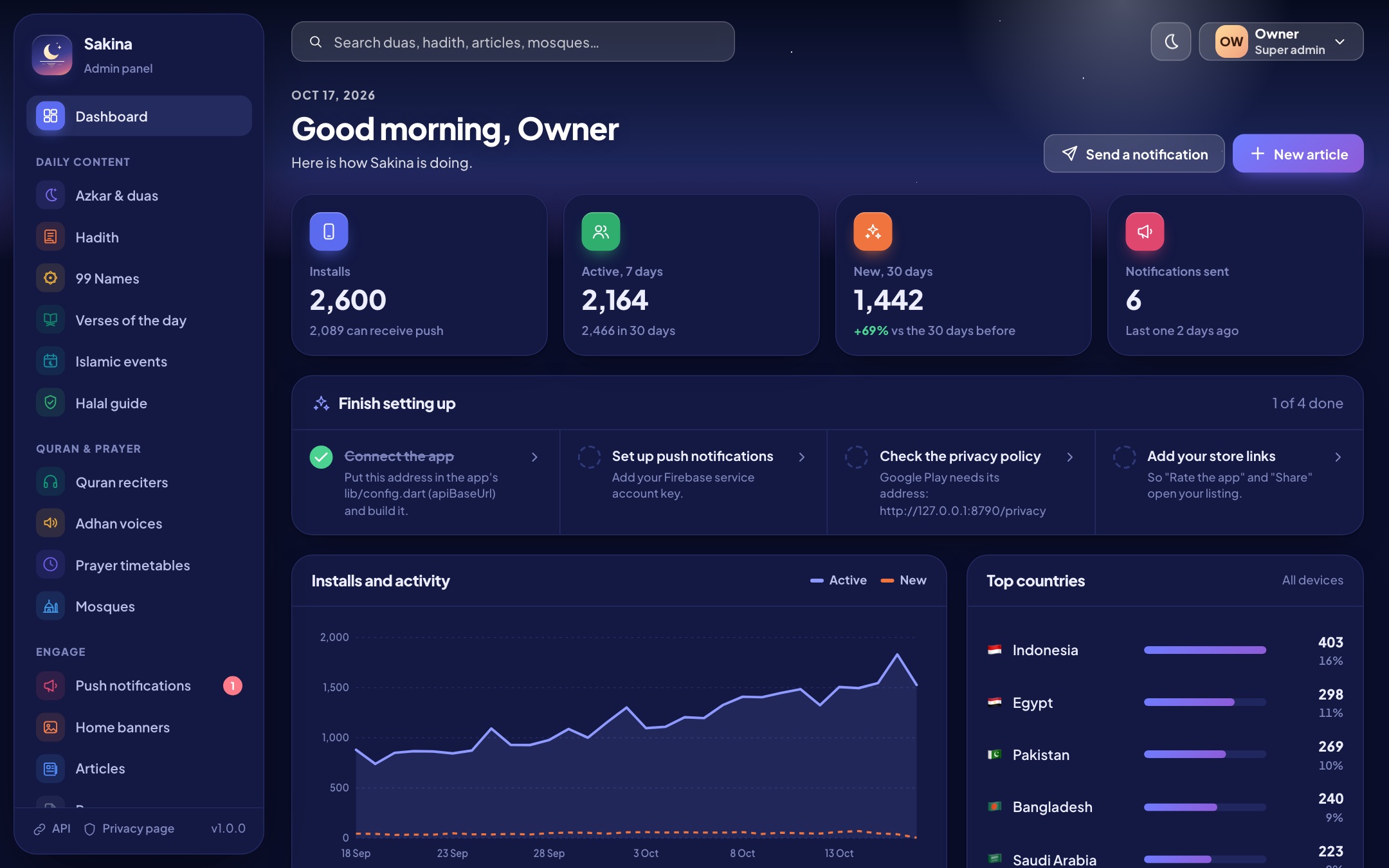
Installs, daily active phones (the app checks in once a day), new installs, notifications sent, and the top countries, languages, Android and iOS versions and app versions. "Finish setting up" lists the first steps until they are done. The panel has a dark mode too (sun/moon button), and works on phones.
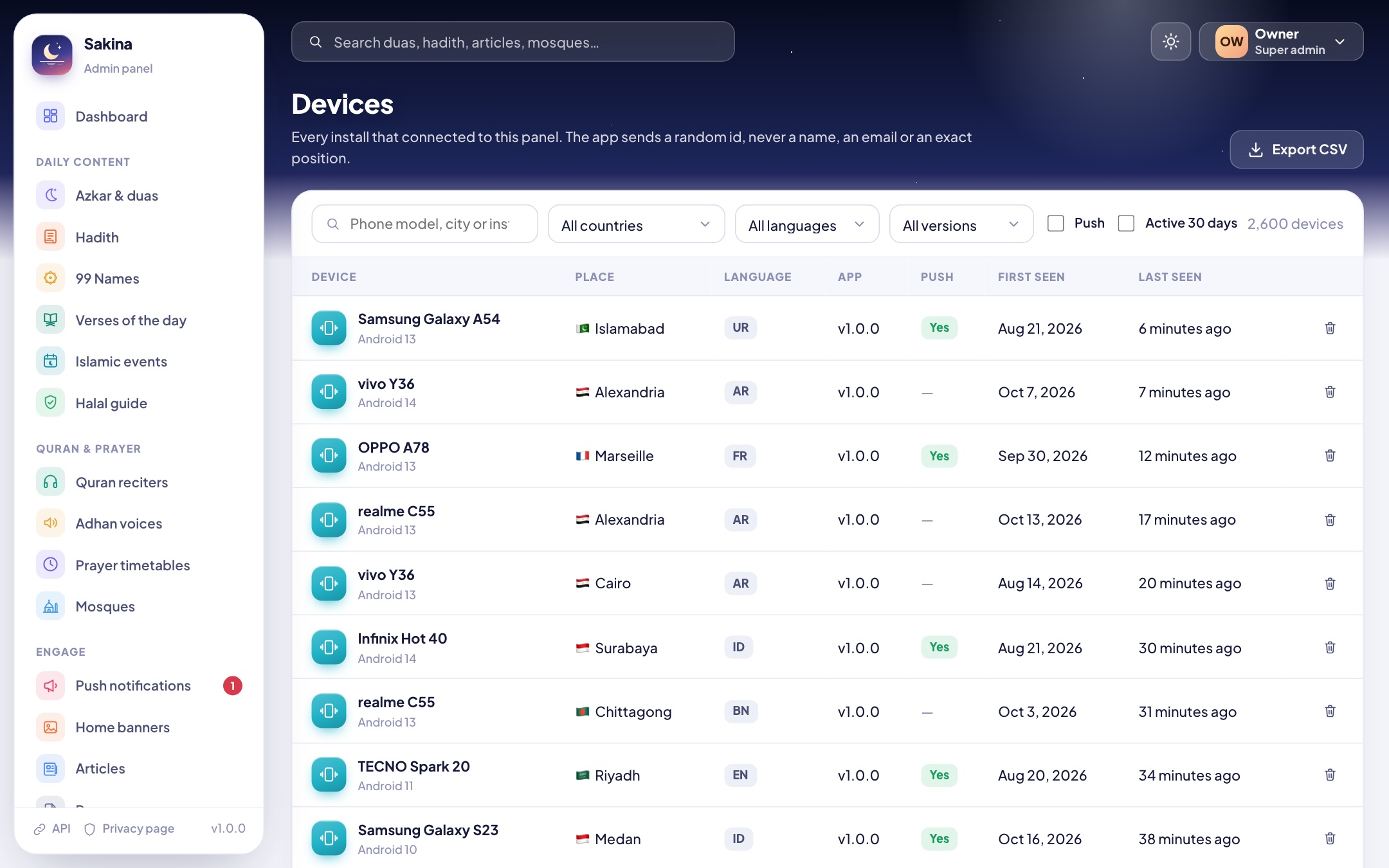
Dark modeDevices: filter, export to CSV
Azkar & duas
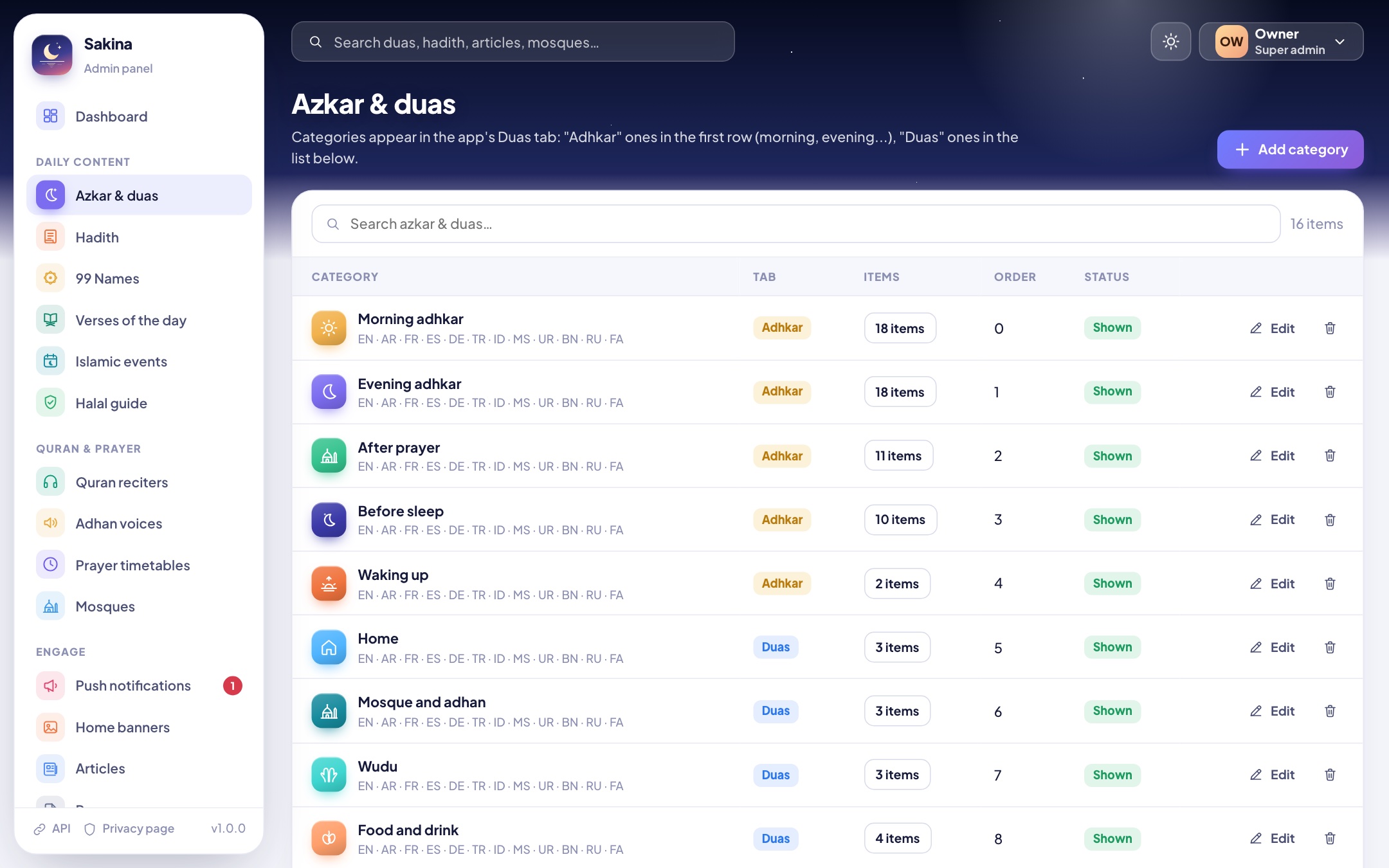
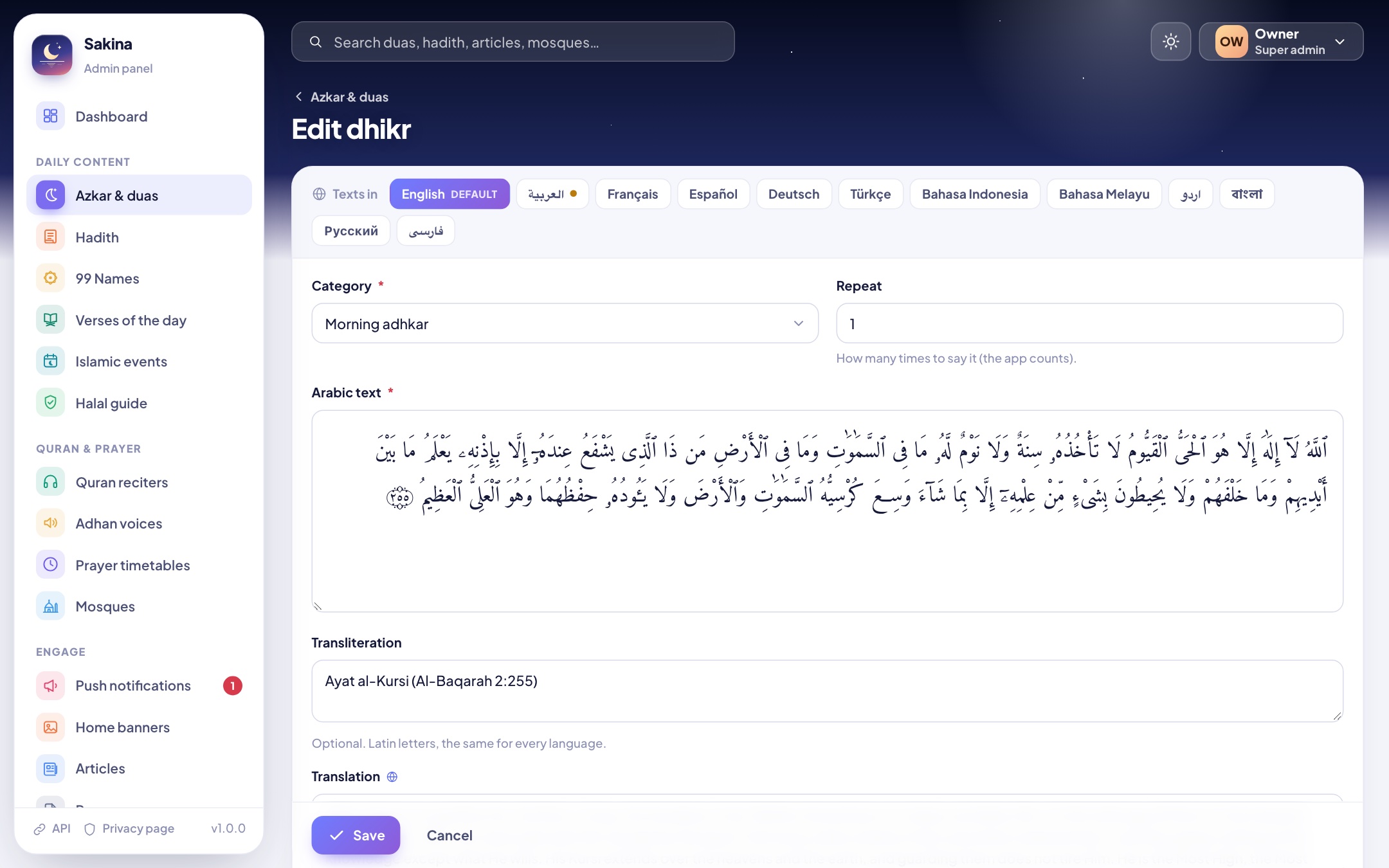
Categories appear in the app's Duas tab: Adhkar categories in the top row (morning, evening, after prayer…), Duas categories in the list. Each item has the Arabic text, an optional transliteration, the translation and a note per language, the source, how many times to repeat it, an optional recitation (MP3/M4A) and a "Quran verse" switch that shows it in the Quran font.
CategoriesEditing a dhikr (language tabs on top)
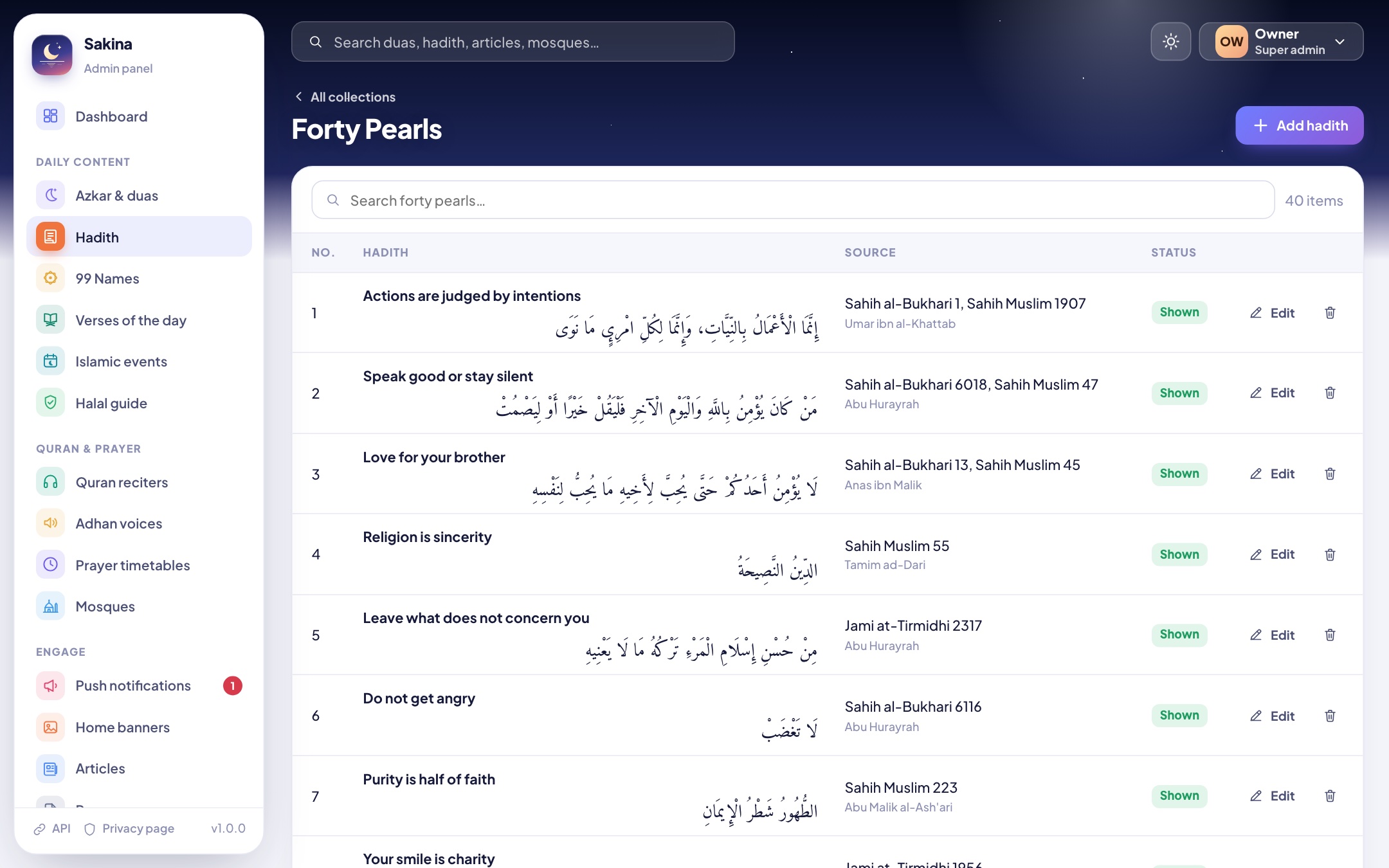
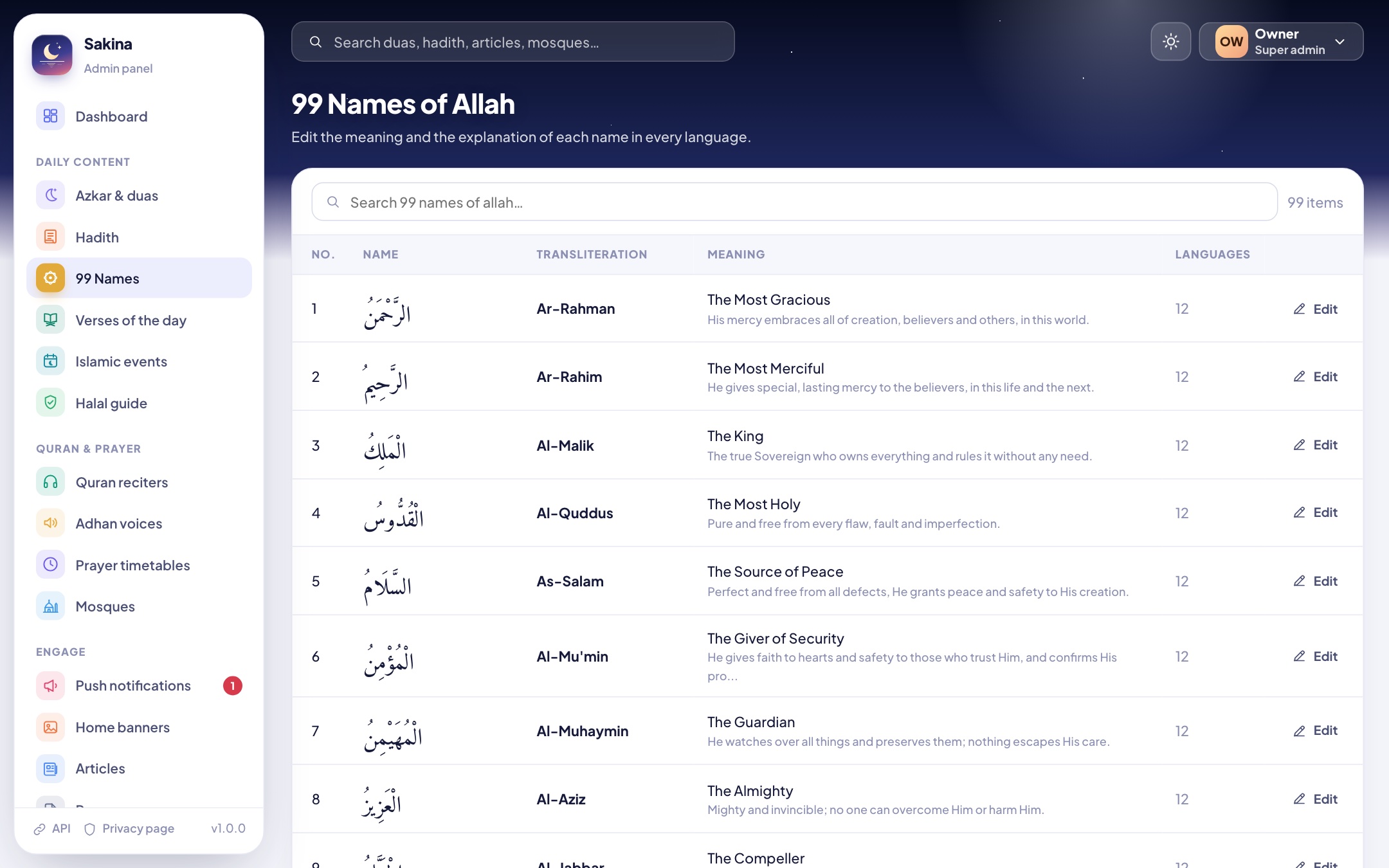
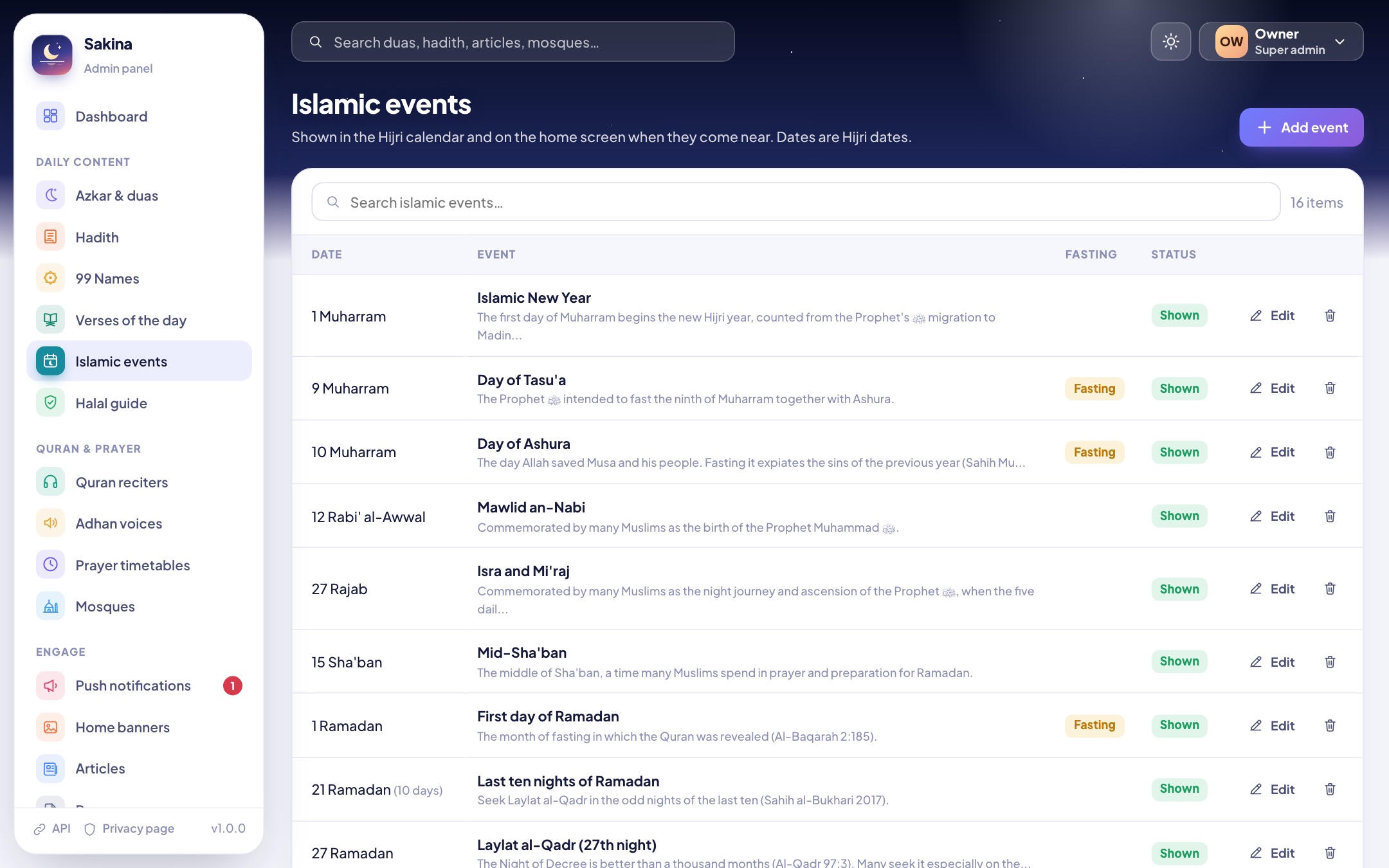
Hadith, 99 Names, verses of the day, Islamic events, halal guide
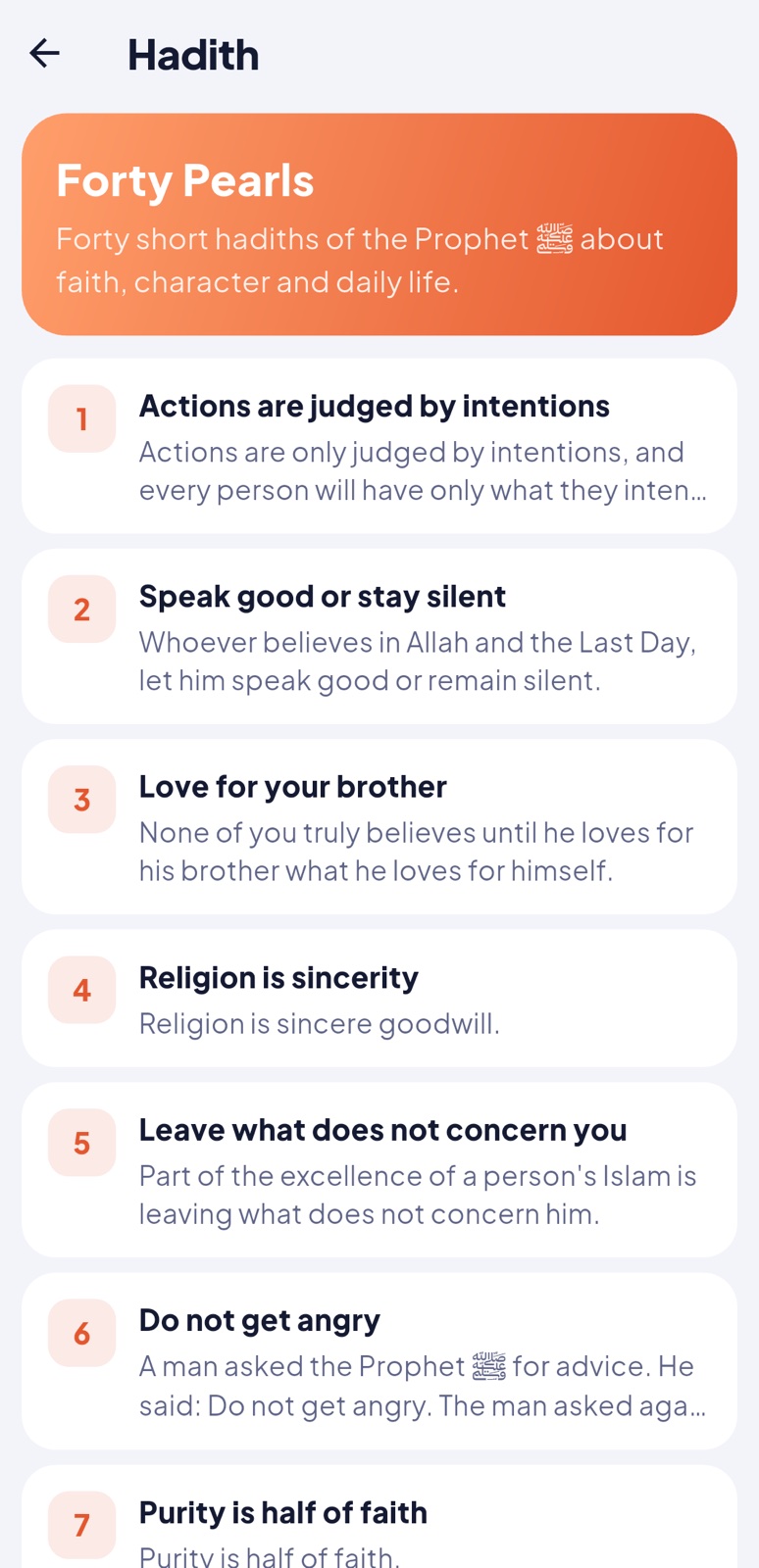
Hadith: collections and their hadiths (Arabic, title, translation, narrator, source). The home screen shows a hadith of the day.
99 Names: edit the meaning and explanation of each name in every language.
Verses of the day: a list of verses (surah and verse number) shown one per day on the home screen. The Arabic comes from the Quran text inside the app; a translation left empty is taken from the Quran translation the person downloaded.
Islamic events: Hijri date, number of days, fasting mark, title and description. They appear in the calendar and on the home screen when near.
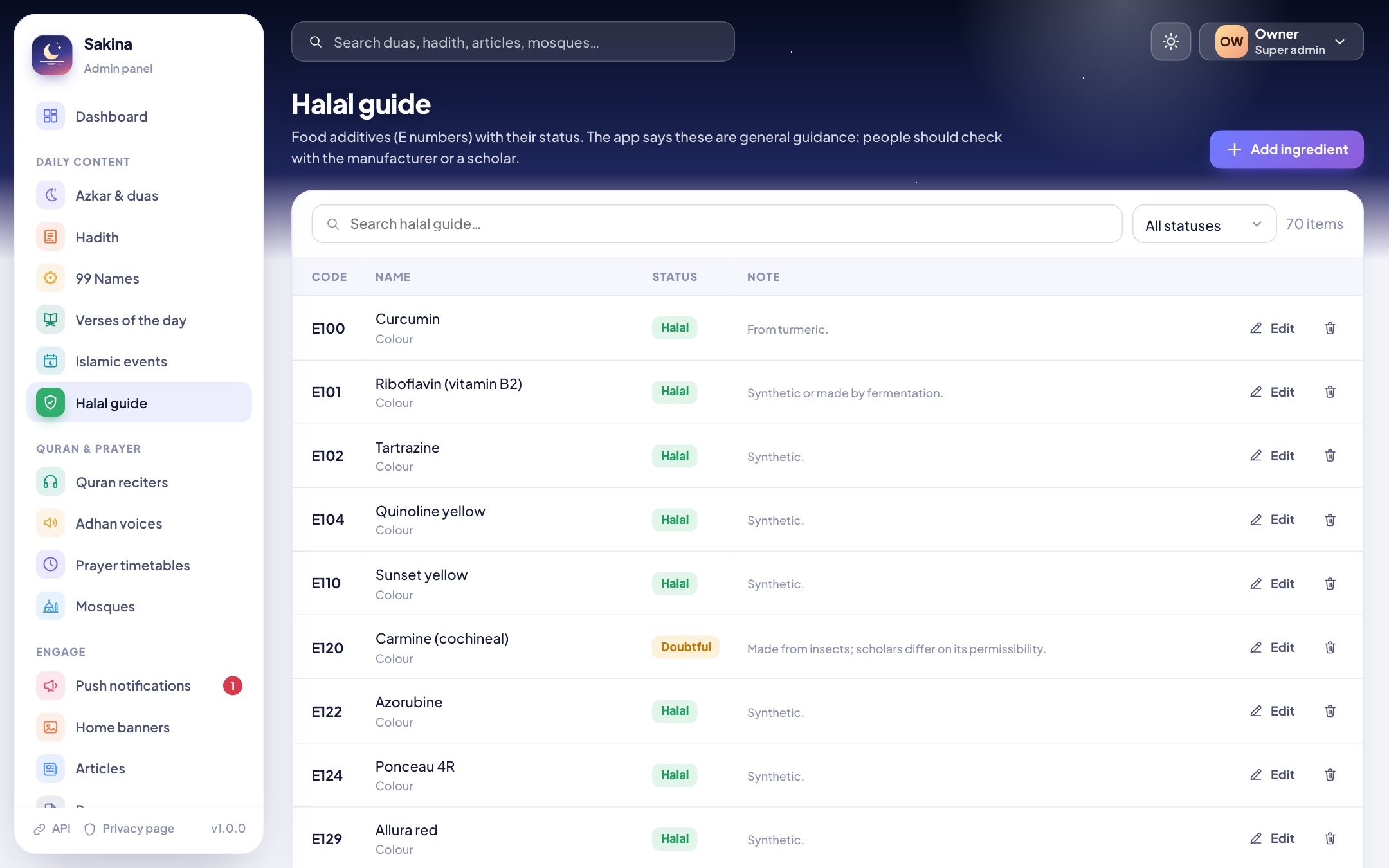
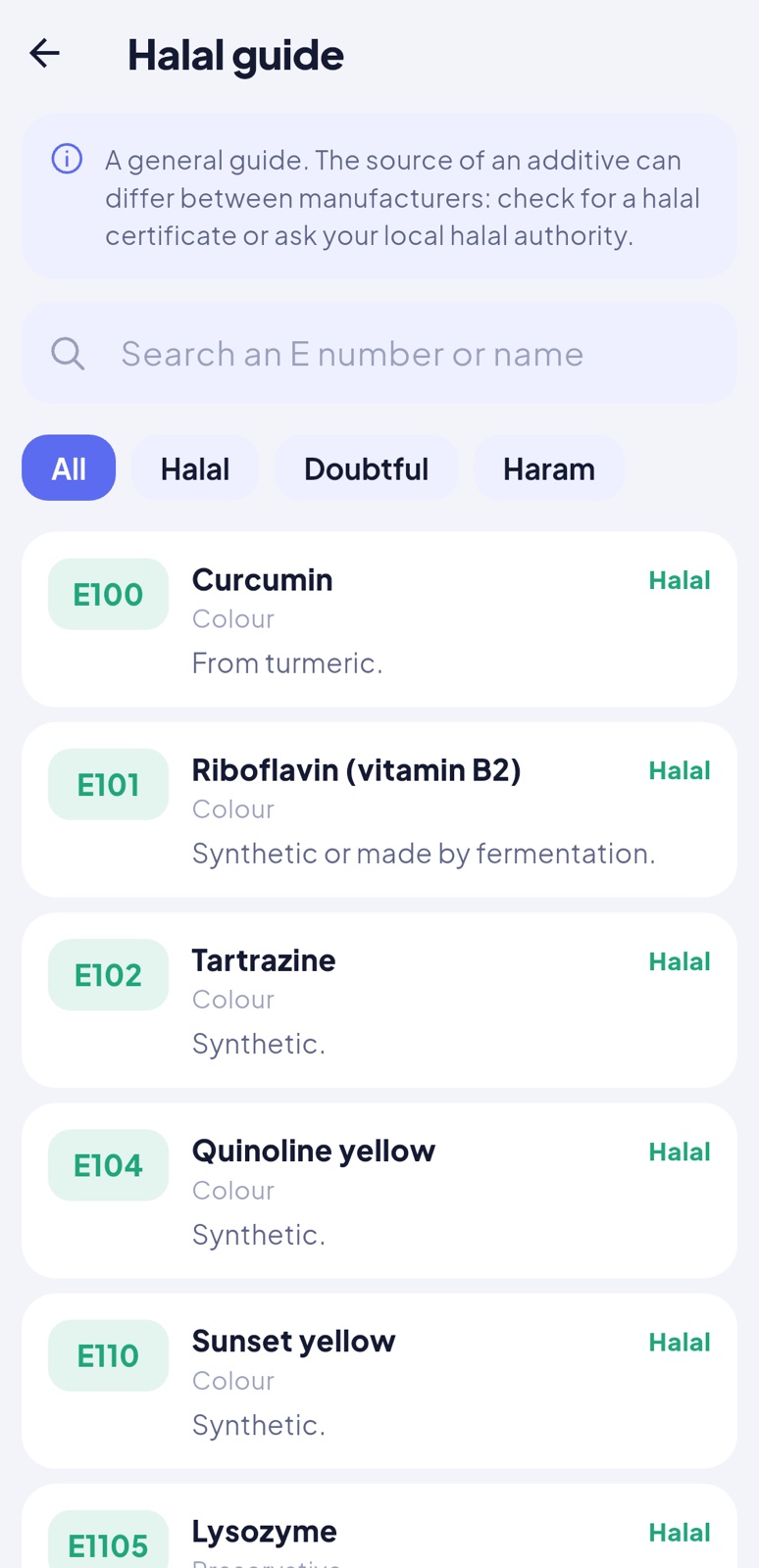
Halal guide: food additives (E numbers) with a status (halal, doubtful, haram), category and note.
Hadith99 NamesIslamic eventsHalal guide
Quran reciters
Recitations play verse by verse, with the verse highlighted. A reciter's files are either online (an address pattern) or uploaded here as a ZIP.
Online:{surah3}{ayah3} becomes 001001, {surah} and {ayah} the plain numbers. Example: https://everyayah.com/data/Alafasy_128kbps/{surah3}{ayah3}.mp3. The 15 bundled reciters stream from everyayah.com (read Credits about permission before you publish).
ZIP: MP3 files named 001001.mp3 … 114006.mp3 (one per verse), or 001.mp3 … 114.mp3 (one per surah). Folders inside the ZIP don't matter; other files are ignored. Uploading again replaces the files.
The "Try" button plays the first verse of Al-Fatihah from the list.
Quran reciters
Adhan voices
The app comes with three adhan voices. Voices you add here (MP3 or M4A, under about 5 minutes) appear in the app's Adhan settings; people download the one they choose, and the app registers it as the sound of the adhan notification. Mark a voice "Fajr adhan" when it contains "as-salatu khayrun min an-nawm". Only upload recordings you have the right to share.
Adhan voices
Prayer timetables
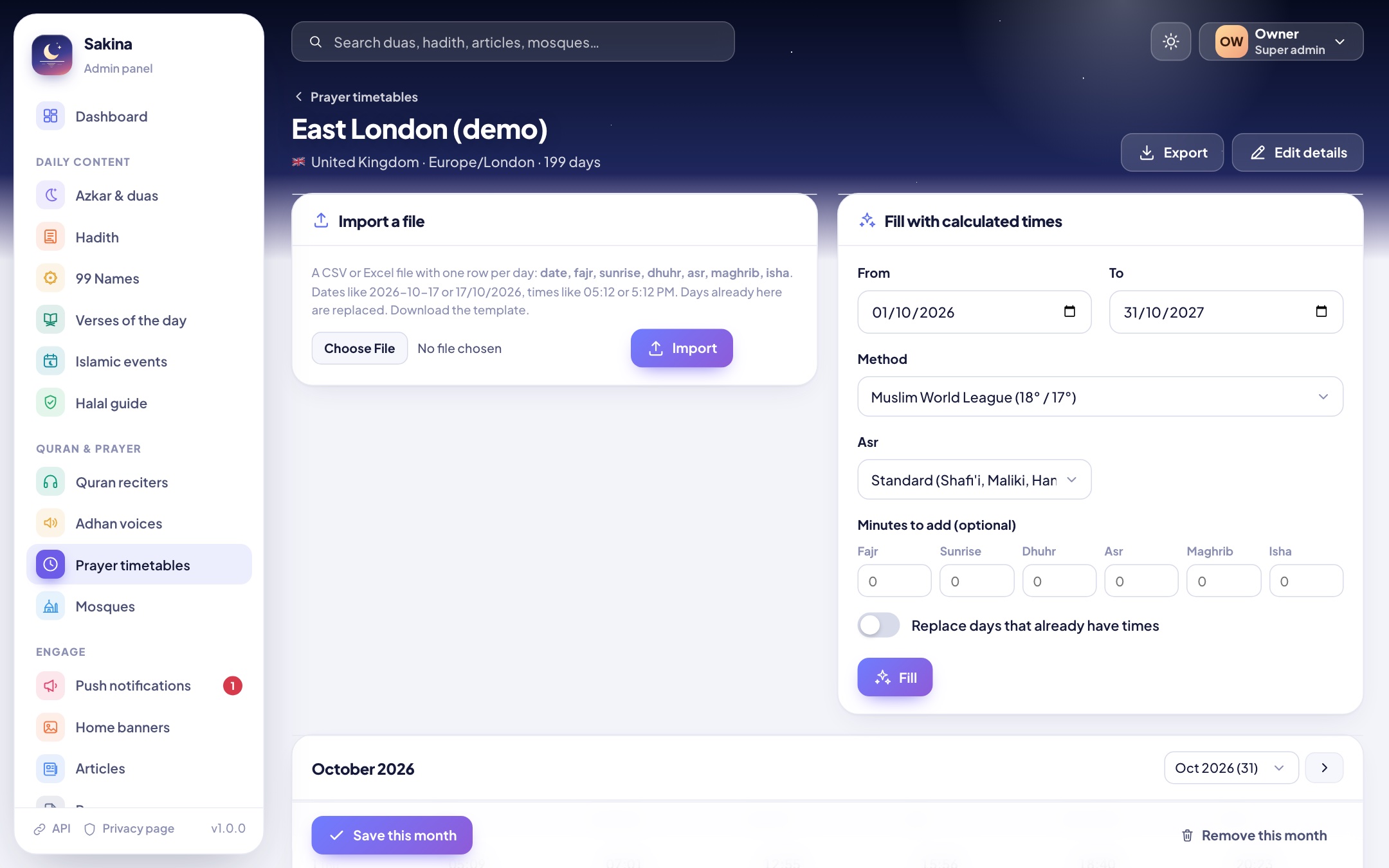
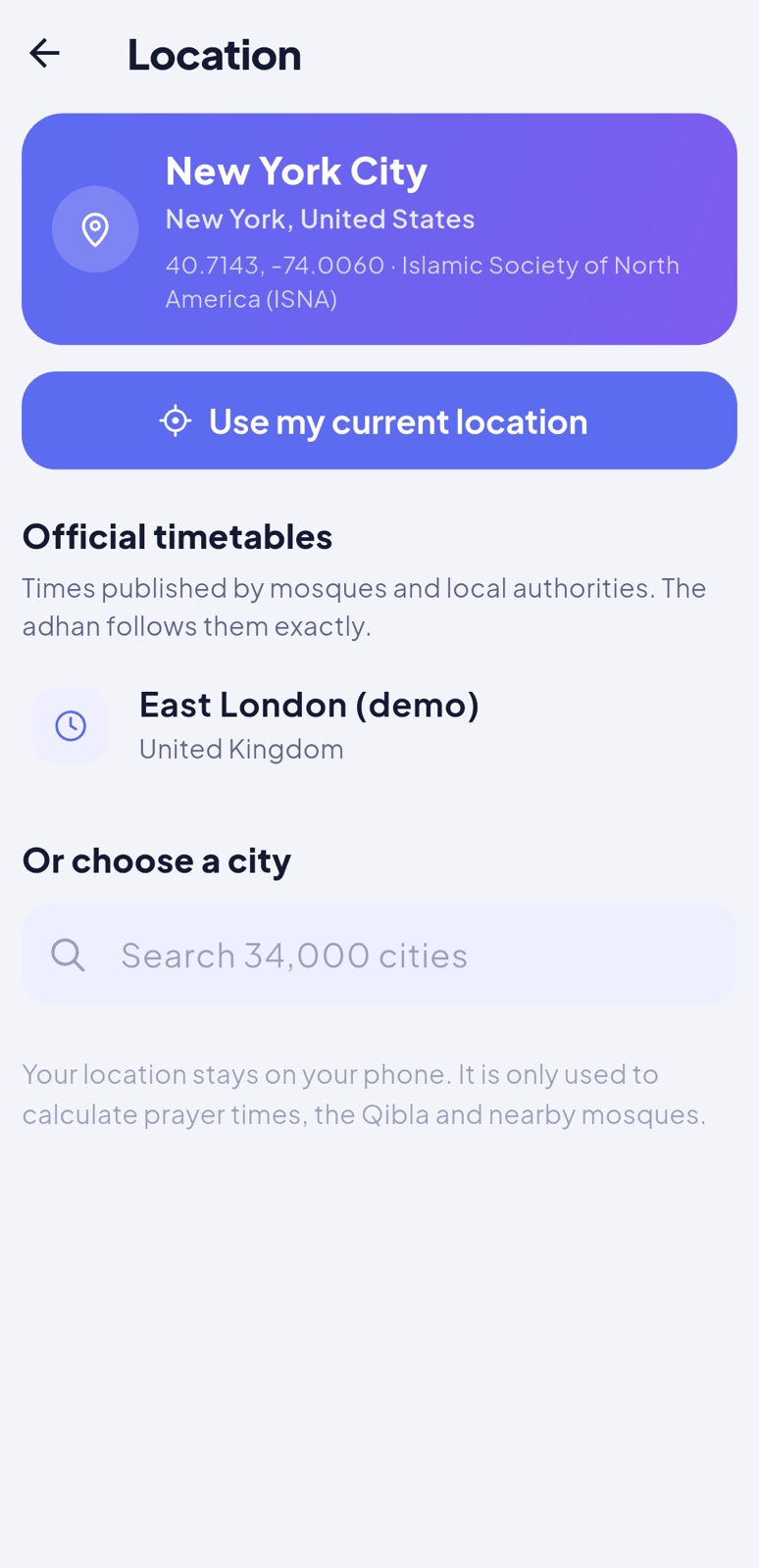
Many mosques and countries publish official prayer times. Add them as a timetable: people choose it in the app (Location > Official timetables) and get exactly these times, adhan included. Without a timetable the app calculates times for any place, which is right for most people.
Create the timetable: name, country, time zone, coordinates.
Add its days in one of two ways:
Import a file (CSV or Excel .xlsx), one row per day: date, fajr, sunrise, dhuhr, asr, maghrib, isha. Dates like 2026-10-17 or 17/10/2026; times like 05:12 or 5:12 PM. A header row is optional. Download the template from the Timetables page.
Fill with calculated times for a date range (choose the method, the Asr school and minutes to add to each prayer), then correct single days by hand.
Edit any day in the month table and save. Export the whole timetable to CSV at any time.
The app downloads up to 400 days ahead and refreshes the timetable when you change it, or when fewer than 30 days are left. The Timetables list warns when a timetable is about to end.
A timetable: import, fill, editIn the app: Location > Official timetables
Mosques
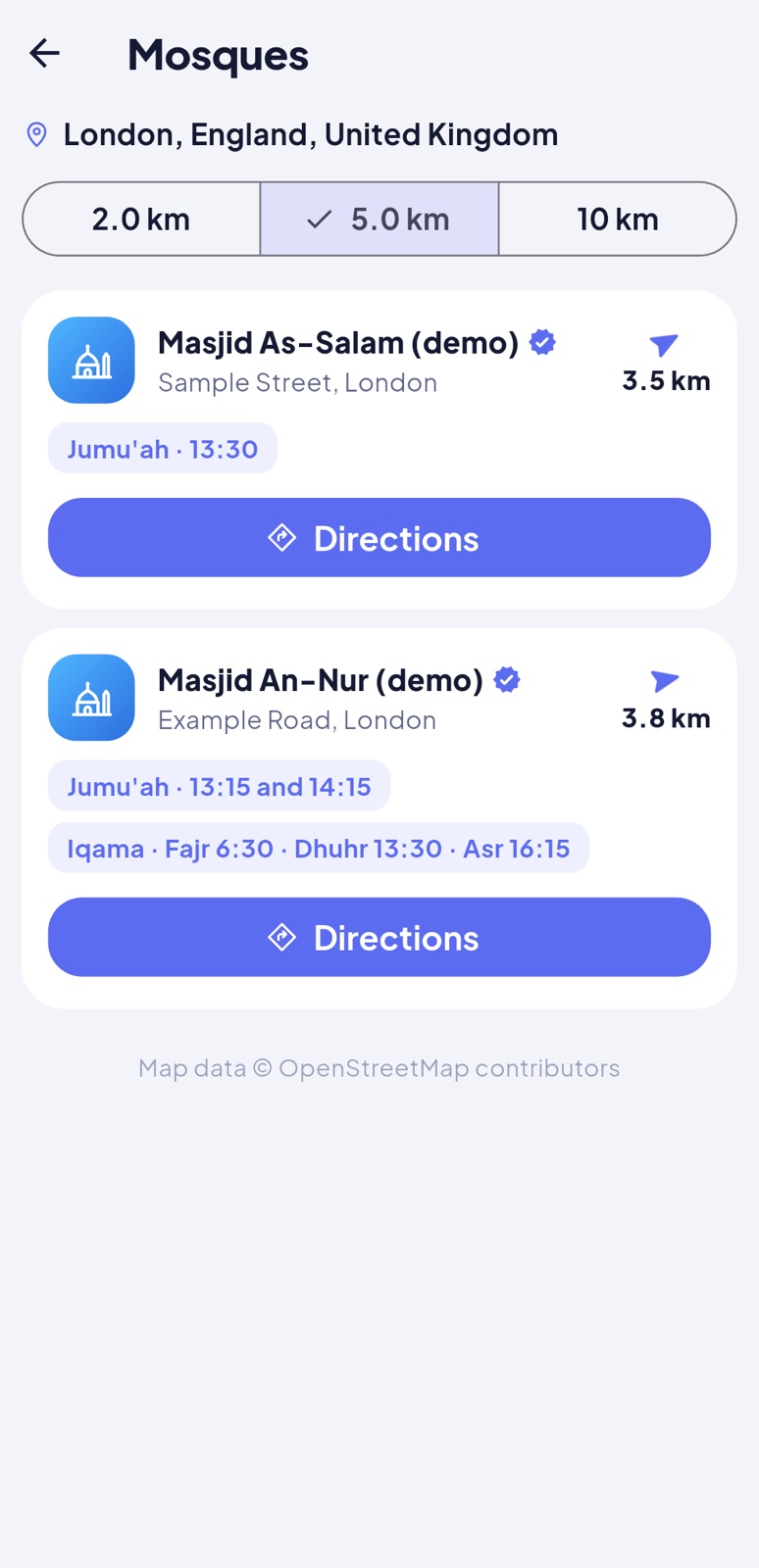
Mosques you add appear first in the app's "Nearby mosques", with a verified mark, their Jumu'ah and iqama times, phone and website. The app also lists mosques from OpenStreetMap around the person.
Push notifications
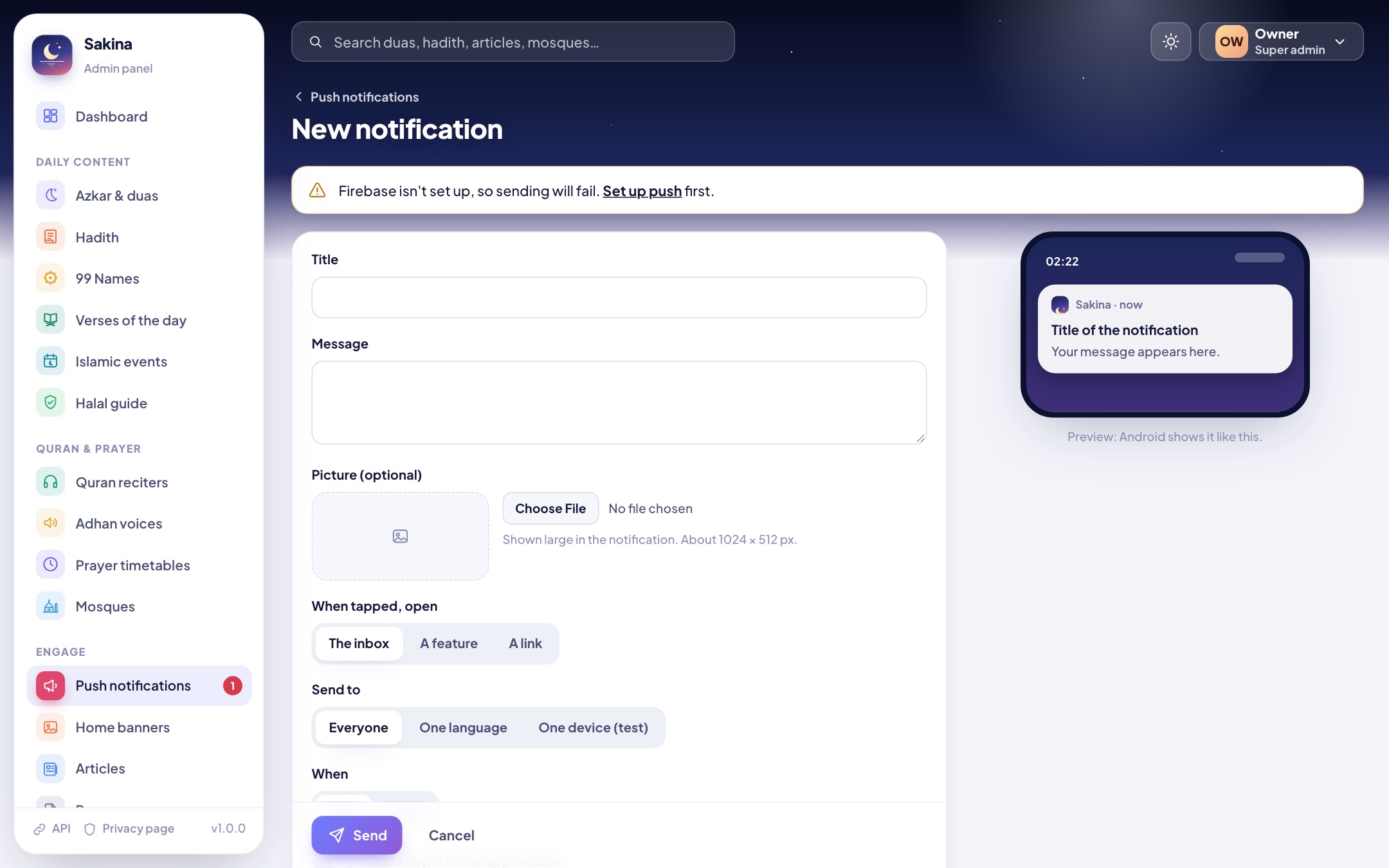
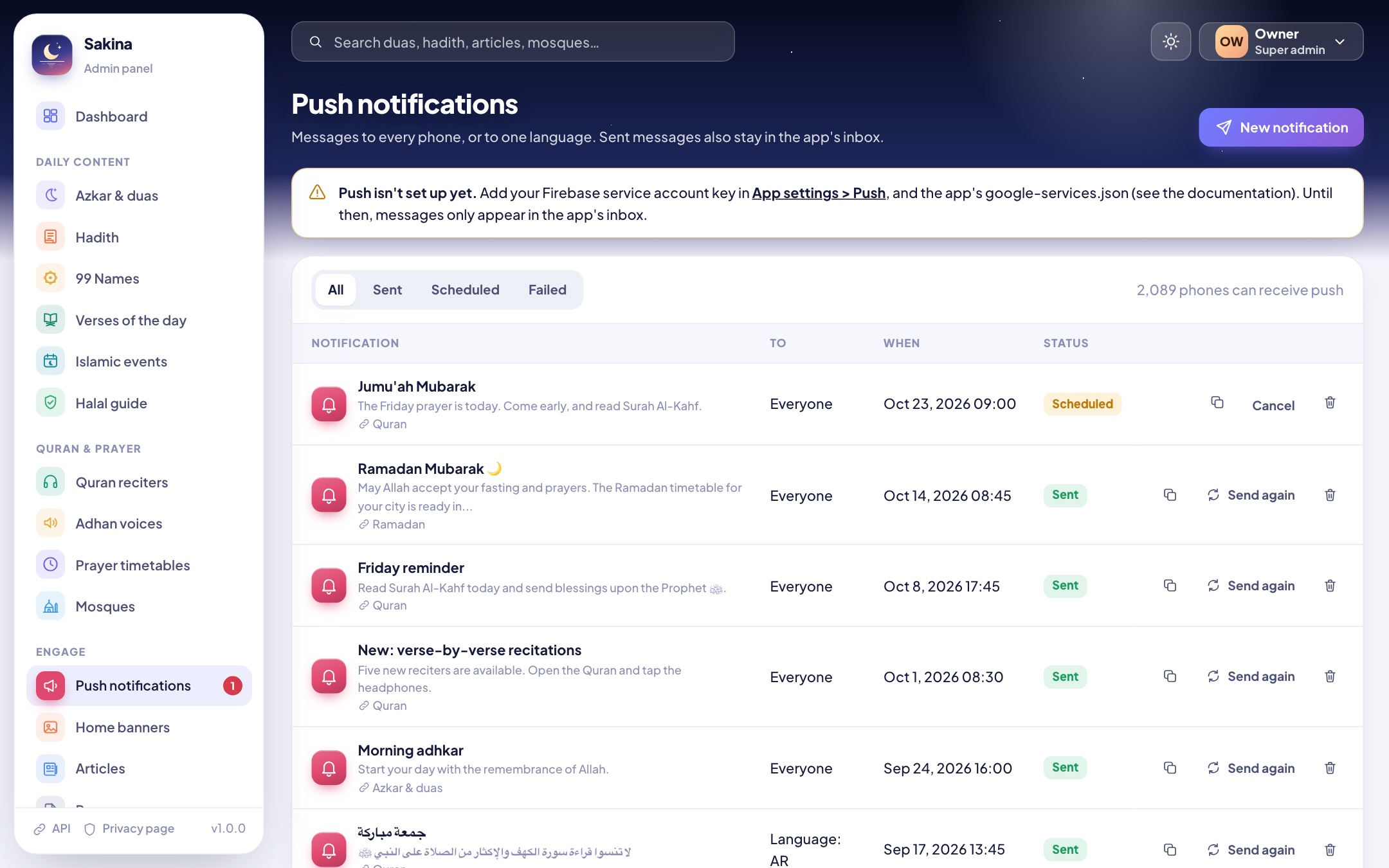
Write a title and a message, add a picture if you like, choose what opens when it is tapped (the inbox, a feature such as the Quran, or a link) and who receives it: everyone, one language, or one device (to test on your own phone). Send now or schedule it. Sent messages also stay in the app's inbox (for 60 days by default). Setting up Firebase is explained in Push notifications.
Composing a notification, with a phone previewHistory: send again, use as template
Home banners, articles, pages
Home banners: slides on the home screen with a picture (about 1200 × 500 px) or a colour, a title and subtitle per language, and what they open. With dates they appear and disappear by themselves.
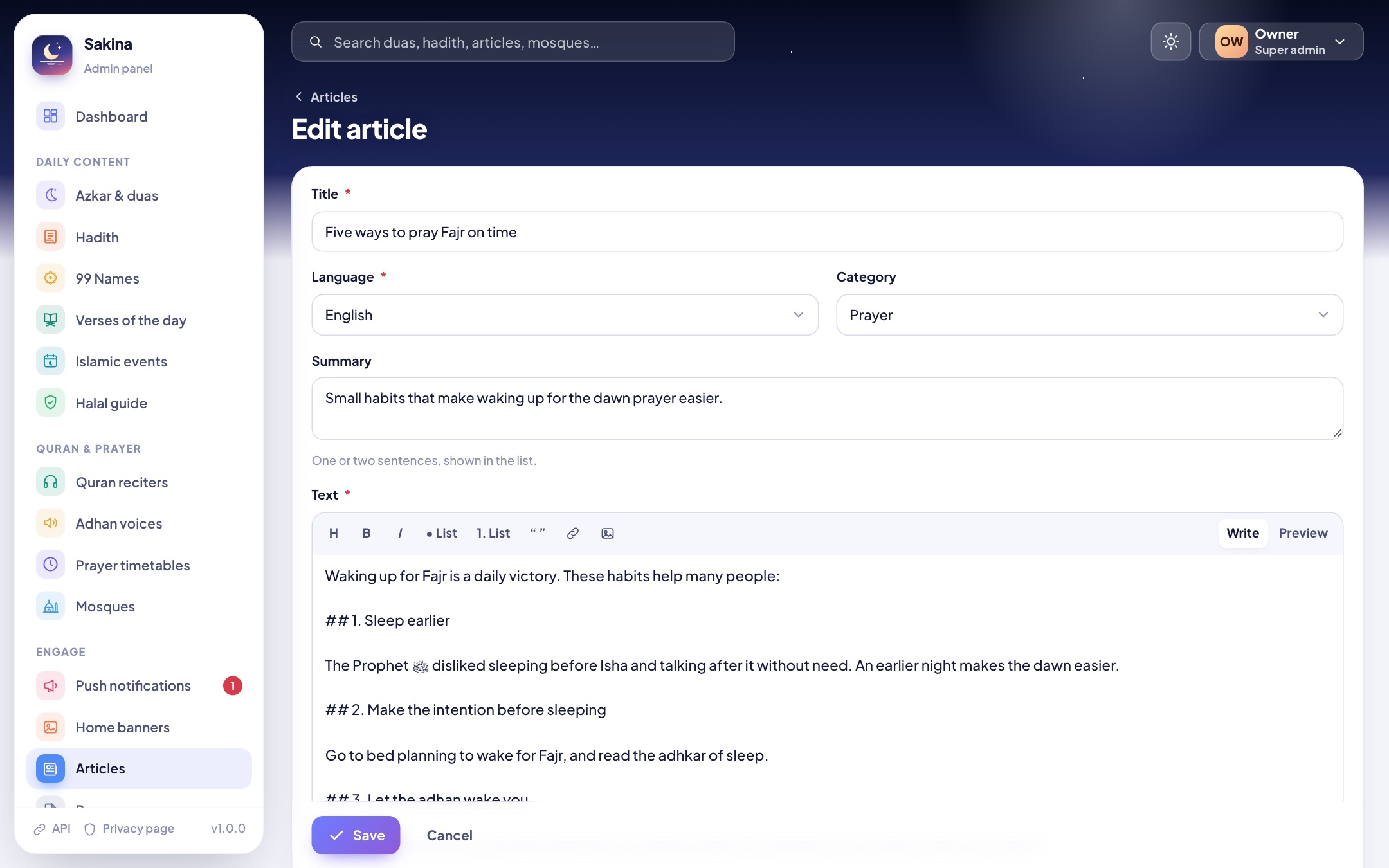
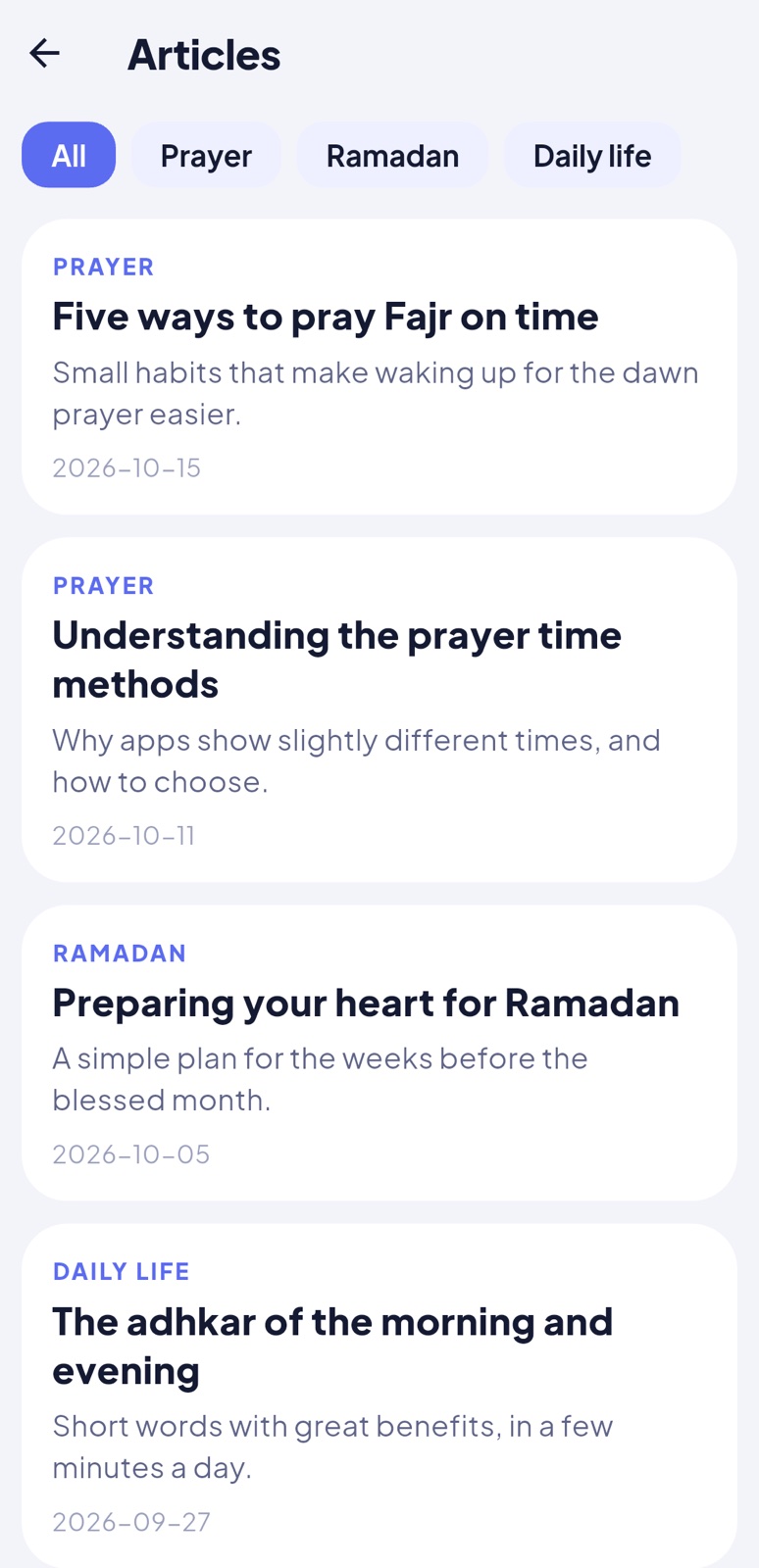
Articles: written in one language each (shown to people using that language, or to everyone in the default language when none exist), with a cover picture, a category and a publish date. The text uses simple Markdown (headings, bold, lists, quotes, links, pictures); the editor has buttons for each and a preview.
Pages: privacy policy, terms of use and about, one per language. They open in the app's settings and at /privacy, /terms and /p/about on your panel's address, which you can give to Google Play as your privacy policy URL. {app} and {email} are replaced by the app name and support email.
A home bannerWriting an article (Markdown)
Languages & texts
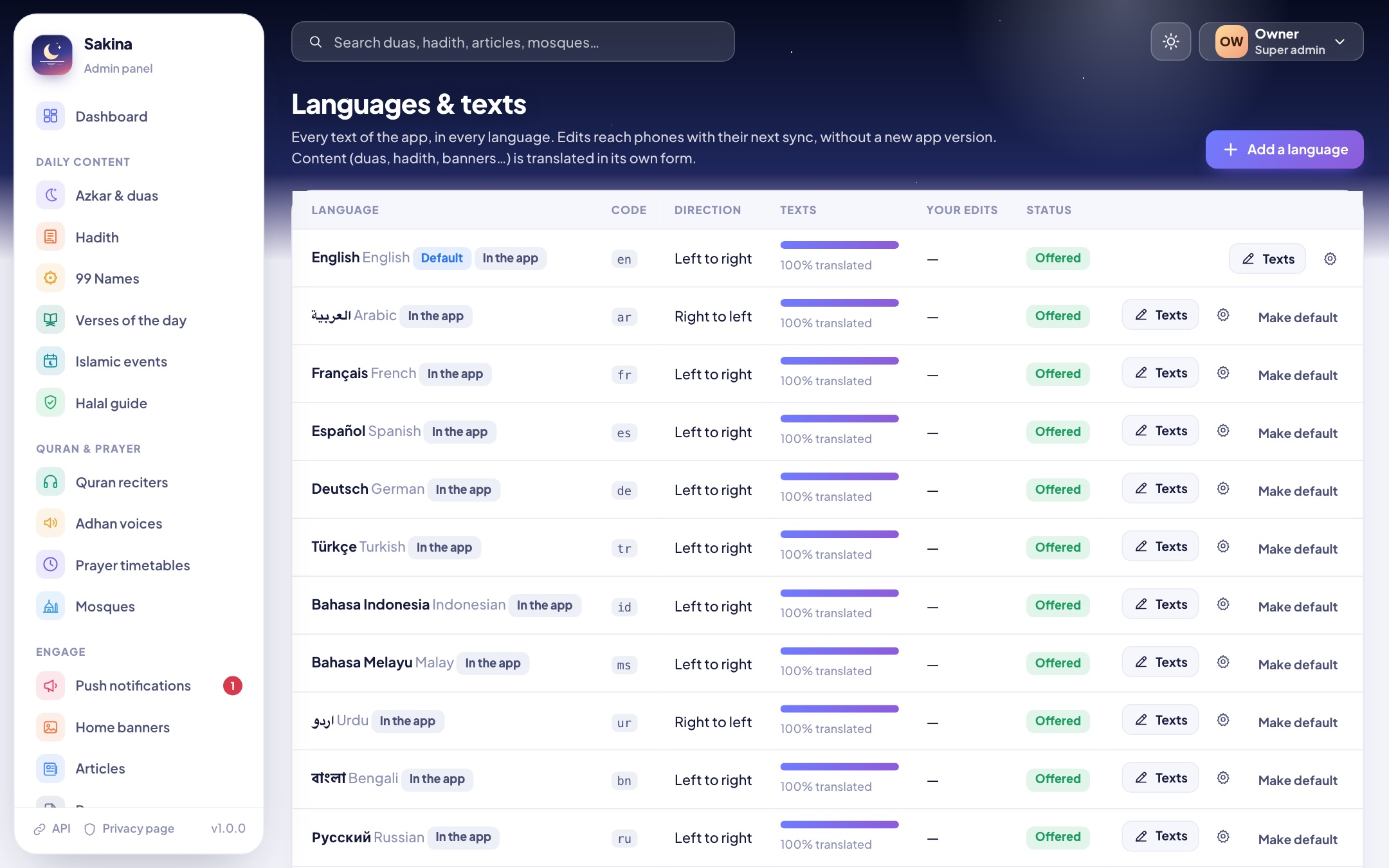
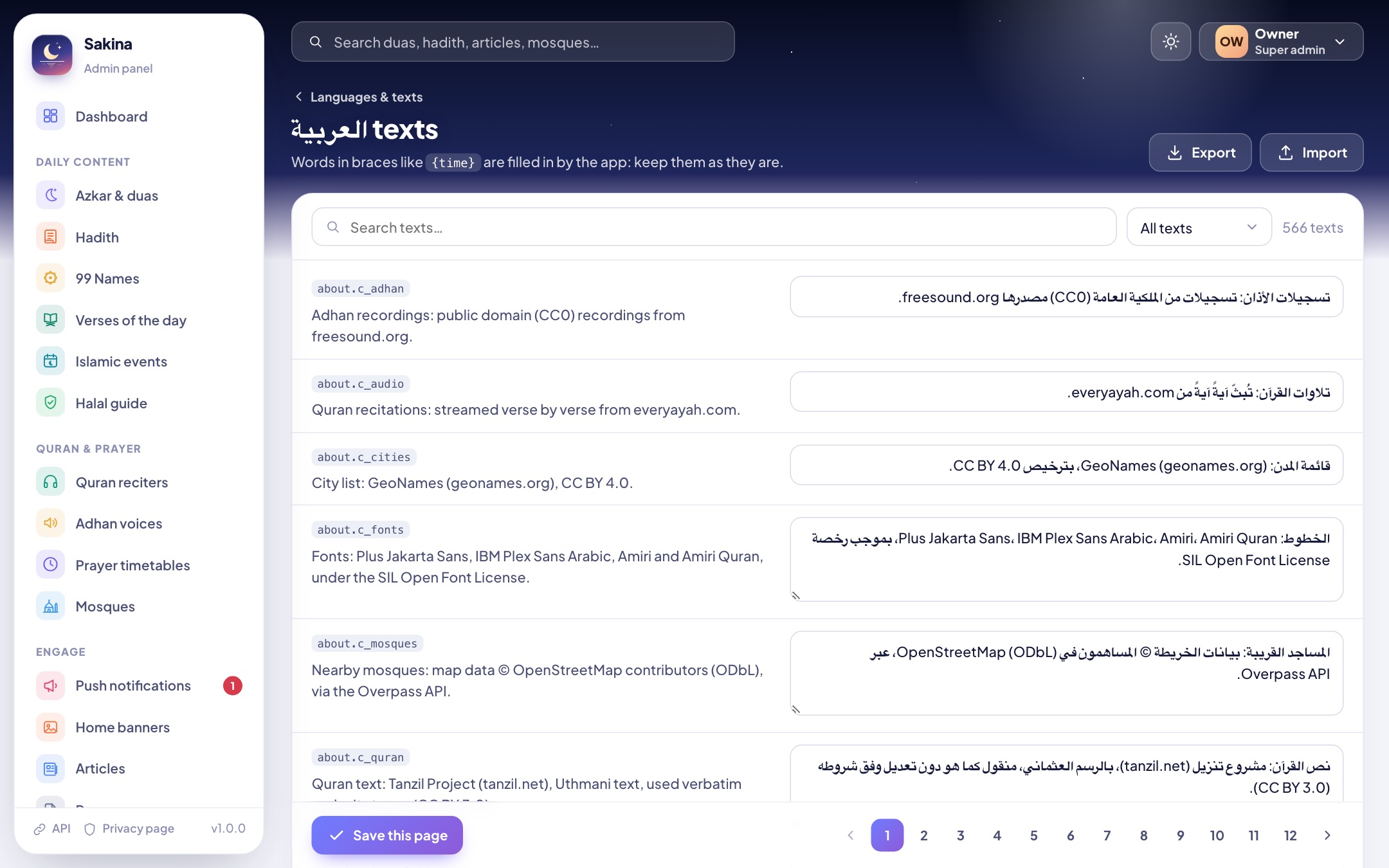
Every text of the app in every language, editable without a new app version. Search, filter by screen or show only untranslated texts; empty a text to go back to the app's own. Export a language as JSON to translate it elsewhere, and import it back. You can also add a language the app doesn't ship with: see Languages and RTL.
LanguagesEditing the app's texts
App settings
Tab
What it changes in the app
The app
App name used in texts, support email, website, share text, store links, donation link.
Features & home
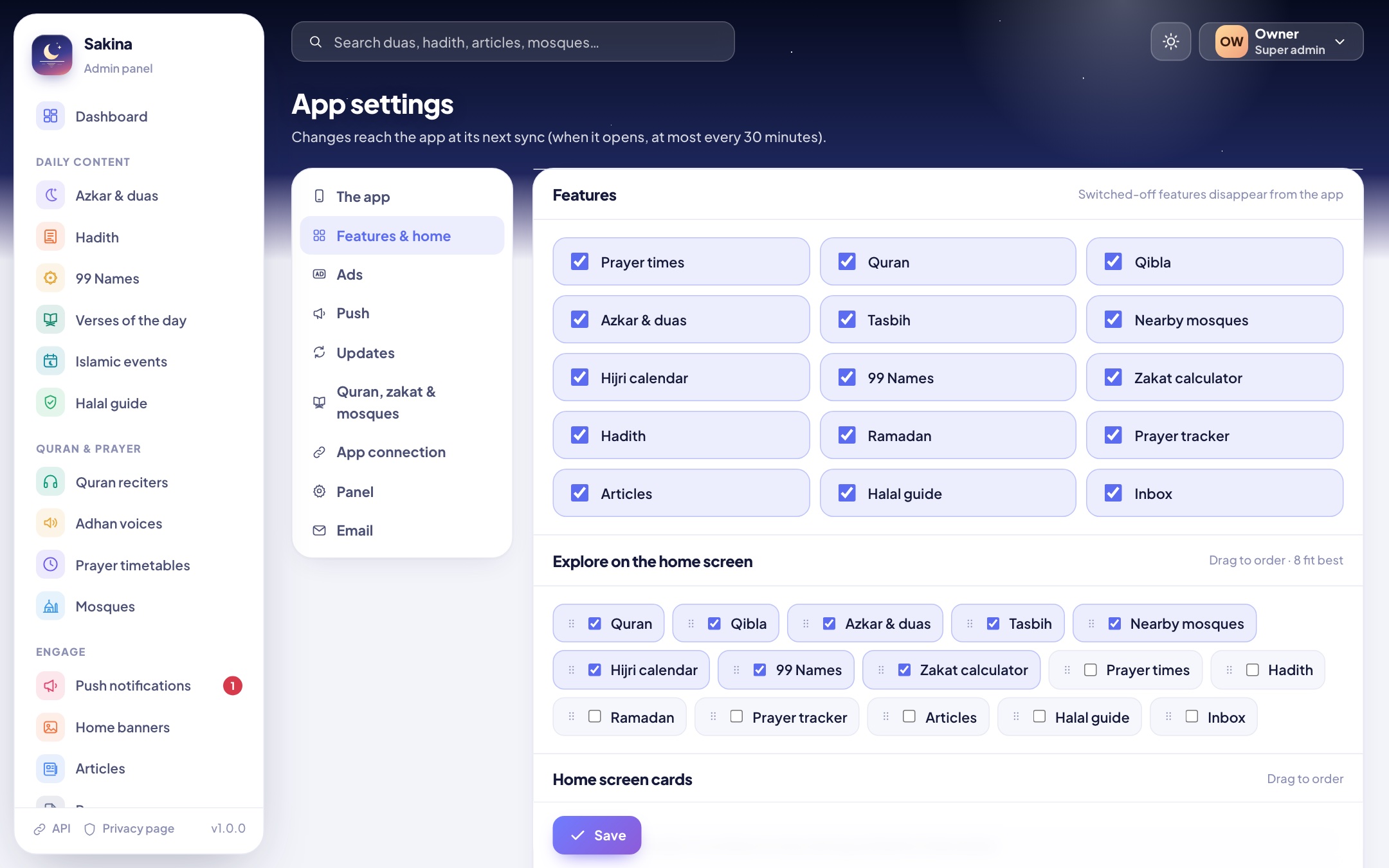
Switch features off, choose and order the home screen's Explore grid, order and hide the home cards.
Ads
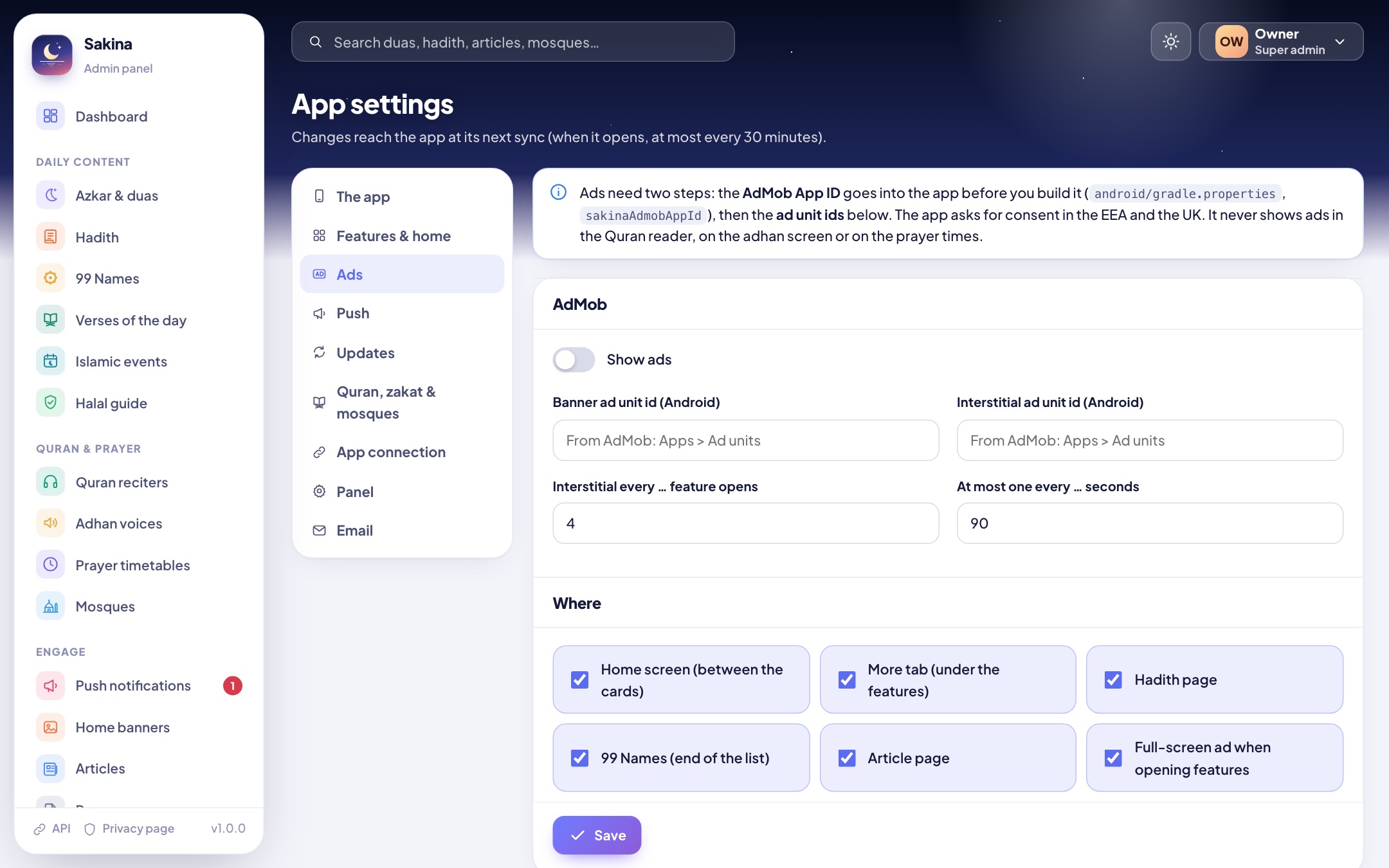
AdMob on/off, ad unit ids, where banners appear, how often a full-screen ad may show (Ads).
Push
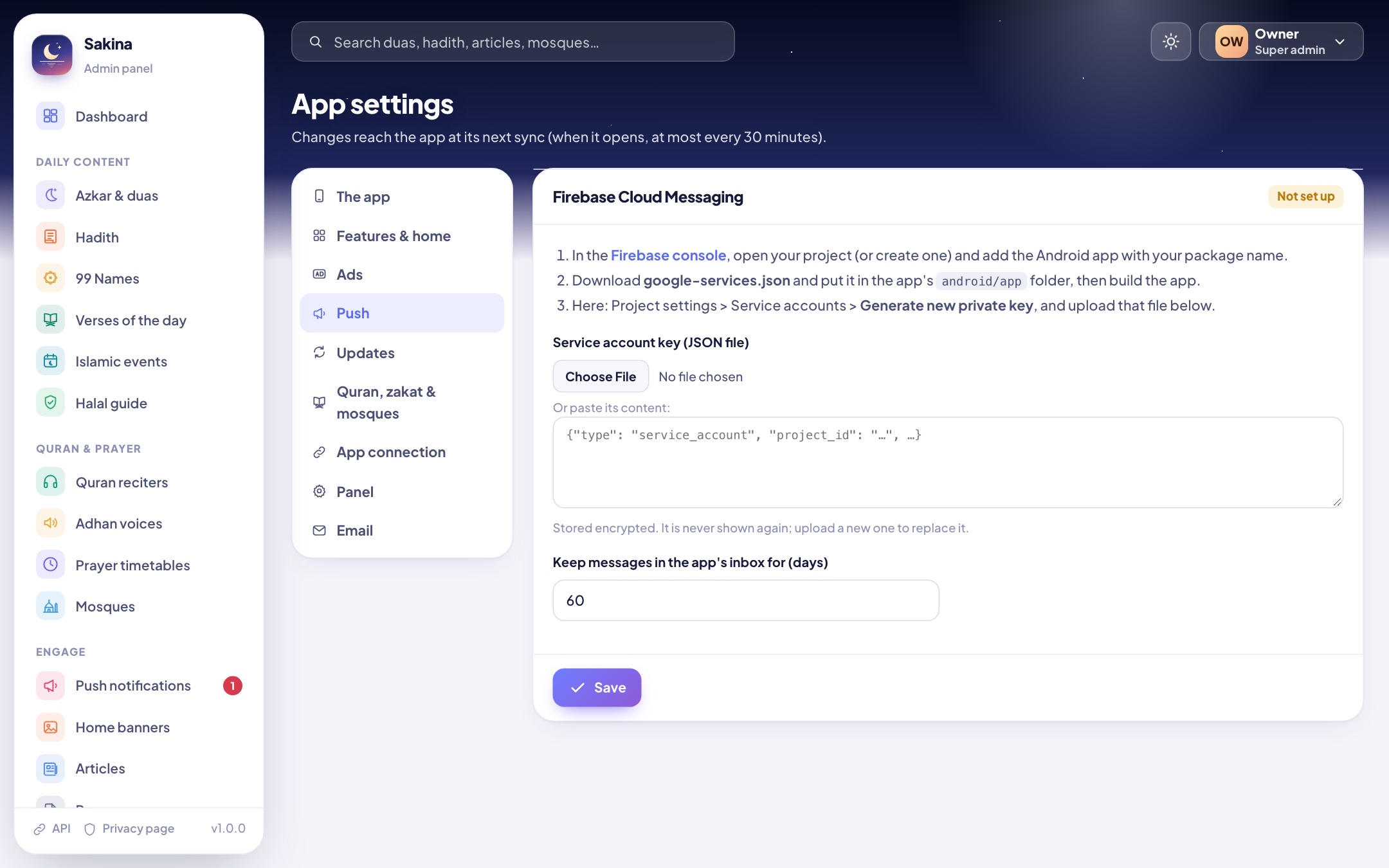
The Firebase service account key and how long messages stay in the inbox (Push notifications).
Updates
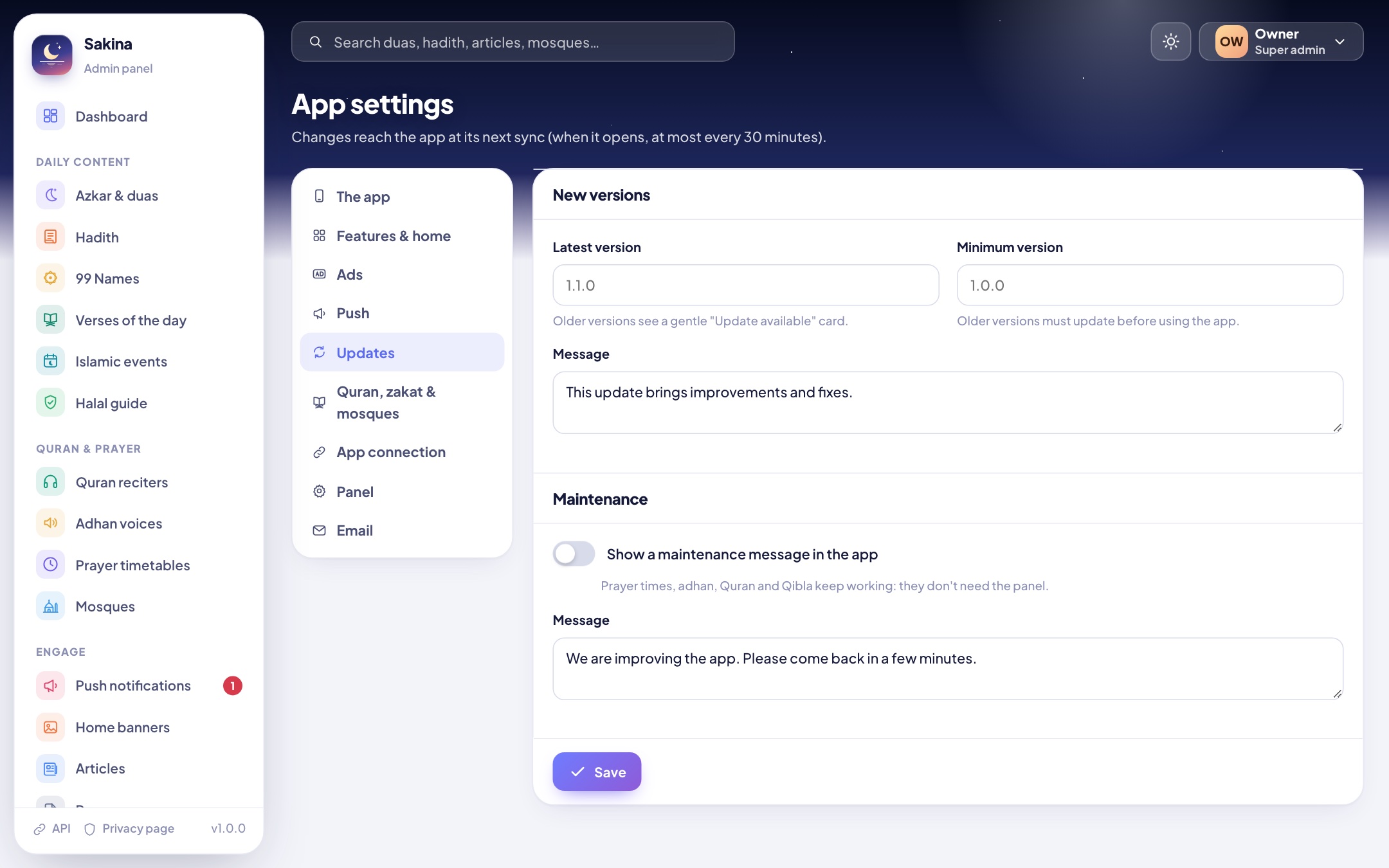
Latest version (a dismissible "update available" card) and minimum version (older versions must update), and a maintenance notice.
Quran, zakat & mosques
The Quran translations offered, gold and silver prices for the zakat nisab, the OpenStreetMap server and search radius.
App connection
The address to put in the app, and an optional API key.
Panel
The panel's name, logo, time zone and date formats.
Email
SMTP for staff password resets.
Features & home (drag to order)Updates and maintenance
Changes reach phones at the app's next sync: when it opens or comes back to the screen, at most every 30 minutes.
Staff and roles
Role
Can use
Super admin
Everything.
Manager
Content, reciters and voices, timetables and mosques, push, articles, languages, devices.
Content editor
Content, articles, languages.
Prayer times editor
Timetables, mosques, reciters and adhan voices.
Roles are defined in core/config/sakina.php (roles) if you need others. Every change is written to the activity log. Forgot the password and no email set up? Run php core/artisan sakina:admin you@example.com on the server (it prints a new password).
8API reference
The app reads the panel through a small JSON API under https://your-panel/api/v1/. You don't need it to run the app; it is documented for custom work. Every request may send ?lang=xx; texts come back in that language, else in the default language. When an API key is set (App settings > App connection), requests must send it in the X-App-Key header.
Request
Returns
GET ping
{"ok": true, "app": "Sakina", "version": "1.0.0"}, to test the connection.
GET config?lang=fr
All settings (app, features, home, ads, version, maintenance, quran, zakat, mosques), the languages, and a versions object with one version per content section.
GET content/{section}?lang=fr
One section, same shape as the files in app/assets/data: azkar, hadith, names, verses, events, halal, banners, reciters, adhans.
GET strings/{lang}
Every app text in that language, with your edits.
GET articles?lang=fr&page=1&category=slug
12 articles per page, with categories, page and pages.
GET pages/{slug}?lang=fr
{"title": "...", "body": "Markdown"}
GET notifications?lang=fr
Sent notifications for the inbox (everyone, or that language).
GET mosques?lat=..&lng=..&radius=5000
Mosques added in the panel within the radius (metres), nearest first.
GET timetables
Official timetables with their version.
GET timetables/{id}?from=YYYY-MM-DD
Up to 400 days: "days": {"2026-10-17": ["05:12","06:48","12:31","15:44","18:13","19:41"]} (fajr, sunrise, dhuhr, asr, maghrib, isha).
POST devices
The app's daily check-in: install_id (32 random hexadecimal characters made by the app on its first launch and kept only on the phone; not linked to a person or to the phone's hardware or advertising ids: see Data safety), platform, os_version, model, app_version, build, language, country, city, timezone, push_token.
How the app stays in sync
At start and when it comes back to the screen (at most every 30 minutes) the app asks for config. Each content section has a version that changes when you add, edit or delete anything in it; the app downloads a section again only when its version changed, and keeps everything for offline use. Limits: 240 requests per minute per IP, 20 device check-ins per minute.
Install Flutter and Android Studio (with the Flutter plugin), and run flutter doctor until Android is ticked.
Open the app folder in Android Studio (or VS Code).
Get the packages: flutter pub get.
Start an emulator or plug in a phone with USB debugging, then flutter run. The app opens on its welcome screens (location and notifications), then the home screen.
For iPhone, on a Mac: iOS (iPhone) (Xcode, CocoaPods, your Apple team).
The app runs fully without the panel: content then comes from the files in assets/data.
📁
Project layout.lib/config.dart (your settings), lib/core (services, theme, translations, shared widgets), lib/features/<feature> (one folder per screen or service), assets/data (Quran text and bundled content), assets/i18n (texts of the 12 languages), assets/icons (the app's icons), android/ (Android project: icon, splash, widget, adhan sounds), ios/ (iOS project: Info.plist, privacy manifest, icon, launch screen, SakinaPlatform.swift).
10App configuration
lib/config.dart
Setting
What it does
appName
Name shown inside the app before the panel sends its own.
apiBaseUrl
Your panel's address, e.g. https://admin.yourdomain.com: replace the placeholder https://your-admin-panel.example.com. The app never connects to the placeholder and works without a panel until you replace it. See Connect the app.
apiKey
Only when you turned on the API key in the panel.
quranApiUrl
Where Quran translations are downloaded from (AlQuran Cloud). The panel can replace it.
defaultLanguage
Language on first launch when the phone's language isn't one of the app's.
androidStoreUrl
Leave empty: "Rate", "Share" and "Update" open your app's Google Play page automatically.
iosStoreUrl
Your App Store page (https://apps.apple.com/app/id...) once the iPhone app is published; the panel's App settings can set it too. iPhones then use it for "Rate", "Share" and "Update".
supportEmail
Contact address before the panel sends its own.
Each value can also be given when building, without editing the file: flutter build appbundle --dart-define=SAKINA_API_URL=https://admin.example.com.
Package name (application id)
Google Play identifies your app by its package name, which must be yours (for example com.yourstudio.prayer). Set it in android/gradle.properties:
sakinaApplicationId=com.yourstudio.prayer
That is all Android needs. The Kotlin source can stay in com.yourcompany.sakina (the app finds its widget and channels from the code, whatever the application id). If you also rename the Kotlin package, change the namespace in android/app/build.gradle.kts, the folder android/app/src/main/kotlin/com/yourcompany/sakina and the package line of its two files (MainActivity.kt and NextPrayerWidget.kt).
App name under the icon
android/app/src/main/res/values/strings.xml: <string name="app_name">Sakina</string>. Translations of the widget's texts are in values-xx/strings.xml.
Version
pubspec.yaml: version: 1.0.0+1 (version name + version code). Increase both for every Google Play upload. The panel's Updates tab compares the version name.
11Connect the app to your panel
In lib/config.dart, replace the placeholder in apiBaseUrl with your panel's address (App settings > App connection shows it with a copy button). Use https.
Test the address in a browser: https://your-panel/api/v1/ping must show "ok": true.
Build and run the app. Within a minute it appears in Devices, and "Connect the app" is ticked on the dashboard.
🧪
Testing with a panel on your computer: debug builds may use plain http to reach your computer from the emulator, at http://10.0.2.2:PORT (for example --dart-define=SAKINA_API_URL=http://10.0.2.2:8000 with php -S 127.0.0.1:8000 -t admin). Release builds need https.
12Push notifications (Firebase)
Push is optional. Without Firebase the app still shows your notifications in its inbox when it syncs, but phones aren't alerted. Two files from your own Firebase project switch it on: google-services.json in the app, so phones can receive, and a service account key in the panel, so the panel can send with Google's FCM HTTP v1 API. Firebase Cloud Messaging has no fee (Firebase pricing); you need neither a paid plan nor Google Analytics.
1. Connect the app to Firebase
In the Firebase console, click Create a project (or open one you have). Google Analytics isn't needed.
On the project's overview page, click the Android icon to add an app. As Android package name, enter your package name: the sakinaApplicationId you set in app/android/gradle.properties (App configuration), or com.yourcompany.sakina while you haven't set one. The nickname and the SHA-1 are optional.
Click Register app, then Download google-services.json. Put the file in app/android/app/, next to build.gradle.kts, with exactly that name. Skip Firebase's next steps (Add Firebase SDK): the project already has them.
Rebuild the app: flutter clean once, then flutter run or your release build.
How it is wired.android/settings.gradle.kts declares the Google services Gradle plugin, and android/app/build.gradle.kts applies it as soon as google-services.json is there. The plugin turns the file into Android resources, which is where Firebase reads its options on Android, so no firebase_options.dart file is needed. At launch the app checks that these resources are in the build (firebaseConfigured in MainActivity.kt, used by lib/features/push/push_service.dart) and only then starts Firebase, joins the topics all and lang_xx (its language) and sends its messaging token to your panel. Without the file Firebase is never started: Firebase's own start-up provider is switched off too (sakinaFirebase in build.gradle.kts and AndroidManifest.xml), and the log says Push notifications are off: this build has no google-services.json.
If the build stops with "No matching client found for package name", the file was made for another package name: in Firebase, add an Android app with your sakinaApplicationId and download its file.
2. Give the panel a service account key (FCM HTTP v1)
To send, the panel signs in to Google with a service account key: a JSON file you download once. Google retired the old "server key" in 2024; Sakina doesn't use it.
In the Firebase console, click the gear next to Project overview > Project settings, then the Service accounts tab.
With Firebase Admin SDK selected, click Generate new private key, then Generate key. Your browser downloads a file named like your-project-firebase-adminsdk-abc12-0123456789.json.
In your panel, open App settings > Push, choose that file under Service account key (or paste its content) and click Save. The badge then shows Connected with your project id.
In Firebase, Project settings > Cloud Messaging must show Firebase Cloud Messaging API (V1): Enabled. It is enabled for new projects; if it isn't, enable it from that card's menu (it opens Google Cloud).
The file looks like this (shortened). The panel uses project_id, private_key and client_email:
Keep the key private. Anyone who has it can send notifications to your users: never put it in the app, in Git or in an e-mail. The panel checks that the file is a service account key, stores it encrypted with your app key (APP_KEY in core/.env) and never shows it again. It only talks to Google's fixed addresses: the access token always comes from https://oauth2.googleapis.com/token (the token_uri written in the file is not used, and a file naming another server is refused) and messages go to https://fcm.googleapis.com/v1/projects/<project_id>/messages:send. To revoke a key, delete it in Google Cloud > IAM & Admin > Service accounts > Keys, then upload a new one.
3. Send a test
Open the app once on a phone with internet: it appears in Devices.
In the panel: Push notifications > New notification, target "One device (test)", pick your phone and send.
On Android 13 and newer, people must allow notifications: the app asks during the welcome screens, and Settings > Adhan on time shows what is missing.
iPhone: the same panel key sends to iPhones too. The app needs its own GoogleService-Info.plist, the Push Notifications capability and an APNs key in Firebase: see Push notifications on iOS.
App settings > Push
Google Play: push adds a messaging token to declare. Everything to declare, for push, ads and the panel together, is in one table: Google Play Data safety.
13Ads (AdMob)
The app ships with ads off and no AdMob ids at all. To show ads:
In AdMob, add your app and create a banner and an interstitial ad unit.
Put the AdMob App ID (AdMob > Apps > App settings) in android/gradle.properties: sakinaAdmobAppId=followed by your App ID. It goes into the manifest when you build. Without it the app never starts the ads SDK.
In the panel, App settings > Ads: switch ads on, paste the two ad unit ids, choose where banners appear and how often the full-screen ad may show.
iPhone: AdMob needs a separate iOS app with its own App ID and ad units: see Ads on iOS.
Consent (GDPR): the app uses Google's User Messaging Platform. In AdMob > Privacy & messaging, create a European regulations message for the app; the app shows it to people in the EEA and the UK before any ad, and adds "Privacy choices" to its settings.
While testing, never tap your own live ads: add your phone as a test device in AdMob (Settings > Test devices), or follow Google's test ads guide.
Where ads never appear: the Quran reader, the adhan screen and the prayer times. Banners: home (between the cards), More, hadith, 99 Names, articles. The full-screen ad shows at most every N feature opens and every X seconds (both set in the panel).
App settings > Ads
Google Play: ads add the AdMob SDK's data to declare. Everything to declare, for ads, push and the panel together, is in one table: Google Play Data safety.
14Build and publish
Signing key
Create an upload key once and keep it safe (losing it means you can't update the app):
Replace /path/to/your-upload-keystore.jks with the folder and file name where you want to keep the key: a folder outside the project that you back up. keytool then asks for a password and your name; keep the password safe.
Copy app/android/key.properties.example to app/android/key.properties and fill it in (never share it):
storePassword=your store password
keyPassword=your key password
keyAlias=upload
storeFile=/path/to/your-upload-keystore.jks
Use the same path as in the keytool command (on Windows, write it with forward slashes /) and your own passwords. keyAlias is the -alias you chose.
Without this file, release builds are signed with the debug key (fine for testing, refused by Google Play).
Build
flutter build appbundle --release     # for Google Play: build/app/outputs/bundle/release/app-release.aab
flutter build apk --release           # an APK to share for testing
Google Play checklist
Privacy policy URL:https://your-panel/privacy (edit it in Pages first).
Exact alarms (SCHEDULE_EXACT_ALARM): declare the "alarm/calendar" use: the adhan is a user-set alarm at an exact time.
Foreground service (media playback): used to play Quran recitations with the screen off.
Location: used only on the phone to calculate prayer times and the Qibla; the city may be sent to show nearby mosques.
Data safety form: see Google Play Data safety just below: one table for the app, the panel, push and ads together.
Content rating: reference app, no user-generated content.
Google Play Data safety
The app has no accounts and asks for no names, e-mails or phone numbers. What leaves the phone depends on what you switch on. Declare every row that applies to your build; if you use push and ads, declare all of them. All of it travels encrypted (HTTPS).
Switched on
Sent
Data safety type
Purpose
Nothing (no panel, push or ads)
Nothing: prayer times, the Qibla and the content work on the phone. Opening Nearby mosques sends the chosen place's coordinates to the OpenStreetMap server (Overpass) to find mosques around it.
Location: approximate location (precise if the person chose "Use my current location"), processed only for that request
App functionality
Your admin panel (apiBaseUrl)
Once a day: the install id, app version, Android or iOS version, phone model, language, and the chosen place's city, country and time zone (POST devices). For nearby mosques: the chosen place's coordinates (not stored).
Device or other IDs (install id); Location: approximate location (city)
Analytics (install counts on the dashboard), app functionality
Push notifications (Firebase)
The Firebase messaging token is sent to your panel; the Firebase SDK uses the Firebase installation ID and app version (Firebase's disclosure).
Device or other IDs
App functionality (sending notifications)
Ads (AdMob)
The Google Mobile Ads SDK collects the IP address (general location), product interactions, diagnostics and the advertising ID / app set ID, and shares them with Google (Google's AdMob disclosure).
Location: approximate location; App activity; App info and performance; Device or other IDs (collected and shared)
Advertising, analytics, fraud prevention
About the install id: 32 random hexadecimal characters the app creates on its first launch and keeps only in its own storage. It isn't made from the phone (no hardware id, no advertising id) and isn't linked to a person; reinstalling the app or clearing its data gives a new one. The panel uses it to count installs and to send a test notification to one phone.
Google's own pages are the reference: check them when you fill in the form, as the SDKs can change what they collect.
15iOS (iPhone)
The same Flutter code runs on iPhones with iOS 15 or newer. iPhone builds need a Mac with Xcode and CocoaPods; installing on your own iPhone or publishing in the App Store also needs an Apple Developer account.
Set up and run
Install Xcode from the Mac App Store and open it once (it installs its components and an iOS simulator), then CocoaPods (brew install cocoapods, or sudo gem install cocoapods). flutter doctor must tick Xcode.
In the app folder: flutter pub get. Flutter adds most iOS libraries with Swift Package Manager and the others with CocoaPods (ios/Podfile); it runs both when you build.
Open app/ios/Runner.xcworkspace (the workspace, not the project) in Xcode. In Runner > Signing & Capabilities, choose your Team and set your own Bundle Identifier (for example com.yourstudio.prayer). The project ships without a team, so it is signed with yours.
Write an AdMob App ID in ios/Flutter/Sakina.xcconfig (SAKINA_ADMOB_APP_ID = ...): yours, or Google's sample App ID while testing. Google's Mobile Ads SDK closes an iOS app at launch when it has none, so the build stops first and asks for it. Ads still stay off until you switch them on in the panel (Ads on iOS).
Start the simulator (or plug in your iPhone) and run flutter run. To connect the panel, give its address as on Android (lib/config.dart or --dart-define=SAKINA_API_URL=https://...).
What the iOS project contains
File
Setting
What it does
ios/Podfile
platform :ios, '15.0'
The minimum iOS version (Firebase and the Google Mobile Ads SDK need iOS 15). The Xcode project uses the same deployment target.
ios/Runner/Info.plist
NSLocationWhenInUseUsageDescription
The sentence iOS shows when the app asks for the location (prayer times, Qibla, nearby mosques). Only "while using the app" is asked.
GADApplicationIdentifier
Your AdMob App ID for iOS, taken from SAKINA_ADMOB_APP_ID in ios/Flutter/Sakina.xcconfig (empty in the download: no AdMob id ships). Required to build: the Xcode build step AdMob App ID check stops the build with instructions while it is empty, because the Mobile Ads SDK would close the app at launch.
SKAdNetworkItems, NSUserTrackingUsageDescription
For AdMob: Google's SKAdNetwork identifier, and the text of Apple's tracking question, used only if you turn on the IDFA message in AdMob > Privacy & messaging.
UIBackgroundModes: audio, remote-notification
Quran recitation keeps playing with the screen locked; push messages reach the app in the background.
ITSAppUsesNonExemptEncryption = NO
The app only uses the encryption built into iOS (HTTPS), so App Store Connect doesn't ask about export compliance.
ios/Runner/PrivacyInfo.xcprivacy
Privacy manifest
No tracking. Declares the data the app sends to your panel (the random install id, and the city as coarse location) and the reasons for the system APIs it uses: UserDefaults (CA92.1) and file dates (C617.1). The Flutter engine and each library (Firebase, AdMob...) bring their own manifests.
ios/Runner/SakinaPlatform.swift
Native helpers
The iOS side of lib/core/platform.dart (Android: MainActivity.kt): AdMob and Firebase checks, device details for the dashboard, the adhan notification sounds and the adhan player.
Runner.xcodeproj
iPhone, no team
Device family iPhone (iPads run it in iPhone mode), no DEVELOPMENT_TEAM. The adhan voices are the Android files in android/app/src/main/res/raw, added to the iOS app too (group Runner/Sounds).
Assets.xcassets
App icon, launch image
Made by tools/brand/render_icons.sh with the Android icons (Look and branding).
Differences on iPhone
Adhan notification: iOS plays notification sounds of 30 seconds at most, so the notification plays the first 30 seconds of the adhan. The app makes these copies itself (in its Library/Sounds folder). Opening the notification shows the adhan screen, which plays the adhan in full.
Scheduled alerts: iOS keeps the 64 soonest notifications of an app. Sakina schedules the 63 soonest adhans and reminders (4 to 10 days ahead, depending on the reminders switched on), plus a reminder to open the app a day before they run out; each time the app is opened, it schedules the next ones.
Adhan on time: on iPhone only the notification permission matters (exact alarms and battery settings are Android's), and the page says so.
Home screen widget: Android only in version 1.0.0.
Directions to a mosque open Apple Maps.
Ads on iOS
In AdMob, add the iOS version of your app (a separate app from the Android one) and create its banner and interstitial ad units.
Write its App ID in ios/Flutter/Sakina.xcconfig, after SAKINA_ADMOB_APP_ID = (replacing Google's sample App ID if you used it while testing).
In the panel, App settings > Ads: paste the iOS ad unit ids in the iOS fields. The consent form (GDPR) works as on Android.
Push notifications on iOS
In Firebase, add an iOS app with your Bundle Identifier and download GoogleService-Info.plist. In Xcode, drag it into the Runner folder and tick the Runner target. Without this file the app doesn't start Firebase (the log says Push notifications are off: this build has no GoogleService-Info.plist).
In Xcode, Runner > Signing & Capabilities: add Push Notifications (Remote notifications is already in the background modes).
In your Apple Developer account, create an APNs authentication key (Certificates, Identifiers & Profiles > Keys) and upload it in Firebase: Project settings > Cloud Messaging > Apple app configuration.
Run the app on an iPhone and allow notifications: it appears in Devices with its token. The panel's service account key sends to iPhones and Android phones alike.
Publish in the App Store
Use the same version as Android (pubspec.yaml), then flutter build ipa --release, or in Xcode Product > Archive.
Upload the build with Xcode's Organizer or Apple's Transporter app, then complete the listing in App Store Connect (privacy policy: https://your-panel/privacy).
App Privacy: declare the same data as in the Data safety table: identifiers (install id, Firebase), coarse location (the city) and, with AdMob, the data its SDK collects (Google's iOS disclosure).
16Features
Prayer times
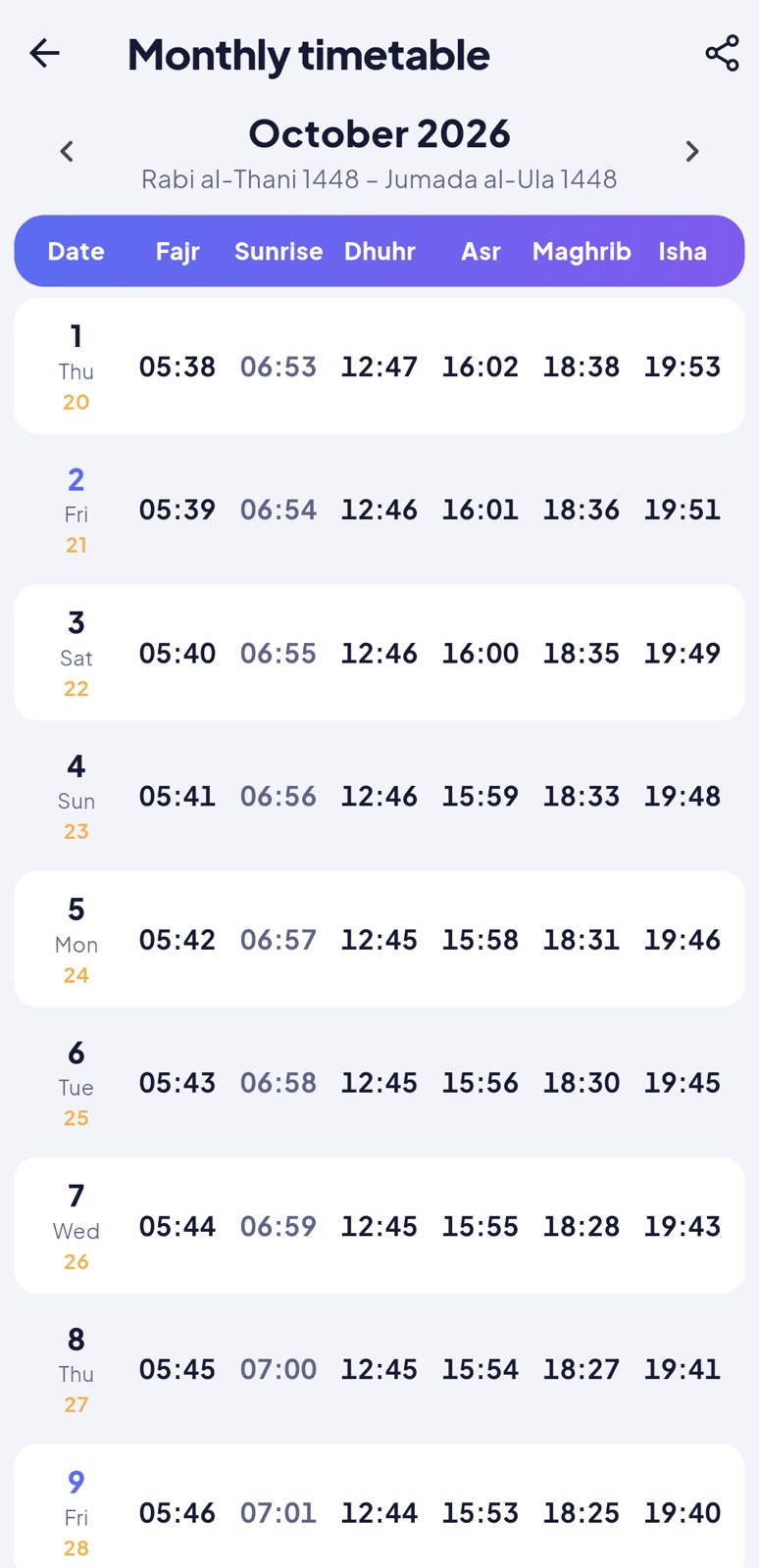
Times are calculated on the phone with the adhan_dart library: 23 calculation methods (among them Muslim World League, Umm al-Qura, Egyptian, Karachi, ISNA, Moonsighting Committee, Gulf region, Dubai, Qatar, Kuwait, Singapore/Malaysia/Brunei, Indonesia (Kemenag), Türkiye (Diyanet), Morocco, Algeria, Tunisia, Jordan, France (UOIF), Russia, Portugal, Tehran, Shia Ithna Ashari and custom angles), chosen automatically from the country and changeable in Settings > Prayer time settings, with the Asr school (standard or Hanafi), high-latitude rules, the Hijri date adjustment and minutes to add to each prayer. In Ramadan, Umm al-Qura's Isha moves to 120 minutes after Maghrib. The monthly table can be shared. Official timetables from the panel replace the calculation for the people who choose them.
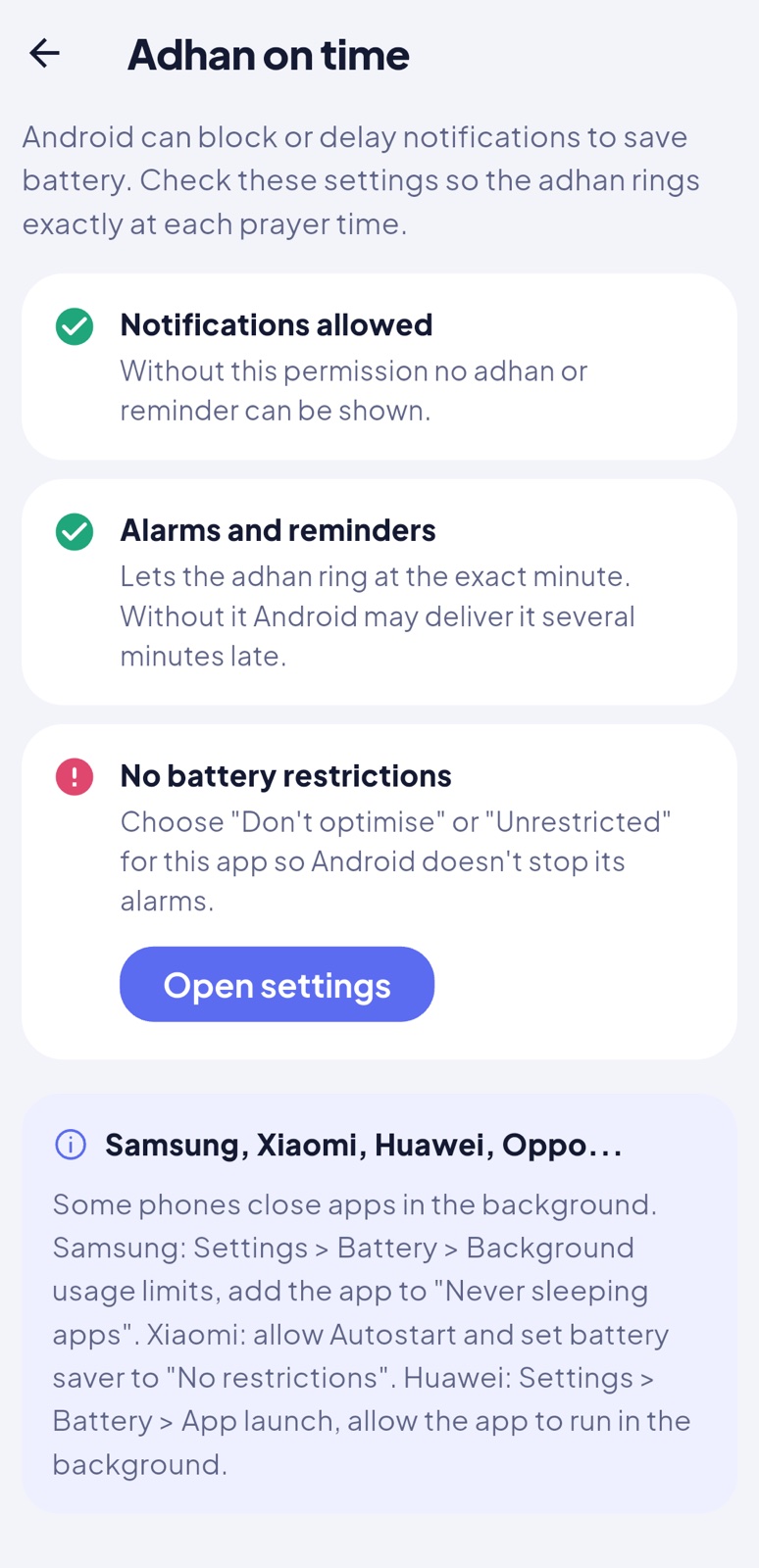
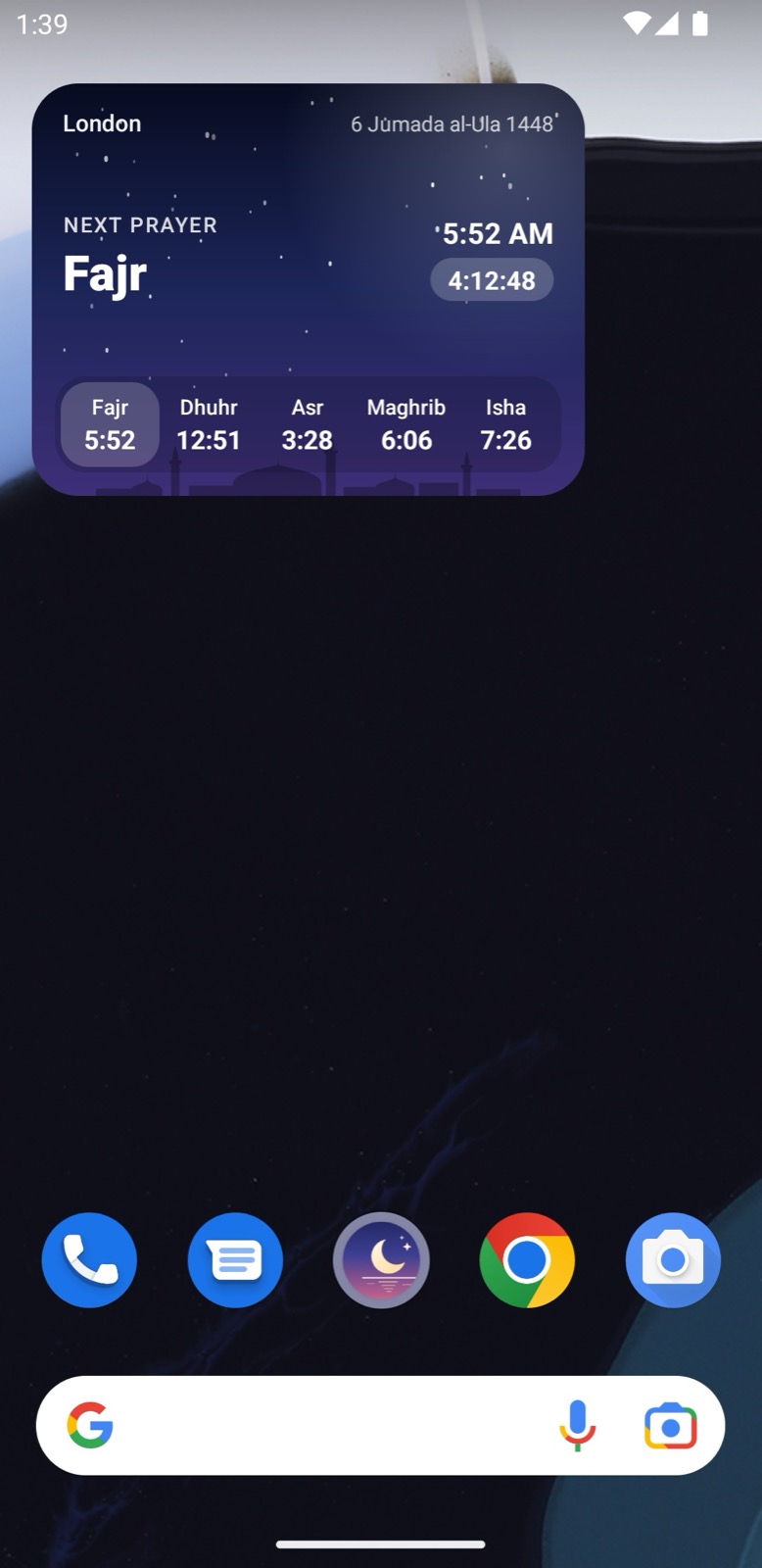
Prayer timesMonthly timetableAdhan and remindersAdhan on timeHome screen widget
Adhan and reminders
For each prayer: the adhan, a short beep, vibration only, a silent notification or nothing, plus a reminder some minutes before. Three adhan voices are built in; voices added in the panel can be downloaded. The adhan can play on the alarm volume, so it sounds even when the ringer is down.
The notifications are scheduled 7 days ahead with Android's exact alarms, and re-scheduled in the background twice a day (WorkManager) and after a reboot. Tapping the adhan notification opens the adhan screen with the dua after the adhan and "Mark as prayed".
Optional: morning and evening adhkar reminders, Friday reminders (Surah Al-Kahf, Jumu'ah), suhoor reminder in Ramadan.
Adhan on time (Settings) checks what can delay the adhan (notification permission, exact alarms, battery optimisation) and opens the right system setting, with tips for Samsung, Xiaomi, Huawei and Oppo phones.
Home screen widget
Android only in version 1.0.0. A 4×2 widget with the next prayer, a live countdown, today's five times and a sky that changes with the time of day. Add it with Settings > Home screen widget, or from the phone's widget list. It updates itself at each prayer time without opening the app.
Quran
The Uthmani text (Tanzil) is inside the app, in the Amiri Quran font: surahs, juz, bookmarks, search in Arabic and in the downloaded translation, the last read position, adjustable text size.
Translations are downloaded once from AlQuran Cloud (14 offered by default, one or more per app language; the list can be changed in the panel). Each translation has its own terms of use: check them for your app.
Recitations play verse by verse with the verse highlighted, in the background with media controls. 15 reciters are built in; the panel adds more.
SurahsReader with translationDark modeArabic interface
And also
QiblaCompass with the direction and distance to the Kaaba, and a calibration hint.
Adhkar & duasMorning and evening adhkar suggested by the time of day, counters, favourites, search.
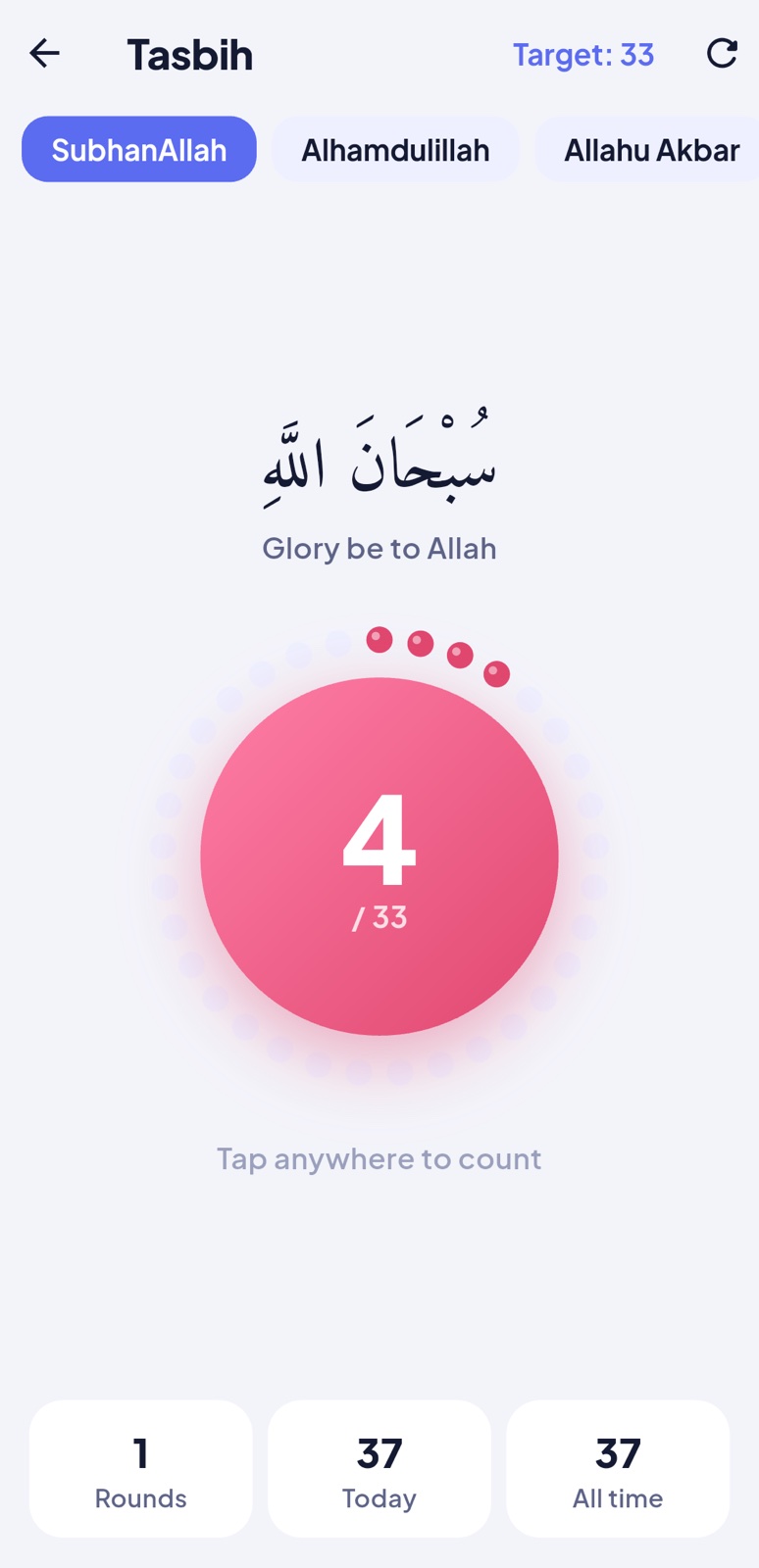
TasbihCounter with targets, rounds, history and haptic feedback.
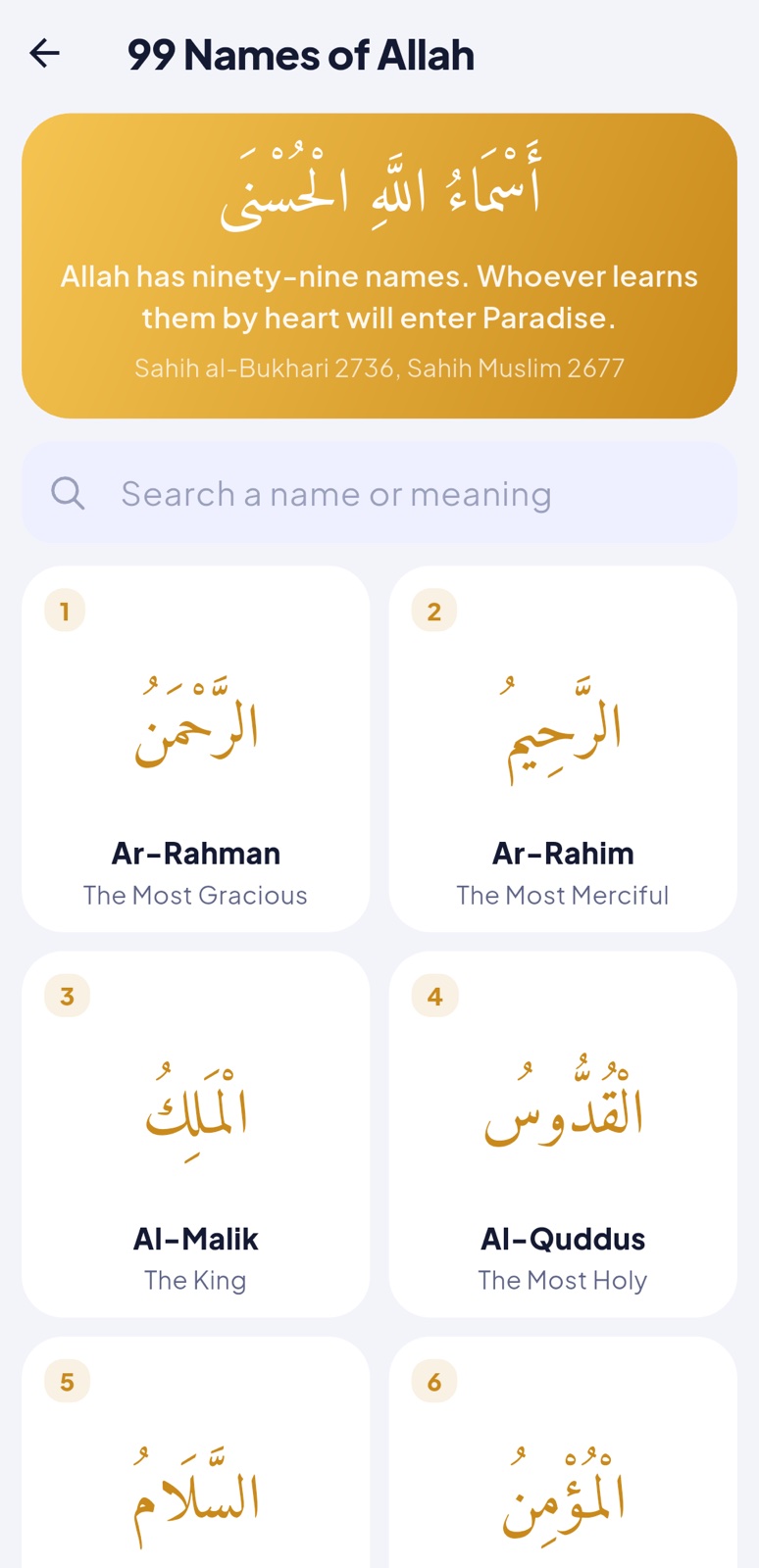
99 NamesWith meaning and explanation in each language.
HadithCollections, hadith of the day, sharing.
Hijri calendarMonth view, Islamic events, white days, a date converter.
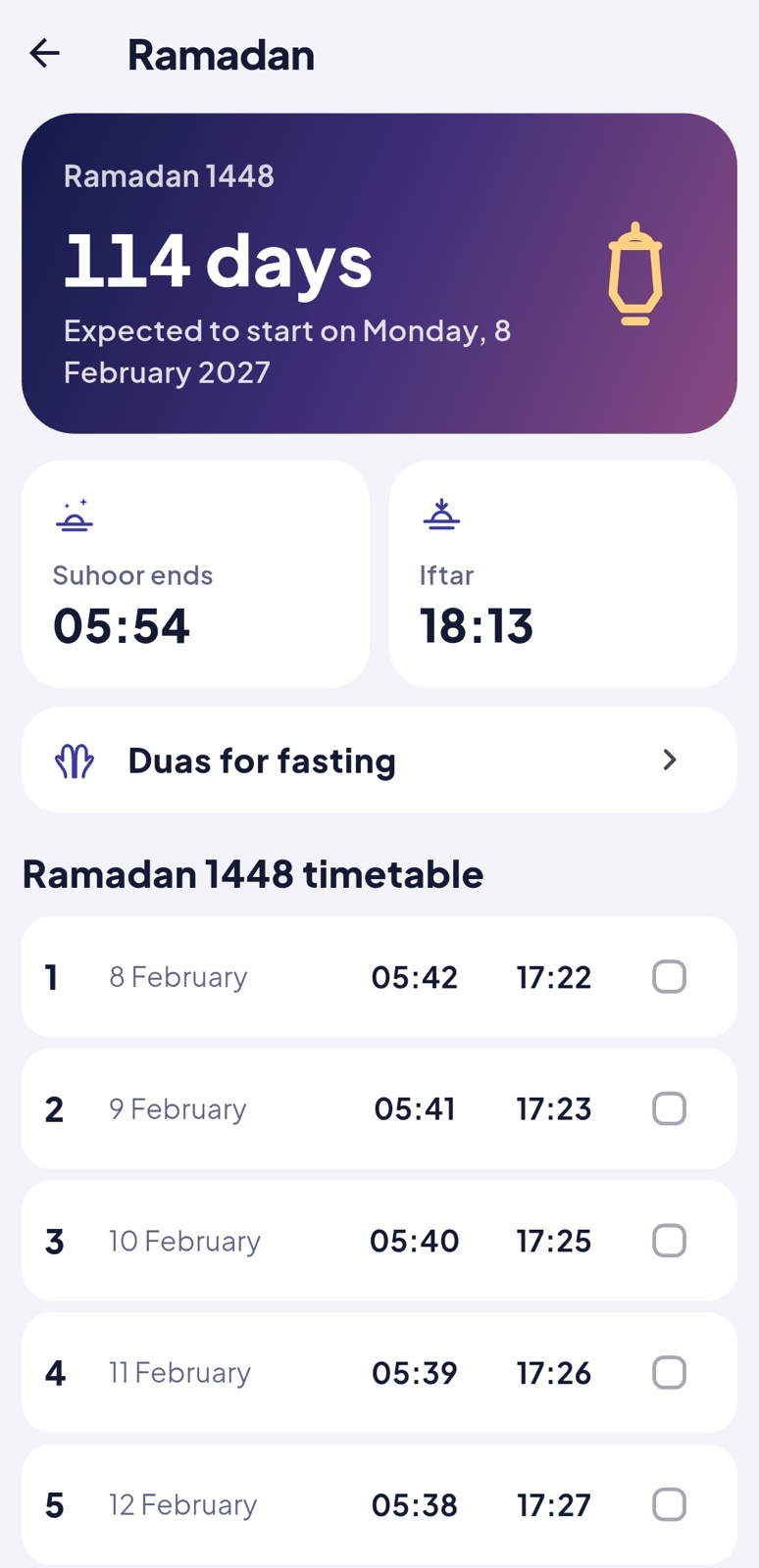
RamadanCountdown, suhoor and iftar times, the month's timetable, fasting duas.
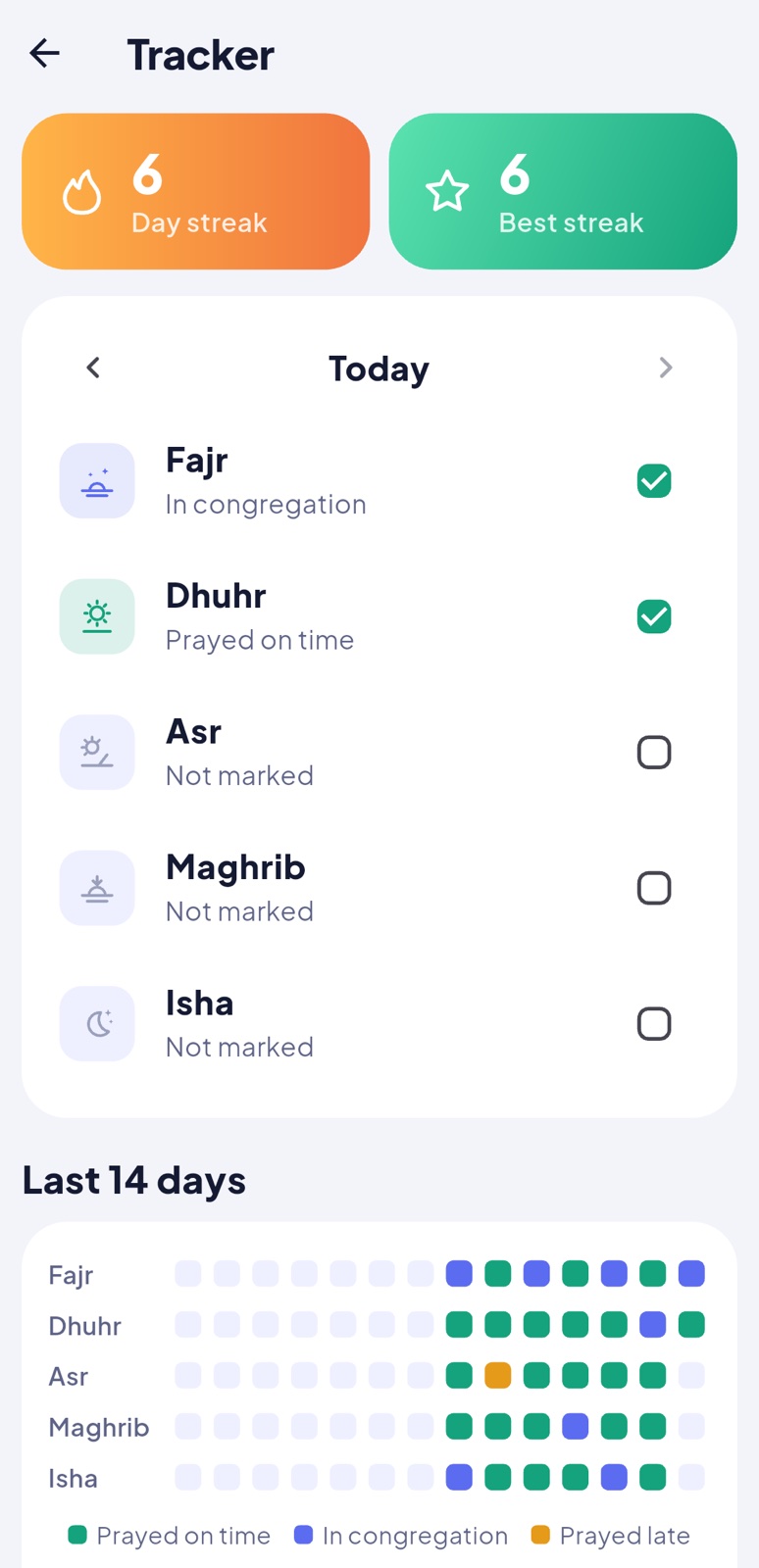
Prayer trackerMark each prayer on time, in congregation, late or missed; streaks and the last 14 days.
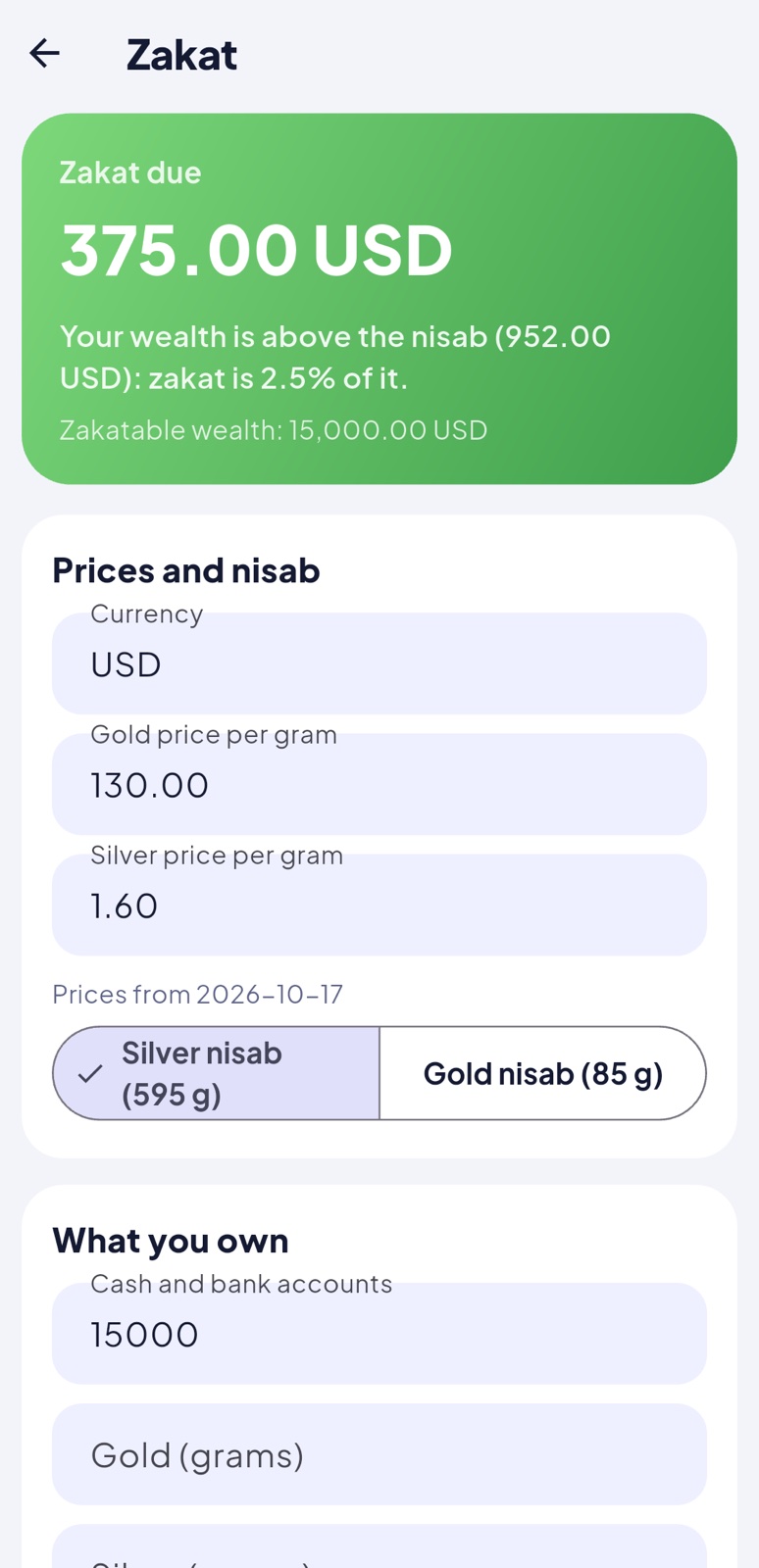
Zakat calculatorGold or silver nisab (prices from the panel), cash, gold, silver, investments, business goods, money owed and debts.
Nearby mosquesYour verified mosques first, then OpenStreetMap; directions in the maps app.
Articles & inboxArticles from the panel and the notifications you sent.
Halal guideFood additives with their status, search and filters.
Prayer times, the adhan, the Quran text, the Qibla, adhkar, duas, hadith, the 99 Names, the calendar and the tasbih need no connection. Content downloaded from the panel and translations are kept on the phone.
17Look and branding
Colours
lib/core/theme/palette.dart holds every colour: SakinaColors.light and SakinaColors.dark (backgrounds, surfaces, text, primary colour) and FeatureStyle (the gradient of each feature tile). The sky of the home screen is in lib/core/theme/sky.dart (SkyPalettes: one palette per moment of the day, blended smoothly).
// lib/core/theme/palette.dart
static const quran = FeatureStyle(Color(0xFF34C38F), Color(0xFF11866A));   // light → dark end of the gradient
Fonts
Declared in pubspec.yaml (fonts:) and chosen in lib/core/theme/theme.dart (Fonts): Plus Jakarta Sans for the interface, IBM Plex Sans Arabic for Arabic, Urdu and Persian interfaces, Amiri Quran for the Quran and Amiri for duas. Replace the files in assets/fonts and keep their licences.
108, 162, 216, 324, 432 px; keep the artwork inside the middle 66%
Adaptive icon (Android 8+) and the splash screen (Android 12+)
res/drawable/ic_notification.xml
Vector, 24 dp, white on transparent
Notification icon and themed (monochrome) icon
res/values/colors.xml (splash_background)
Colour
Splash screen background
assets/images/logo_mark.svg
Vector, 512 × 512
Logo inside the app (welcome, about)
assets/icons/*.svg
Vector, 24 × 24, line icons
All icons of the app (65)
res/drawable/widget_bg_*.xml, widget_skyline.xml
Vector and gradients
Home screen widget
res/raw/adhan_1.m4a … adhan_3.m4a
Audio, AAC
Built-in adhan voices
Google Play icon
512 × 512 PNG
Your store listing (an example is made by the icon script)
The icons are drawn from one SVG logo by tools/brand/render_icons.sh (needs Google Chrome): replace app/assets/images/logo_mark.svg, adjust the background colours in tools/brand/icon.html and run the script to regenerate every size. It also writes the iOS app icon and launch image (ios/Runner/Assets.xcassets), the Google Play icon (512 × 512) and a 1024 px copy to marketing/. You can also use Android Studio's Image Asset tool (right-click res > New > Image Asset). The iOS launch screen's background colour is set in ios/Runner/Base.lproj/LaunchScreen.storyboard (the night blue of splash_background).
Home screen
Without touching code, the panel chooses the Explore grid, the home cards and their order (App settings > Features & home). In code, the cards are built in lib/features/home/home_cards.dart and the sky header in lib/features/home/home_header.dart.
18Languages and right-to-left
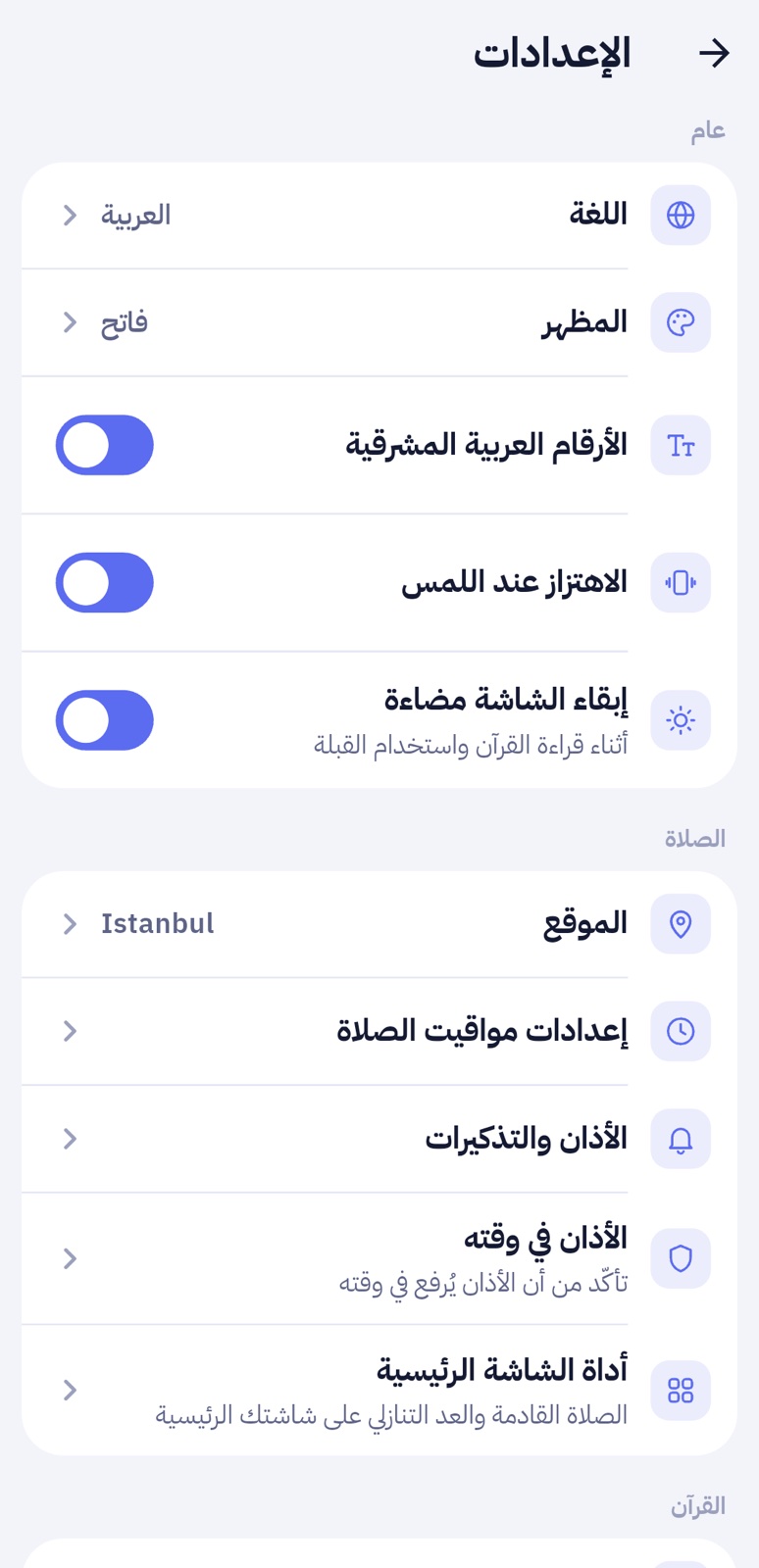
The app ships in 12 languages: English, Arabic, French, Spanish, German, Turkish, Indonesian, Malay, Urdu, Bengali, Russian and Persian. It follows the phone's language on first launch, and people can change it in Settings > Language. Arabic, Urdu and Persian are fully right to left: layouts mirror, Arabic-script fonts and letter spacing are adapted, and surah names show in Arabic. Arabic, Urdu, Persian and Bengali can show native digits (a switch in Settings).
Arabic homeArabic duasReaderSettings
Add a language from the panel (no new app version)
Languages & texts > Add a language: names, two-letter code, right-to-left or not.
Translate its texts (or Export English, translate the JSON file, Import it).
Translate the content in each form's new language tab (duas, hadith, names, banners…).
Phones download the texts at their next sync and offer the language in Settings > Language. Until a text is translated, the app shows it in English.
Bundle a language inside the app
To ship a language inside the app (works offline from the first launch):
// 1. assets/i18n/sw.json: copy en.json and translate the values (keep words in {braces})
// 2. lib/core/l10n/languages.dart: add it to the list
Language('sw', 'Kiswahili', 'Swahili'),
// right to left, with native digits:   Language('ps', 'پښتو', 'Pashto', rtl: true, nativeDigits: arabicIndicDigits),
// 3. optional, translated content: assets/data/azkar.sw.json, hadith.sw.json, names.sw.json, events.sw.json
//    (same file as the English one with the texts translated; ids and Arabic unchanged)
Flutter's own widgets (date pickers, copy/paste menus) use the languages supported by flutter_localizations; others fall back to English for those few system texts.
19Content
Quran text: the Uthmani text from Tanzil, unchanged, with its copyright notice (shown in Settings > About > Licences). Tanzil's terms ask that the text is not modified and that the source is credited.
Duas, adhkar, hadith, the 99 Names and events were selected from authentic sources (references on each item) and written for this item. Their translations in the 11 other languages were made for this item too; Quran passages inside them are our own renderings of the meaning, not copies of published translations. Review them with a scholar or native speaker of your audience if you can; every text is editable in the panel.
Quran translations are not bundled: people download them from AlQuran Cloud. Choose which ones to offer in the panel and check each one's terms.
Recitations stream from everyayah.com (built-in reciters) or from your own files (panel).
Food additives (halal guide) are general guidance; the app says so and recommends checking with the manufacturer.
Services (lib/core/services.dart) creates every controller once and wires them: a change of place, prayer settings, alerts or language re-schedules the notifications and refreshes the widget.
Prayer times: PrayerEngine (calculation or timetable) → PrayerController (today, next prayer, a one-second clock while the app is visible) → screens and AdhanScheduler (7 days of notifications).
Content: ContentRepository reads the panel's copy of each section if there is one, else the bundled file for the language (assets/data/section.lang.json), else the English file; sync() downloads only changed sections.
Texts: tr('key') looks in the panel's texts, then the bundled language file, then English.
Background: backgroundDispatcher in main.dart (WorkManager, every 12 hours) re-schedules notifications and refreshes the widget even if the app isn't opened.
Admin panel: one model and one admin controller per content type; most share ResourceController (lists and forms described by fields). App\Support\AppContent turns the tables into the app's JSON and computes the section versions.
Tests: admin/core/tests holds 34 automated tests (the API answers, the admin pages and their links, content imports, form limits against the database columns and the prayer time calculation). The download ships without the testing libraries; to run the tests on your computer, run composer install in admin/core, then php artisan test. They use a temporary SQLite database; to run them on MySQL or MariaDB, set DB_CONNECTION=mysql and the DB_HOST, DB_DATABASE, DB_USERNAME and DB_PASSWORD of an empty test database before the command (the tests empty it).
21Extension guides
A. Add a feature tile (a new screen in the More tab)
// 1. lib/features/qa/qa_page.dart: your screen
class QaPage extends StatelessWidget {
  const QaPage({super.key});
  @override
  Widget build(BuildContext context) => Scaffold(appBar: AppBar(title: Text(tr('feature.qa'))), body: const Center(child: Text('...')));
}

// 2. lib/features/more/features.dart: register it (icon from assets/icons, colour from FeatureStyle)
Feature('qa', 'quote', 'feature.qa', FeatureStyle.articles, page: () => const QaPage()),

// 3. assets/i18n/en.json (and the other languages): its name
"feature.qa": "Questions",

// 4. admin/core/config/sakina.php: let the panel switch it on/off and place it in Explore
'features' => [ ..., 'qa' => 'Questions' ],
B. Add a content section managed in the panel (example: "quotes")
Panel (in admin/core):
// database/migrations/2026_11_01_000001_create_quotes_table.php
Schema::create('quotes', function (Blueprint $t) {
    $t->id(); $t->json('text'); $t->string('author')->nullable();
    $t->unsignedInteger('sort')->default(0); $t->boolean('is_active')->default(true); $t->timestamps();
});

// app/Models/Quote.php
class Quote extends Model {
    use HasTranslations;
    protected array $translatable = ['text'];
    protected $fillable = ['text', 'author', 'sort', 'is_active'];
}

// app/Http/Controllers/Admin/QuoteController.php (list and form for free)
class QuoteController extends ResourceController {
    protected string $model = Quote::class;
    protected string $route = 'admin.quotes';
    protected string $title = 'Quotes';
    protected string $singular = 'Quote';
    protected function columns(): array { return ['Quote' => fn ($q) => e($q->tr('text')), 'Order' => 'sort']; }
    protected function fields(Model $item): array {
        return [
            ['name' => 'text', 'label' => 'Quote', 'type' => 'textarea', 'tr' => true, 'required' => true],
            ['name' => 'author', 'label' => 'Author', 'type' => 'text'],
            ['name' => 'sort', 'label' => 'Order', 'type' => 'number', 'default' => 0, 'half' => true],
            ['name' => 'is_active', 'label' => 'Show in the app', 'type' => 'toggle'],
        ];
    }
}

// routes/admin.php, inside the admin.can:content group
Route::resource('quotes', QuoteController::class)->except(['show']);
// resources/views/admin/layout.blade.php: a menu entry
{!! $item('admin.quotes.index', 'Quotes', 'quote', '#4F8CF7', ['admin.quotes.*']) !!}

// app/Support/AppContent.php: the JSON for the app and its version
public const SECTIONS = [..., 'quotes'];
private const TABLES = [..., 'quotes' => ['quotes']];
// in section():
'quotes' => ['quotes' => Quote::query()->where('is_active', true)->orderBy('sort')->get()
    ->map(fn ($q) => ['text' => $q->tr('text', $lang), 'author' => (string) $q->author])->all()],
Run php core/artisan migrate (or System > Update the database).
The sync downloads the section when its version changes, keeps it offline, and reloads it when the language changes.
C. Bundle another adhan voice inside the app
// 1. Put the file in android/app/src/main/res/raw/  (lower case, no spaces): adhan_madinah.m4a
// 2. lib/features/adhan/voices.dart, AdhanVoices.bundled:
AdhanVoice(id: 'adhan_madinah', name: 'Madinah', origin: 'Your description', raw: 'adhan_madinah', credit: 'Who recorded it, licence'),
res/raw/keep.xml already keeps every raw file in release builds. Each voice gets its own notification channel (Android can't change a channel's sound later).
D. Change the default calculation method of a country
lib/features/prayer/prayer_engine.dart, methodForCountry(): a switch on the ISO country code, for example case 'GB': return 'moonsightingCommittee'; (the ids are listed at the top of the file, in methods). People can still choose any method in the settings.
Keeping saved data compatible
The app stores settings in shared preferences and content in JSON files. When you add fields, read them with defaults (as every fromJson in the project does): older saved data then still loads, and an older app version ignores fields it doesn't know.
22Updating to a new version
The admin panel
Back up the database (cPanel > phpMyAdmin > Export) and the uploads folder.
Run composer install --no-dev --optimize-autoloader in the new version's admin/core (as in Install the admin panel, step 3): a new version can use newer libraries.
Upload the new files over the old ones, exceptcore/.env (your settings and key), uploads/ (your pictures and audio) and core/storage/ (logs, sessions, the "installed" flag).
Sign in and open System: if it says "The database needs an update", click Update the database. Then clear the cache.
Your content and settings live in the database and are never overwritten. Changes to the panel's own files (views, config) are overwritten: keep a list of them, or use the Git workflow below.
The app
File
On update
lib/config.dart, android/gradle.properties
Keep yours; copy any new setting from the new version.
android/key.properties, your keystore, android/app/google-services.json
Take the new version, then re-apply your own code changes (Git makes this a merge).
assets/i18n, assets/data
Take the new version (new texts and content); your edits made in the panel stay on top.
pubspec.yaml
Take the new version, keep your app version number, run flutter pub get.
Git workflow (recommended)
The download doesn't come with a Git repository: you create it yourself, once, in the folder where you unzipped Sakina, before you change anything (the first two lines below). Install Git first if your computer doesn't have it (Git 2.28 or newer).
git init -b sakina                                    # once: a new repository; branch "sakina" holds the original files
git add . && git commit -m "Sakina 1.0.0 (original)"
git checkout -b my-app                                # your own changes go on this branch
# when an update comes out:
git checkout sakina                                   # copy the new version's files over these, then:
git add -A && git commit -m "Sakina 1.1.0"
git checkout my-app && git merge sakina               # Git applies the update to your app; fix the few conflicts it lists
Keep your keystore, key.properties, google-services.json and core/.env out of Git: the included .gitignore files already exclude them.
✅
The app keeps people's data across updates: settings, the prayer log, bookmarks, downloaded translations and voices stay on the phone. Updates never ask users to set the app up again.
23Troubleshooting
"The adhan didn't sound" or "it came late"
Open Settings > Adhan on time: it shows what is missing (notification permission, exact alarms, battery optimisation) with a button for each.
Samsung, Xiaomi, Huawei, Oppo and some other phones stop apps in the background: the same page explains where to allow the app (for example Samsung: Settings > Battery > Background usage limits > Never sleeping apps).
Check that the prayer's alert is set to "Adhan" in Settings > Adhan and reminders, and that the phone isn't in Do Not Disturb (or turn on "Play on alarm volume").
Use "Test the adhan": it rings 20 seconds later.
"The times are a few minutes different from my mosque"
Settings > Prayer time settings: choose the method your mosque uses, the Asr school, and add minutes to a prayer if needed.
If your mosque publishes a timetable, add it in the panel (Prayer timetables): people then get exactly those times.
"The app shows nothing I changed in the panel"
Changes arrive at the next sync: close the app and open it again (it syncs at most every 30 minutes).
Check apiBaseUrl in lib/config.dart and open https://your-panel/api/v1/ping in the phone's browser. A certificate error means https isn't set up correctly.
If you turned on the API key, the same key must be in the app (apiKey).
Is the phone listed in Devices? If not, the app can't reach the panel.
"Push notifications don't arrive"
The app must be built with your google-services.json (its package name must match), and the panel must have the service account key of the same Firebase project. The log line "Push notifications are off: this build has no google-services.json" means the file wasn't in app/android/app/ when the app was built: add it and rebuild after flutter clean.
"SenderId mismatch" in the panel's history: the key and google-services.json come from different Firebase projects.
The phone must allow notifications for the app (Android 13+).
Send to "One device (test)": if that works but "Everyone" doesn't, the phone hasn't joined the topics yet (open the app once with internet).
Push notifications history shows the error Firebase returned, if any.
iPhone: the build or the adhan sound
"CocoaPods not installed" or a pod error: install CocoaPods (iOS, step 1), then in app/ios run pod install --repo-update.
"Sakina: set SAKINA_ADMOB_APP_ID": the iOS build needs an AdMob App ID, see iOS, step 4.
"Signing for Runner requires a development team": in Xcode, Runner > Signing & Capabilities, choose your team. The project ships without one.
No adhan sound: with the ring/silent switch on silent, iOS notifications make no sound (the adhan screen still plays it when opened). Also check Settings > Notifications > your app > Sounds. The notification plays the first 30 seconds of the adhan: an iOS limit.
Alerts stop after a few days: iOS keeps 64 scheduled notifications per app. Open the app (it schedules the next ones); fewer reminders leave room for more days of adhans.
"The Qibla points the wrong way"
Move the phone in a figure 8 to calibrate the compass, keep it flat and away from metal, magnets and other phones. The app shows how precise the compass is.
"My location isn't found"
Turn on the phone's location, or choose the city from the list (Location > Choose a city): prayer times only need the city.
"Nearby mosques says the map service isn't answering"
The list of mosques around a place comes from OpenStreetMap through a public Overpass server, which is free but sometimes busy (it then refuses requests for a while). The app keeps the last list it got for each place and shows it when the server is busy. Mosques you add in the panel always appear. For an app with many users, use another Overpass server or your own: change the address in App settings > Quran, zakat & mosques (list of public servers: wiki.openstreetmap.org/wiki/Overpass_API).
The build prints "WARNING: Your app uses the following plugins that apply Kotlin Gradle Plugin"
This is a notice, not an error: the app builds and works. Flutter 3.47 tells you that four plugins Sakina uses (firebase_core, home_widget, in_app_review and workmanager) still set up Kotlin the older way, which a future Flutter version will stop accepting. Keep building with Flutter 3.47; when those plugins publish updated versions, Sakina's updates move to them (see Updating). Don't upgrade Flutter itself to a new major version before checking the plugins' changelogs.
"The panel shows an error 500" or a blank page
Check the PHP version (8.3+) and that core/storage and core/bootstrap/cache are writable (755 or 775).
Read the log (Logs). For a few minutes, APP_DEBUG=true in core/.env shows the error in the browser; set it back to false.
"Uploading a reciter ZIP or an adhan fails"
The file is bigger than PHP allows: raise upload_max_filesize and post_max_size (cPanel > Select PHP Version > Options), or upload the recitation files to any web space and use the "Online address" option.
"I can't sign in to the panel"
Use "Forgot password?" (needs the Email settings), or run php core/artisan sakina:admin you@example.com on the server to set a new password.
24Logs
The app
Android Studio > Logcat, filter on flutter, with the phone connected by USB.
Or in a terminal: adb logcat -s flutter
Useful lines: Content updated from the admin panel, Sync skipped: … (the panel couldn't be reached and why), Firebase is not set up, Ads not started: …, Device not registered: …, Scheduling failed: ….
The admin panel
core/storage/logs/laravel-YYYY-MM-DD.log (cPanel > File Manager), one file per day.
System shows the server's checks, the cron status and pending database updates.
Activity log shows what each staff member changed.
25Credits and licenses
The app, the panel, their design, the icons, the logo and the illustrations are original work made for this item (the panel's base is shared with our Oddvia item, see Overview). Third-party material:
What
Source
Licence
Quran text (Uthmani)
Tanzil Project, tanzil.net
Creative Commons Attribution 3.0, unmodified, with its notice
Fonts: Plus Jakarta Sans, IBM Plex Sans Arabic, Amiri, Amiri Quran
Their authors (Tokotype; IBM; Khaled Hosny)
SIL Open Font License 1.1 (files in assets/fonts/licenses)
Laravel 13 and its 76 Composer packages (Symfony, Guzzle, League CommonMark, Carbon, BaconQrCode…)
MIT (67), BSD (8), Apache 2.0 (1)
⚠️
Quran recitations and commercial use. The 15 bundled reciters stream their audio from everyayah.com, which publishes no licence or terms of use for its files, and the rights to a recitation usually belong to the reciter or the publisher that recorded it (some audio sites forbid commercial use outright). Before you publish a paid app or an app with ads, ask everyayah.com for permission through its contact page, or use recordings you have the rights to: in the panel, Quran reciters can stream from your own server (an address pattern) or host a ZIP of MP3 files, and you can switch off the bundled reciters you don't keep.
Full texts: licenses.txt in the download, and in the app under Settings > About > Licences.
Flutter, Android, Google Play, Firebase and AdMob are trademarks of Google LLC; Apple, iPhone, iOS, Xcode and App Store are trademarks of Apple Inc.; Laravel is a trademark of Taylor Otwell. Their names are used only to say what the project works with.
26Changelog
1.0.0
First release: the app (Android) in 12 languages and the admin panel with its API.
27Support
Questions before or after buying: zaviro.net/support. Please include your purchase code, what you did and what you see (a screenshot and the log lines from Logs help a lot).
Item support covers questions about the item's features and fixing bugs in it. Installing it for you, and changes to the design or features, are not part of item support.